Mises à jour produit, nouvelles fonctionnalités et améliorations
v2.77.8Dernier
A side plank prescribed as 45 seconds each side asked you to log 90 reps. Holds written that way are now logged in seconds, the way they are prescribed.
Corrections
•A hold prescribed per side, such as 45 seconds each side, is now logged in seconds. It previously offered a rep counter pre-filled with both sides added together, so a side plank asked for 90 reps.
•Per-side rep work, such as 10 each side, is unchanged and still counts both sides.
v2.77.7
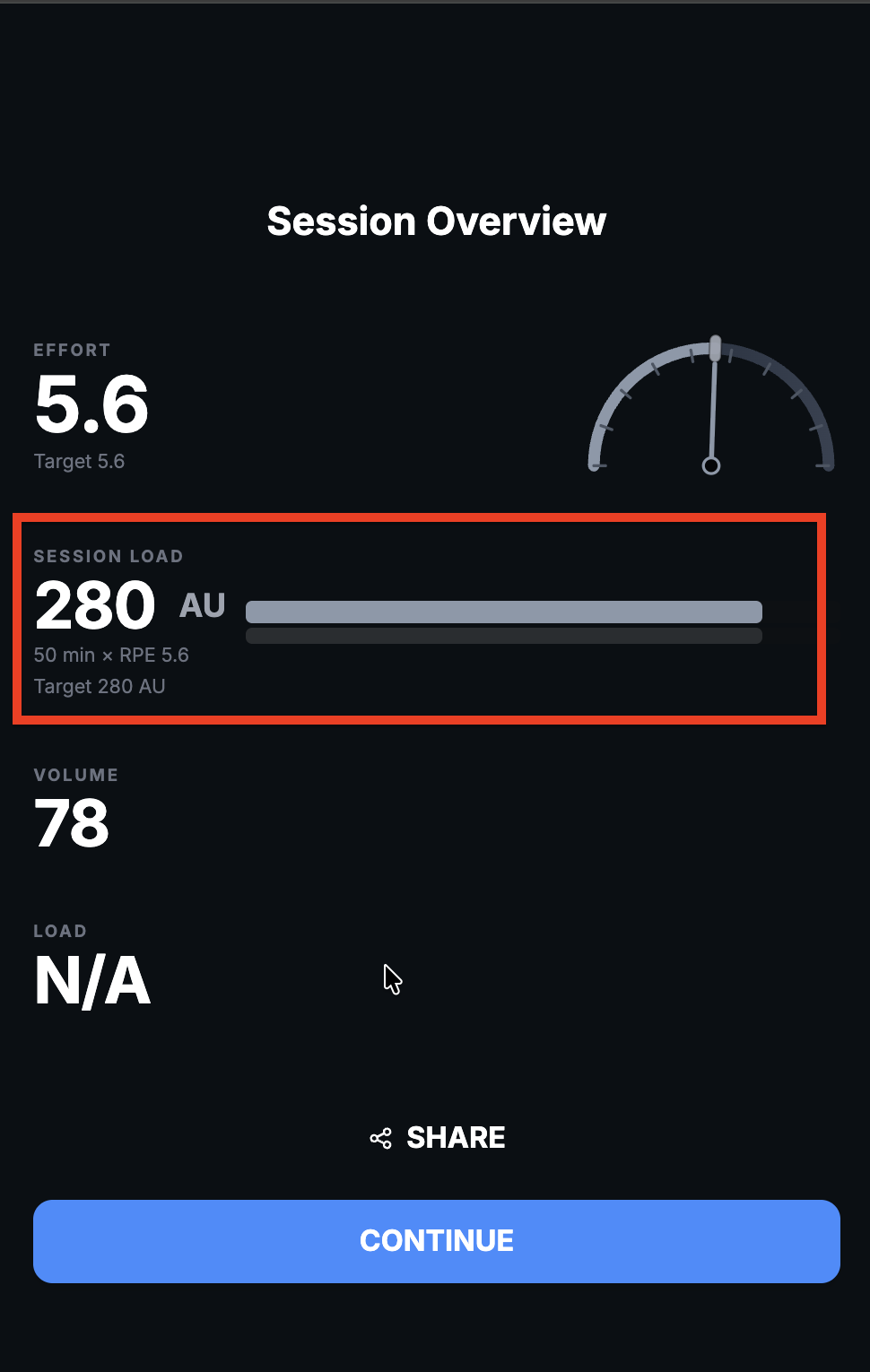
A completed session could report no effort and no training load at all if you rated only one exercise. One rating is now enough.
Corrections
•A completed session where you rated a single exercise now reports its effort and training load. It previously showed effort as N/A with no load, on the summary and on the stats image, even though the session was fully logged.
v2.77.6
Logging a session set by set could discard the effort rating you entered and replace it with one worked out from a reps-left chip. The rating you enter is now the one that is kept.
Corrections
•The effort rating you enter is now kept when you log set by set. It could previously be replaced by a value worked out from a reps-left chip, so an exercise you rated 7.5 could be summarised as 1.
•A reps-left value above 5 no longer decides an exercise effort rating on its own.
v2.77.5
The stats image generated right after a workout was leaving the load blank until you reopened it. It now shows the same load the session summary does.
Corrections
•The stats image created right after finishing a session no longer leaves the load blank. It previously filled in only if you left the summary and opened the image again.
v2.77.4
Weekly generation now states which week of the block it is writing and what that block is working toward, instead of only how many weeks are left.
Améliorations
•Generated weeks now account for where you are in your current training block and what the block is meant to achieve, so a plan progresses across the block rather than reacting only to last week.
v2.77.3
Logging an exercise prescribed per leg or per arm now asks for both sides, so a single-leg session no longer records as half the volume you did.
Corrections
•Logging an exercise prescribed per leg, per arm or per side now starts from the combined total and says "both sides" on the field, instead of offering one limb's count and recording half the volume you did.
v2.77.2
Weekly plans now know which benchmarks you measured recently, so a test you did days ago is not scheduled again before it is due.
Corrections
•A benchmark you tested recently is no longer scheduled for a retest before it is due. Weekly generation now knows when each test was last measured and how long its retest interval is.
v2.77.1
The summaries tab was rendering an empty page. It now lists your weekly summaries as it should.
Corrections
•The summaries tab was showing an empty page with a Load More button and no summaries. Your weekly summaries now appear again.
v2.77.0
The AI weekly review now names repetition sooner, counts training streaks from your logged weeks instead of guessing, and lets a coach see exactly what the AI was told before it wrote its review.
Nouvelles Fonctionnalités
•For coaches: a weekly review now has a "show what the AI was told" panel listing every computed input behind it, block, target, streak, variety, freshness, retests and constraints, with the context size.
Améliorations
•Training streaks in a weekly review are now counted from your logged weeks rather than estimated, so the same run of training no longer reads as a different number of weeks each time.
•Repetitive training is flagged sooner, so a block that reuses most of its main work week after week is called out instead of passing as acceptable.
Corrections
•Session notes no longer state a previous best that was never recorded.
v2.76.9
Recording a test result could post it to the community feed twice. The same result on the same day now updates its own post instead of adding another.
Corrections
•Recording a test result no longer posts it to the feed twice. A repeat of the same result on the same day updates the existing post, while a genuine retest on another day still gets its own.
v2.76.8
Your weekly stats now show the estimated session length next to how long your sessions actually took.
Améliorations
•Your weekly stats now record the estimated session length alongside how long your sessions actually took, so the two are comparable.
v2.76.6
An exercise prescribed per arm or per leg now counts both limbs in your volume, so a set of 12 per arm reads as 24 reps rather than 12.
Corrections
•Exercises prescribed per arm, per leg or per side now count both limbs when working out your volume. Previously only some phrasings were recognised, so single-arm rows and similar exercises reported a target that was half the real number and showed a large false surplus against it.
v2.76.5
Two reporting bugs made summary stats disagree with what you logged: an effort rating you entered could be replaced by one worked out from your reps in reserve, and a set done exactly as prescribed could be shown as a large overshoot.
Corrections
•The effort rating you enter for an exercise is now what the summary shows. It was being replaced by a value worked out from your reps in reserve, so an effort of 8 could appear as 9.5.
•Reps are now compared on the same basis on both sides. Three sets of twelve done exactly as prescribed was being shown as twelve versus thirty-six, an overshoot of twenty-four.
v2.76.4
Adding a benchmark test or exercise to a session could fail with no explanation. The reason now reaches you, and the Add button leads while the session is still empty.
Améliorations
•For coaches: while a custom session is still empty, Add Exercise is the highlighted action, and Save Session takes over once there is something to save.
Corrections
•For coaches: adding a benchmark test or an exercise to a session now shows why it failed instead of appearing to do nothing.
v2.76.3
Marking a whole block done credits the prescribed numbers, which is fine when you followed the plan but hides the fact that nothing was actually recorded. The block now says how many items are waiting for your real numbers.
Corrections
•Marking a block complete now shows how many exercises were credited as prescribed, with a reminder to open one and record what you actually did. Your coach may need your real weight and reps in reserve for the plan to adapt.
v2.76.2
When you ask the in-session AI to add exercises, it now knows what equipment you have, so a lateral raise comes back with a dumbbell load instead of being called bodyweight.
Améliorations
•Naming an exercise in a request now shapes which exercises are offered, so asking for presses or rows no longer returns a list weighted toward mobility work.
Corrections
•Asking the in-session AI to add exercises now takes your available equipment into account, instead of prescribing bodyweight for movements you would normally load.
v2.76.1
Marking a block complete used to skip the log screen its individual items ask for, so a run could be ticked off without ever recording duration, distance, heart rate or effort. Now it opens that screen.
Corrections
•Marking a block complete when it holds a single trackable item now opens the log screen for it, instead of quietly recording the prescribed values. Blocks with several items are unchanged.
v2.76.0
A round of accuracy fixes to session logging: the effort you rate is the effort that is saved, a cardio block marked done from its header no longer loses its training load, and plans now respect the training days you chose.
Améliorations
•Marking a whole block complete now credits its cardio work, so a run ticked off from the block header still counts toward your training load.
•The block tick and the per-exercise tick now look different, so it is clearer when you are marking everything at once versus logging one item.
•Exercise swap suggestions now respect the equipment filter you picked, instead of ignoring it.
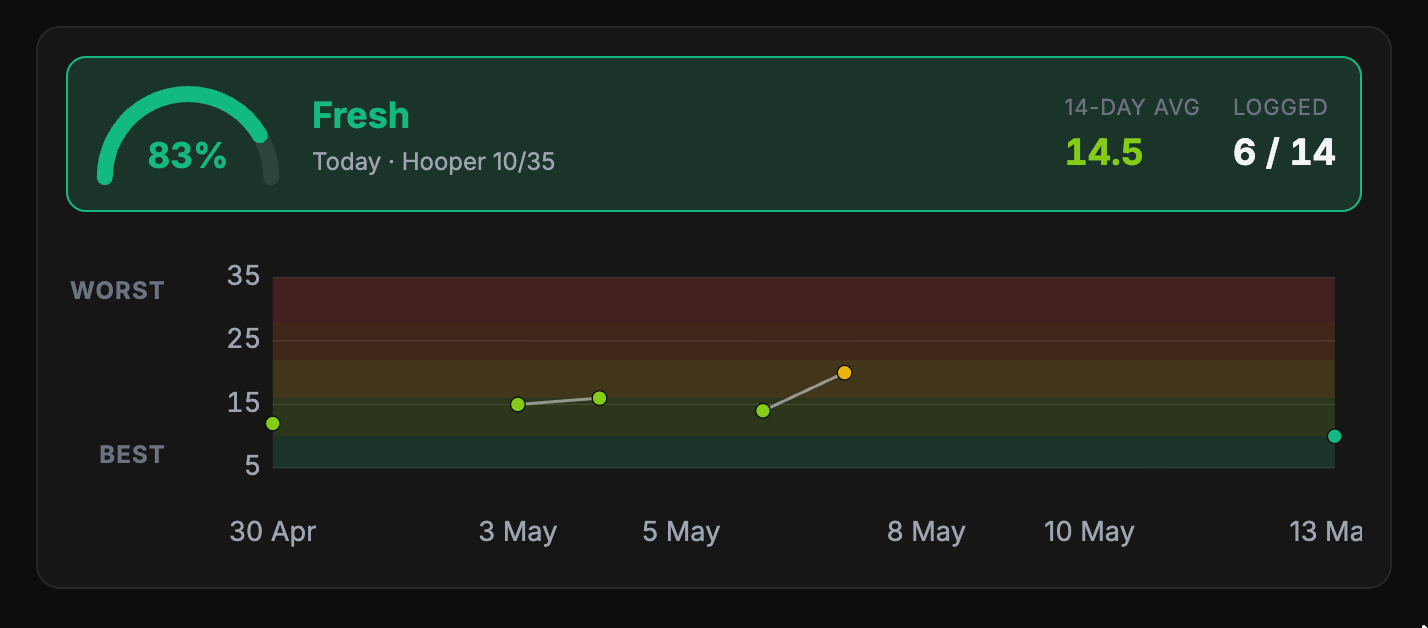
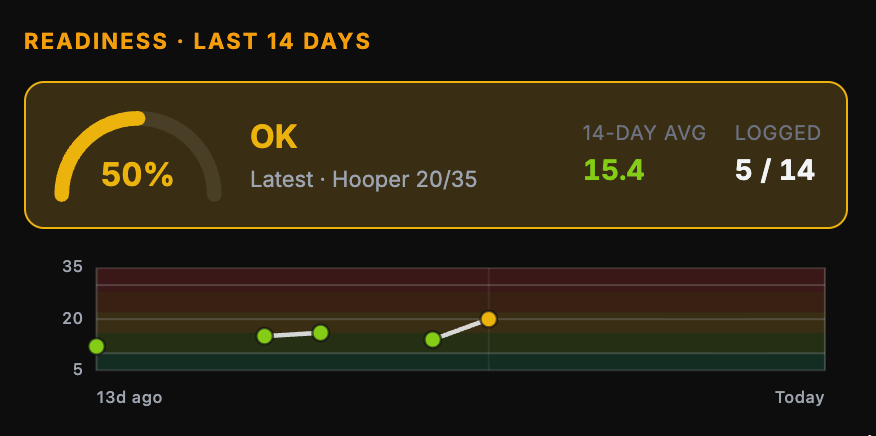
•Your readiness dial is centred with the metrics beneath it.
Corrections
•The effort rating you enter for a session is what gets saved. Previously an average worked out from individual exercises could override it.
•Opening an exercise to correct your reps or weight no longer records an effort rating you never set.
•Dictating into a notes field no longer inserts what you said twice when you stop recording.
•Generated plans now place sessions on your preferred training days, so weeks are no longer stacked back to back without recovery.
•Self-added exercises no longer appear on a session data tab meant for statistics.
•Timed benchmarks in the feed now read as minutes and seconds, so a long plank shows as 4min 30sec rather than 270 seconds.
•For coaches: adding or deleting an exercise in the session drawer now shows immediately instead of needing a page refresh.
•For coaches: regenerating a session now tells you when it could not be rewritten, instead of reporting success and leaving the session unchanged.
•For coaches: extending a master plan that has run past its end now explains when more than one block is needed to reach the current week.
v2.75.0
Coaches can copy a structured JSON brief from the athlete profile, events, benchmarks, timeline, master plan, or AI program generator, refine it in an external LLM, and paste the result back to fill or stage changes before saving.
Nouvelles Fonctionnalités
•On an athlete profile, copy a JSON form of the planning fields, send it to an external LLM, and paste the filled answer back into the edit form before you save.
•The same Copy JSON / Paste JSON loop works on events, benchmarks, the timeline, and the master plan overview, so rewrite, correct, or add drafts without typing every field by hand.
•When revising or regenerating a master plan, you can copy grounding context and paste coach instructions written by an external LLM into the instruction box.
•AI Generate program on templates also supports copying the brief as JSON and pasting a filled version back before you run generation.
Améliorations
•Pasted changes stay as drafts or staged ops until you confirm Save, Create, Post, or Confirm, so nothing is written silently.
•Master plan overview edits for objectives, success metric, and coach notes now save properly when you update the plan.
v2.74.0
A failed card used to be completely silent until your subscription was cancelled. Now you get an email and a banner as soon as it happens, in your own language, and you keep your access while it gets sorted.
Nouvelles Fonctionnalités
•You now get an email and an in-app banner as soon as a card payment fails, instead of finding out when your subscription is already gone.
•The message matches the actual reason. If your bank blocked the payment you are told to call them, because entering the same card again would just be declined a second time. If the card simply expired, you get sent straight to updating it.
Améliorations
•Payment warnings arrive in your own language, and only once per invoice rather than on every retry.
•A failed payment does not lock you out. Access continues while the payment is retried, and both the email and the banner say so.
•The banner clears itself as soon as a payment goes through, so a fixed card no longer leaves a warning stuck on screen.
•Clearer labels and hints on the email fields when signing up and logging in, in English, Spanish and French.
Corrections
•Fixed the payment system rejecting every message it received, which was the reason payment updates kept silently switching themselves off. Card changes, renewals and cancellations were not being recorded while it was down.
•Fixed paying coaches being locked out of their dashboard when their billing record was briefly out of date. Access is now kept while it is checked properly.
•Fixed a failed-payment warning that could never turn off, because nothing was clearing it once the payment succeeded.
v2.73.0
When you report an injury and later get the all clear, your training now follows along. No more working around something that healed months ago, and your coach gets told when the record and reality have drifted apart.
Nouvelles Fonctionnalités
•Once you are cleared of an injury, your sessions stop working around it straight away. Before, a restriction added when you got hurt stayed on forever, so people were still being programmed around a shoulder their physio had signed off weeks earlier.
•Coaches get a new view showing where an athlete record and reality no longer agree, with the dates and messages that prove it, so nothing rests on guesswork.
•Coaches can fix what they find in one step, and can speak the reason out loud instead of typing it. Nothing is saved until they read the proposed change and approve it.
Améliorations
•Coaches now see, per athlete, whether a problem is one root cause or several separate ones, so the fix is one decision instead of a list to untangle.
•Plans now flag when the training that was actually done has drifted from what the block assumed, including missed recovery weeks and goals that changed part way through.
•The coach menu shows a count when someone may be training with an injury that was never recorded, so it gets seen rather than waited on.
Corrections
•Fixed a new injury being recorded on your timeline but never reaching the part of the system that writes your sessions.
•Fixed suggested testing weeks being placed after the end of a plan, which made them disappear from the plan chart entirely for every block after the first.
•Fixed the training record keeping restrictions a coach never asked for, while still keeping the ones they set deliberately.
v2.72.0
Spanish is now a full language option. Pick it during sign-up or in your settings, and the whole app, along with the plans your coach writes, comes through in Spanish.
Nouvelles Fonctionnalités
•Spanish joins English and French as a language you can choose. Every screen is translated, from onboarding to your session logging to the coach portal.
•Your language choice follows you. Pick Spanish once and it sticks across devices and sign-ins, and your training plans are written in it too.
Améliorations
•French has been brought fully up to date. Screens added over the past several months were still appearing in English, and they are now translated.
Corrections
•Fixed several French screens quietly falling back to English, including the readiness check-in wording and parts of the training glossary.
v2.71.1
If your session asks for an effort of 7.5, you can now record 7.5. Every effort slider moves in half steps, so what you report back matches what was asked of you.
Améliorations
•Effort sliders now move in half steps from 1 to 10, so a 7.5 is a value you can actually pick when logging strength work, cardio segments, or a scored workout.
•The overall effort scale on the session wrap-up screen offers the same half steps, keeping it consistent with everything else you log.
Corrections
•Fixed a prescribed half-step effort being rounded down before you touched it. A session asking for 7.5 opened the slider at 7, so agreeing with your coach quietly logged the wrong number.
•Fixed a recorded half-step effort losing its half when you reopened a session. A logged 7.5 came back as 7, and saving again overwrote the real value.
v2.71.0
When your plan says test your 3RM, you can now log the number against a real benchmark instead of leaving it in a note somewhere. Body measurements work the same way, and your results build a history you and your coach can track over time.
Nouvelles Fonctionnalités
•Strength tests in your plan now open a result logger, so a 3RM or 1RM attempt is recorded as a benchmark you can chart, not just a line you read and forget.
•Body measurements are now something you log in the session: bodyweight plus chest, waist, hips, and both arms and thighs, each with a note on exactly where to put the tape so next time is measured the same way.
Améliorations
•A test only asks you for one number, the top attempt, instead of prompting you on every warm-up and ramp set on the way up.
•A 3RM and a 5RM of the same lift are now tracked separately, so working up to a heavy triple does not overwrite your five-rep history.
•Your plan is now built so tests come through already set up to record. Previously a test could arrive as plain sets and reps with nowhere to put the result, leaving your coach to chase what you actually lifted.
Corrections
•Fixed test weeks where nothing could be logged. Tests written into a session were shown as ordinary work, so results never reached your benchmark history and progress was untrackable.
•Fixed body measurements being recorded in the wrong unit. Circumferences were saved as a rep count rather than centimetres.
•Fixed body measurements being treated as shareable. Bodyweight and circumferences are private and are now correctly kept out of your public activity.
v2.70.0
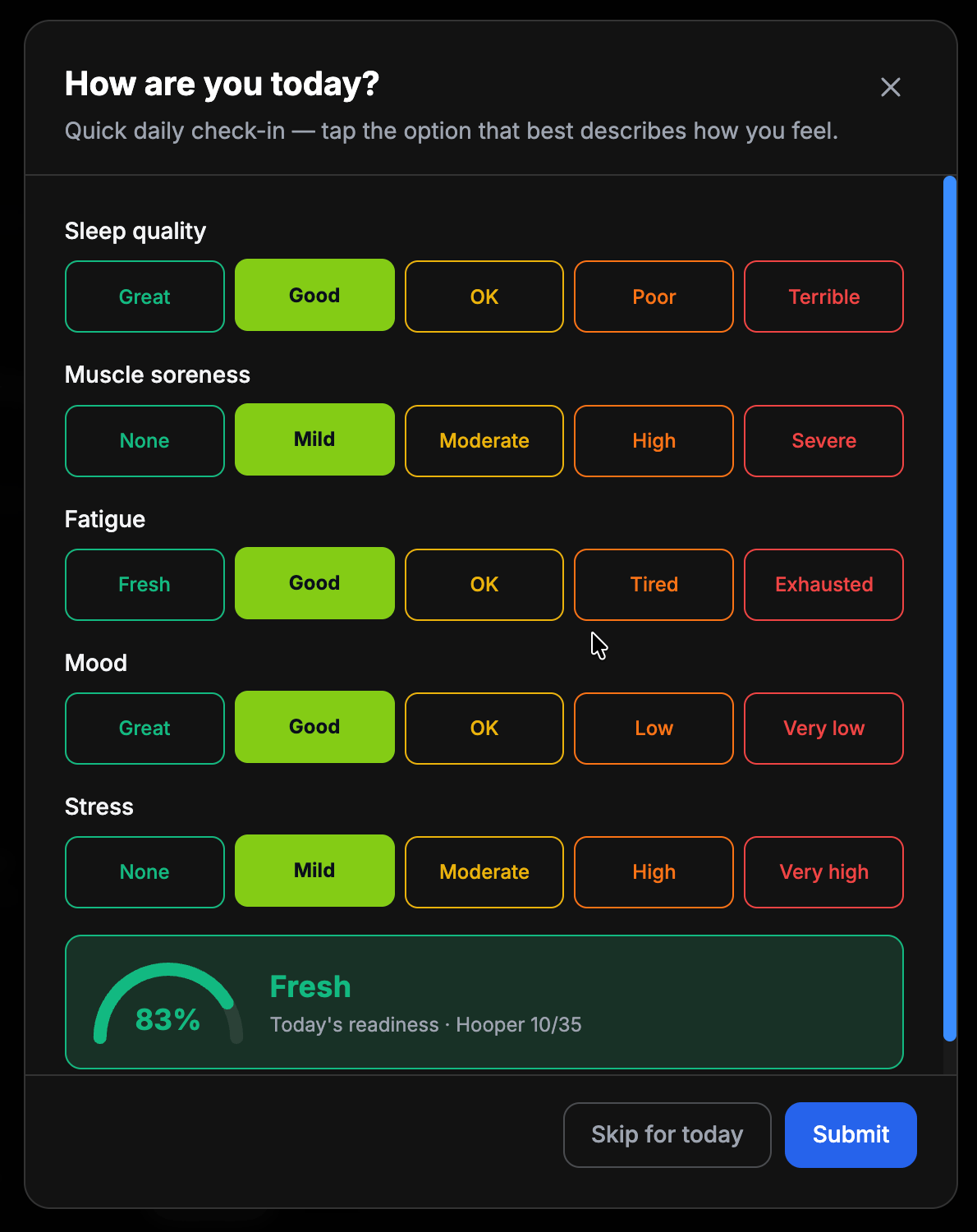
Your daily check-in now has a note field, so you can say why you slept badly instead of only scoring it. Speak it or type it, your coach sees it, and submitting is now one tap with no extra screen afterwards.
Nouvelles Fonctionnalités
•Add a short note to your daily check-in explaining what is going on, by typing or by speaking it.
•The prompt names whatever you scored poorly, so after a rough night it asks about your sleep rather than asking a blank question.
•Your notes appear on your readiness calendar, so you can look back and see what was happening during a hard stretch.
Améliorations
•Submitting your check-in now closes straight away with a short confirmation, instead of showing another screen with another button to dismiss.
•Your coach sees your note wherever they see your readiness, including on the printed week.
Corrections
•Fixed being unable to edit a check-in you had already logged. Opening a past day from your readiness calendar failed silently and left you with an empty form.
v2.69.0
Speaking into the app used to fall apart after about a minute: your screen went dark and took what you were saying with it. You can now talk for as long as you like, anywhere there is a microphone, and watch every word land as you say it. Runs also finish with numbers that actually belong to a run, and a jump test can be measured with your camera without leaving the session.
Nouvelles Fonctionnalités
•Your screen stays awake for as long as you are talking, so a long answer no longer disappears when the display goes dark.
•Speaking now continues through pauses. Stopping to think or take a breath no longer quietly ends the recording partway through.
•Every microphone in the app behaves the same way now, whether you are writing a session note, filling in your profile, or sending a message to your coach.
•Finish a run and you now see your pace and your heart rate, next to the distance and effort that were already there.
•Vertical jump and countermovement jump can now be measured with your camera the moment you are asked to log one, without leaving your session to go and find the jump tester.
Améliorations
•Long spoken answers stay readable. The text follows along as you speak instead of scrolling out of sight above the box.
•Where a field has a length guide, speaking is no longer cut off partway through a sentence. You can say everything you wanted and then trim it back yourself.
•The share message box can now be dragged taller when you have more to say.
•Pace is shown against what was prescribed, and the difference reads in seconds per kilometre rather than a percentage, so you can tell at a glance how much quicker or easier you ran.
•Your average pace is now weighted by distance, so a long steady stretch counts for more than a short fast one and the number matches what your watch would tell you.
•A measured jump drops straight into the value box rather than saving itself, so you can still add a note, or jump again, before you commit the result.
•Buttons that open the camera now use a proper icon instead of an emoji, so they look the same on every phone.
Corrections
•Fixed talking into the app for around a minute losing what you had just said.
•Fixed spoken answers being silently shortened at a length limit, with nothing to tell you anything had gone missing.
•Fixed runs finishing with reps and weight lifted, which meant a Zone 2 run reported a volume of 1 and no load at all.
v2.68.0
Until now your daily check-in was recorded and charted, but it never went anywhere. Your coach now gets told when something in your answers is worth asking about, along with what to ask, so a rough patch turns into a conversation instead of a number nobody acts on.
Nouvelles Fonctionnalités
•Your coach is now shown when your check-ins suggest something is going on, along with specific questions to ask you about it.
•Once you have told your coach what is actually happening, they can get practical suggestions built around your real situation rather than a score.
•What you tell your coach is remembered, so they do not ask you the same thing every week.
Améliorations
•Submitting your daily check-in now confirms it saved and tells you where it goes, instead of the box simply disappearing.
•Suggestions focus on things that actually help, like when you train and how long a session runs, rather than automatically cutting your training.
•A consistently tough score is treated as normal for you, not as a problem, so a long-term sleep issue will not be mistaken for a warning sign every week.
Corrections
•Your check-ins are no longer collected and then ignored. They now reach your coach as something to act on.
•Nothing in your training is changed automatically because of a check-in answer. Your coach decides, every time.
v2.67.0
If you leave AFitPilot open on your phone, your training week now updates on its own when your coach changes it. You can also pull down on the Train screen to refresh whenever you want to be sure you are looking at the latest.
Nouvelles Fonctionnalités
•Pull down with your thumb on the Train screen to refresh your week, calendar, or plan, the same gesture you already use in other apps.
•A new session from your coach now appears on its own, even if you had the app open the whole time.
Améliorations
•Coming back to a tab you left open for days now shows current information instead of whatever was there when you opened it.
•Your activity feed refreshes when you return to it, so you are not reading yesterday's posts.
•Refreshing pulls straight from your account rather than the copy saved on your phone, so a stale week cannot linger.
Corrections
•Your weekly plan no longer sits out of date when a coach adds, edits, or reschedules a session while you have the app open.
•Exercise details you asked for are kept exactly as you wrote them. Asking for side floor leg raises no longer gives you plain floor leg raises.
•Finishing a run, ride, or swim now shows your effort, distance, and time instead of a screen full of "N/A". Runs you already completed have been filled in too, so your history reads properly.
v2.66.1
Switching the app to French now stays French. The choice is remembered on every screen and every time you come back, on any device you sign in from.
Améliorations
•Your saved language follows your account, so signing in on a new phone or after a long break keeps the language you picked.
Corrections
•Choosing Français in Settings no longer flips back to English as soon as you move to another screen.
v2.66.0
Whether you are regenerating a week, revising a phase, or generating a session, the loading screen now looks and feels the same: logo glow, a clear percentage, and a short status line.
Nouvelles Fonctionnalités
•Long plan builds (week regen, next week, master plan, AI weekly review, pre-build block) use a full-screen working view with the logo and progress.
•Session generate and regenerate stay in the modal or drawer, with the same logo and percentage while the workout is built.
•Quick exercise swaps and add-exercise AI show a slim progress strip above the button instead of a full-screen takeover.
Améliorations
•Coach master plan regenerate now uses the same full-screen wait as athlete master regen, instead of a quiet Regenerating… button.
•Phase revision and template AI generate show the shared in-modal progress state while they run.
•Fake step choreography and typewriter loaders are gone; waits use one shared progress pattern.
v2.65.0
When your coach leaves notes on a session or a block, you can now read them on your week list and at the top of the workout, before you start the first set.
Nouvelles Fonctionnalités
•Session coach notes appear under the workout title as a clear "From your coach" note.
•Week cards on Train show a short preview when a session has coach notes, so you know before you open it.
•Block notes (ramps, attempt ladders, prep cues) open at the top of each block, not buried under Show Notes after the exercises.
Améliorations
•Long block notes stay readable by default, with an optional collapse only when the note is very long.
•Collapsed blocks still hint at a note with a one-line preview when there is no other instruction shown.
Corrections
•Fixed coach session notes that could fail to save on an athlete week, or save under a field athletes never saw.
v2.64.0
Training plans were drawing from a fraction of the exercise library, so the same movements kept coming back regardless of your sport, level or equipment. Your plan now reaches the whole library, and your coach gets a panel showing exactly which movements have been repeating so they can rotate them.
Nouvelles Fonctionnalités
•Coaches can now see, per client, how much training repeats week to week, which movements come up most often, and rotate away from them in one step.
•Warm-ups and cool-downs are tracked separately from main lifts, so a coach can tell the difference between a lift that should repeat and a warm-up that has gone stale.
•Plans can now be designed a full block ahead and reviewed week by week, instead of being rebuilt from scratch every time.
Améliorations
•Your plan now draws from the full exercise library instead of a narrow slice of it, so there is far more variety available to you.
•If your profile says you train at a gym, that now counts as access to the equipment a gym has. Before, it matched nothing and you were quietly limited to bodyweight movements.
•Equipment written in French or with different spellings is now understood, so it no longer narrows what you can be given.
•Two clients with different sports and goals now get genuinely different exercise selections rather than near-identical ones.
•A weekly review of an already-planned week now judges that week and suggests changes, rather than rebuilding it from scratch.
Corrections
•Fixed the biggest cause of repetitive training: only a small fraction of the exercise library was ever being offered when your plan was written.
•Fixed mobility and stretching crowding out strength work, which left almost no choice of squats, presses or pulls when a session was written.
•Fixed warm-ups and cool-downs being drawn from the same short list for every client, so different people opened every session with the same few movements.
•Fixed coaches not being told when a card payment fails. A failed card could previously go unnoticed for over a week.
•Fixed a nightly billing check that had been failing every night since it was added.
v2.63.0
Your coach can now see how your recent training load compares with what is normal for you, as a simple chart on your profile. It describes what has happened rather than predicting anything, so it is there to start a conversation, not to grade you.
Nouvelles Fonctionnalités
•A training load chart on your profile showing recent load against your usual level, which direction it is heading, and how this week compares with last.
•A twelve-week line so a gradual drift is visible, not just the latest number.
Améliorations
•The chart says plainly when there is not enough history yet, instead of drawing a flat line that looks like real data.
•If your load jumps after time off, the chart notes the break rather than making the change look alarming.
•Weeks that include estimated session data are labelled, so the numbers are read with the right amount of trust.
Corrections
•Fixed the training load figures being recorded without a timezone, which could make the timestamp ambiguous.
v2.62.0
Your weekly load chart was only refreshing when someone updated it by hand, and weekly tonnage counted planks and loaded carries as if they were reps. Both are fixed.
Nouvelles Fonctionnalités
•Your load trend now updates every night on its own, so the chart on your coach's view reflects where you actually are rather than the last time it was refreshed by hand.
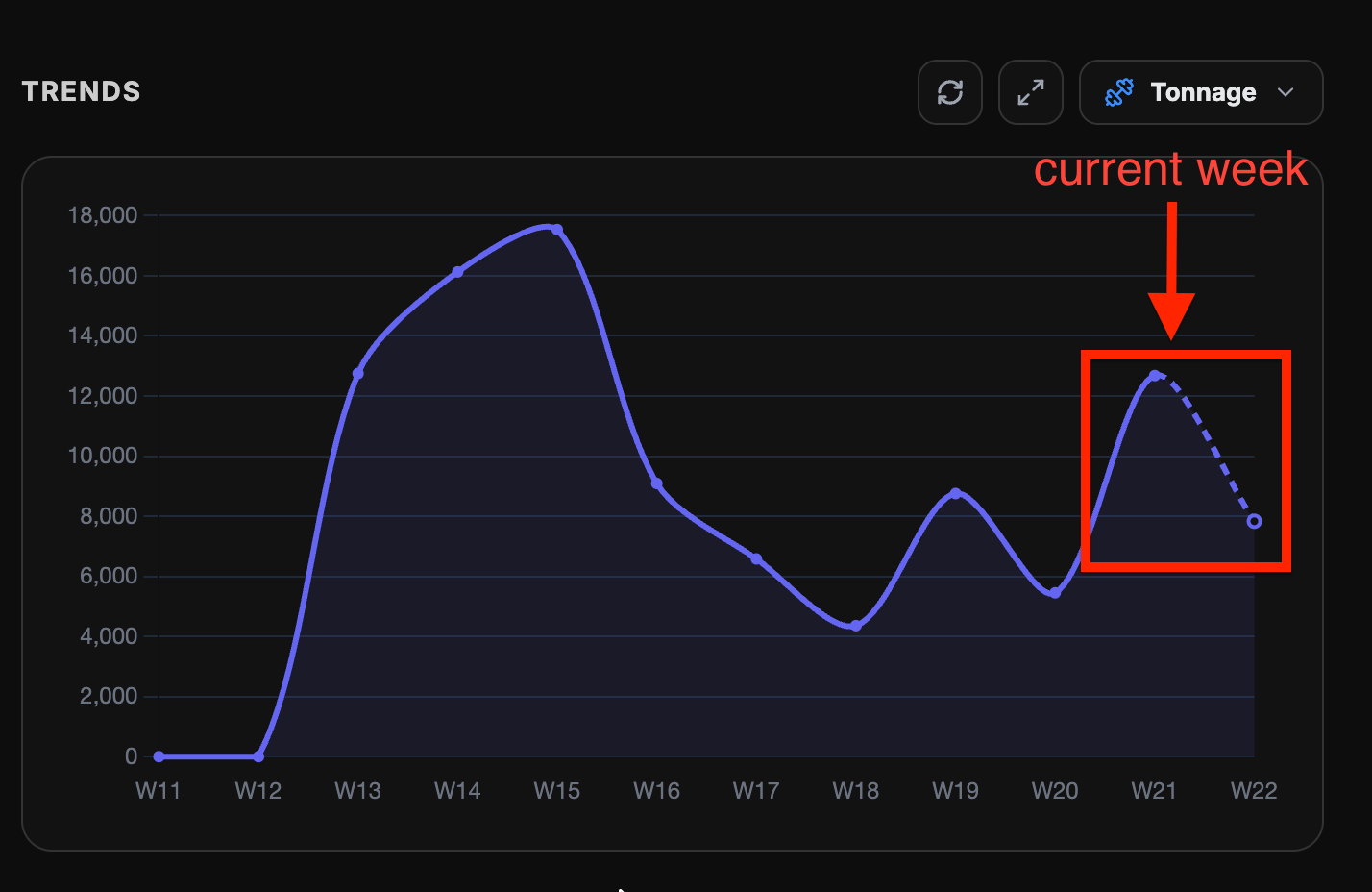
•Your weekly muscle breakdown shows how each muscle group shared the week's tonnage, and it now counts the same work your session totals do, so a plank or a loaded carry no longer inflates a muscle group's share.
Améliorations
•Your weekly tonnage now counts the same work your session totals do, so the two numbers match instead of telling different stories.
Corrections
•Fixed weekly tonnage counting planks, hangs and loaded carries as though they were normal reps, which inflated the total. Your weekly figure may look lower now, and it is the accurate one.
•Fixed weekly tonnage missing work logged set by set, so sessions where you changed the weight between sets were being undercounted.
•Fixed the load trend chart being blank or out of date for almost everyone, because the nightly update was only ever reaching a single athlete.
v2.61.0
Training weeks were coming back too similar, with the same movements and only small load changes. Your plan now knows which phase you are in and what you did last week, so it varies your accessory and warm-up work while keeping your main lifts steady enough to progress.
Nouvelles Fonctionnalités
•Plans that reach the end of their cycle now continue automatically with a fresh training block built from your recent effort and consistency, instead of stalling.
Améliorations
•Your week is now written with your current training phase in mind, so it has a clear direction rather than repeating the last one.
•Warm-ups, cool-downs and accessory work now change meaningfully from week to week, while your main lifts stay put so you can keep adding weight to them.
•When one block of training ends and the next begins, the new block now changes the stimulus instead of looking like the old one with heavier weights.
•Exercise suggestions now favour movements you have not done recently, so you see more of the library over time.
Corrections
•Fixed new weeks being built without knowing what you trained the week before, which was the main reason sessions kept repeating.
•Fixed your main lifts being crowded out of the progression summary by their own warm-up sets, so heavier work is now tracked properly.
•Fixed warm-up movements being treated as if they were loaded lifts when working out what to progress.
•Fixed plan reviews looking at your first few weeks of training instead of your most recent ones when deciding what to change.
v2.60.1
If you lift and run in the same session, your training load now counts both. Before, a session like that only counted the run, so your week looked lighter than it really was.
Améliorations
•Training load for a session that mixes lifting with a run, ride or swim now adds up every part of it instead of only the cardio.
•A session with more than one cardio piece now counts all of them, not just the first.
Corrections
•Fixed mixed sessions reporting far less load than they should. A squat block followed by a 5k was counted as the 5k alone, so the strength work added nothing to your load for that day.
•Fixed load being counted twice when a cardio block had both an overall effort rating and its own individual pieces logged underneath it.
v2.60.0
If your language is set to French, the app now opens in French and stays there, including your training week. Dictating into a text box no longer types everything twice on iPhone.
Améliorations
•Your saved language is now applied when the app opens, so you no longer have to re-pick French after a few days away.
•The training week, calendar and plan screens are now translated, including day names, session buttons and the messages that appear after you skip, delete or regenerate something.
Corrections
•Fixed the app opening in English even when your profile language was French, which happened on iPhone after a week or so without opening it.
•Fixed dictation entering the same sentence twice on iPhone, so a message you spoke once no longer arrives doubled.
v2.59.0
When you swap an exercise, Prefill with AI now rewrites the sets, reps, weight and rest to suit the new movement instead of leaving the old numbers in place. The app also stops switching back to English mid-session, and coach calendars keep their dates when you paste a week.
Nouvelles Fonctionnalités
•Prefill with AI now fills in a full prescription for the exercise you are swapping in, rather than only filling boxes you had left empty.
Améliorations
•Swapped-in exercises get numbers that match the new movement, so a bodyweight or single-side variation no longer inherits a barbell load or the old rep scheme.
•Anything you type by hand is now protected: AI prefill fills the rest around your values instead of replacing them.
Corrections
•Fixed Prefill with AI appearing to do nothing during a swap, because the form was already carrying the previous exercise values.
•Fixed the app switching back to English while you navigated, even when your profile language was set to French.
•Fixed pasted weeks in the coach calendar sometimes landing without dates, which made their sessions hard to reach afterwards.
v2.58.0
When you ask the AI for a session, you can now see how far along it is while it works, preview the full breakdown before you add it, and get a proper workout with exercise demos you can log set by set instead of a wall of text.
Nouvelles Fonctionnalités
•A progress panel while your session is being built, so you can see which step it is on instead of watching a silent spinner.
•The generated session now opens with its full breakdown already expanded, so you can read every exercise before deciding to add it.
Améliorations
•Sessions you generate now come back with demo videos attached far more often, including for cardio and interval work, which never had them before.
•If a session cannot be turned into trackable exercises, you now get told up front, with the option to try again rather than silently ending up with a plain-text workout.
Corrections
•Fixed generated sessions sometimes arriving as one block of text with no exercise tracking and no demo videos.
•Fixed a generated session showing a made-up length and effort level when it had not really been built, which made it look complete when it was not.
v2.57.0
The workout image you share now shows exactly the same load number you see in the app, and it finally looks the part: clean stats that fit the frame instead of running off the edge.
Améliorations
•The shared workout image now shows what you actually did, rather than pairing it with the target you were given. Your stats, not a report card.
•Stats now sit evenly inside the image and shrink to fit when a number is long, so nothing gets cut off at the edges any more.
Corrections
•Fixed the load number on a shared workout image being different from the one shown in the app for the same session.
•Endurance sessions are now scored the same way everywhere, so a completed session keeps the load it had while you were training it.
•Sessions you log with an average heart rate are now saved with the heart rate based load, so your load history matches what you saw while training.
•Fixed planned session load reading as zero on some screens when the session stored its length under a different field.
v2.56.0
You can now log body-part measurements in centimeters, edit a benchmark after you create it, and pick from a much bigger test library built for spotting left-versus-right imbalances, from single-leg hop and strength tests to balance, shoulder and hip mobility, and limb girths.
Nouvelles Fonctionnalités
•A dedicated set of left-versus-right imbalance tests you can chart side by side: single-leg hop battery (single, triple, crossover, timed and vertical), single-leg strength and calf-raise endurance, per-side grip strength, hip and knee strength, ankle and hip mobility, and hamstring flexibility.
•New "Length" measurement for circumferences and reach tests, logged in cm (also mm or inches).
•More balance and mobility tests: single-leg balance (eyes open and closed), Y-Balance reach, shoulder range-of-motion, and Apley scratch, each split left and right.
•Relaxed and per-side limb measurements (thigh, calf, biceps) to complement the existing flexed ones.
Améliorations
•Coaches and athletes can now edit an existing benchmark, its name, category, video, target range, and more, instead of deleting and recreating it.
•Body-part measurements now read as proper lengths in centimeters rather than a plain number, so the units finally make sense.
Corrections
•Fixed the benchmark creation screen so centimeters are actually available for body measurements, not only for distances.
v2.54.0
The master plan load chart labels every point with a real date instead of a week number, so it lines up with your calendar at a glance.
Améliorations
•The master plan load chart now shows dates (like "Oct 5") on the timeline, tooltips, and phase labels instead of "Week 1, Week 2".
•Training phases now read as date ranges, so you can see exactly when each block starts and ends.
v2.53.0
Effort, volume, tonnage, and load now read the same on the live stats screen, the session summary, and the shared card.
Corrections
•Session stats now match across the live screen, summary, and shared card.
•The load breakdown line no longer contradicts the load shown above it.
•Coach summaries match what you saw when you finished.
v2.52.0
Your weekly progress email now shows the right training days and the right numbers: the days you actually trained, an adherence figure that matches your completed sessions, and a clean set of week totals.
Améliorations
•The weekly recap email is now a compact set of week totals (AU, tonnage, RPE, and readiness) that match the figures in the app.
•Long-running programs keep giving you correctly matched training phases instead of drifting onto a stale recovery block.
Corrections
•Weekly recap emails now show the days you actually trained instead of a guessed order, so a Monday, Wednesday, Friday week reads correctly.
•Adherence in the recap email now reflects the sessions you completed, so it no longer reads 0% after a fully completed week.
v2.51.0
When you log rounds and effort on an AMRAP or circuit, your session stats now pick up that score: effort, duration, and volume instead of empty dashes.
Corrections
•Logged AMRAP and circuit scores (rounds, RPE, duration) now feed Session RPE and duration on the live stats side of the session.
•Metcon sessions with a scored WOD no longer hide tonnage and volume behind empty cardio-only stats.
v2.50.0
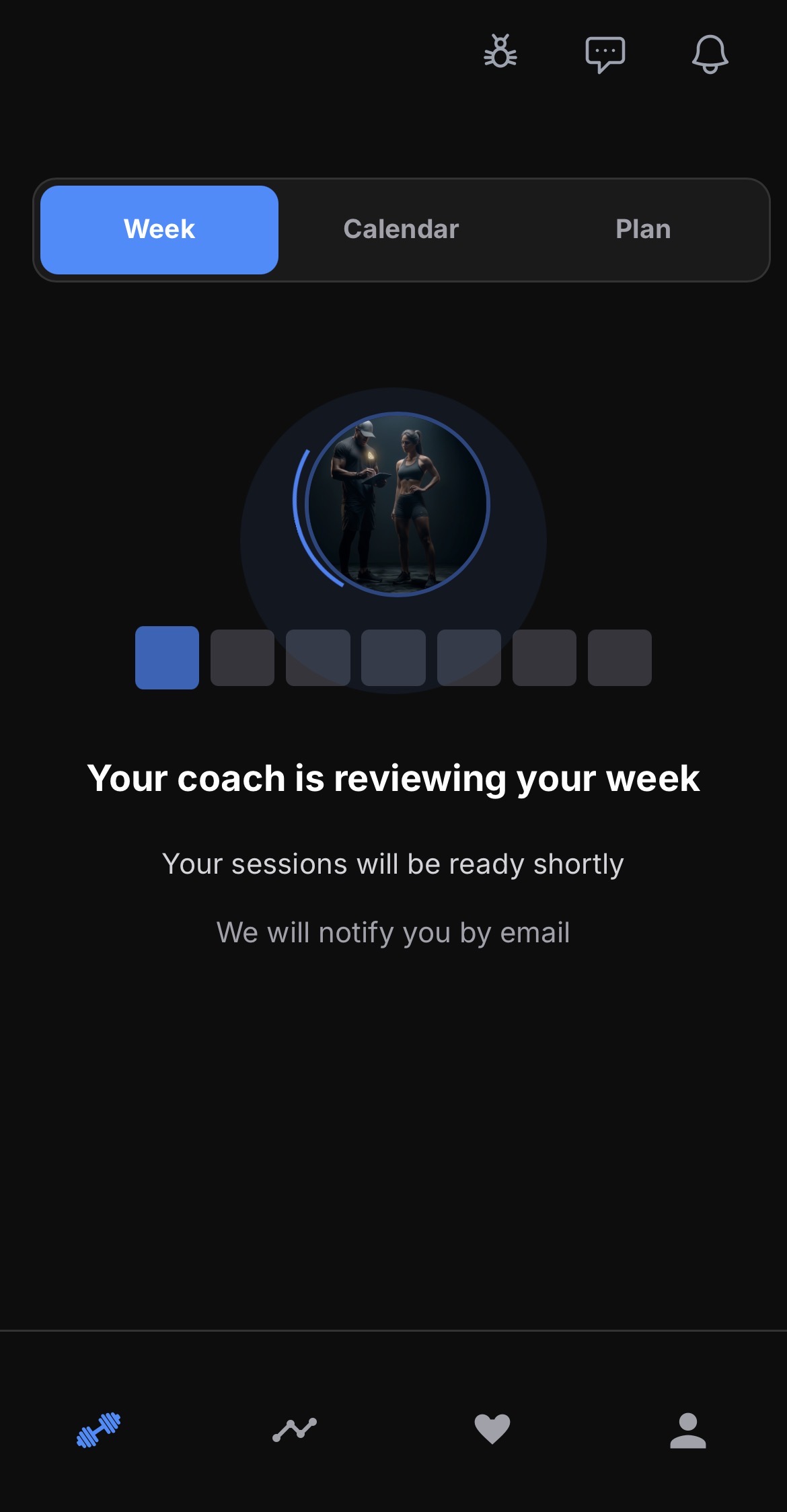
When your week is done, the coach review screen is quieter: your coach's logo, a soft pulse, and a compact amber Nudge Coach button.
Améliorations
•After you finish your week reflections, the waiting screen shows your coach's logo instead of a busy review animation.
•Nudge Coach is now a compact amber chip with a bell icon, matching the coach dashboard nudge control.
v2.49.0
Finished your week and waiting on next week? One tap now nudges your coach: they get an email, a notification, and a message so they can build it. The old self-generated-week flow is gone.
Nouvelles Fonctionnalités
•When your week is done and you are ready for the next one, tap "Nudge my coach to write next week." Your coach is notified by email, in the app, and in your chat.
Améliorations
•Coaches now get a clear heads-up when an athlete is ready for next week, instead of a hard-to-read review panel.
Corrections
•Removed the option for athletes to generate their own next week while coached, so the plan always comes from the coach.
v2.48.0
When you log reps in reserve on your sets, that effort now flows into your session effort, volume, and tonnage, and your coach's AI review reads it too.
Corrections
•Per-set reps in reserve now feed your session effort score, rep volume, and tonnage instead of being left out.
•The AI weekly review now reads the reps in reserve you logged on every set, so it stops reporting them as missing.
v2.47.0
On mobile, the athlete Calendar is now a real month view: scan the month at a glance, tap a day, and manage sessions from a bottom sheet.
Nouvelles Fonctionnalités
•Mobile Calendar shows a month grid with session status dots so you can see the plan without sideways scrolling.
•Tap any day to open a bottom sheet with that day’s sessions, plus Add and Paste.
Améliorations
•Month navigation keeps the weeks you need loaded as you move forward or back.
v2.46.0
Nudging an athlete works cleanly on mobile: tap the Overdue or Due chip on any client and the draft-and-send opens as a bottom sheet built for one thumb.
Améliorations
•Each client card on your phone shows an Overdue or Due chip you can tap to nudge, sized to be easy to hit.
•The nudge draft opens as a bottom sheet with a full-width Send and Regenerate, and typing no longer zooms the screen.
v2.45.0
On your phone, Today now opens straight to this week's compliance and your athletes, without a separate Needs attention list up top.
Améliorations
•The Needs attention preview is gone from the mobile Today screen, so the first view stays focused on this week and your roster.
v2.44.0
On the coach dashboard, click column headers to sort athletes, and filter by week completion, nudge state, search, and status to find who needs a look.
Nouvelles Fonctionnalités
•Sort the athletes table by name, week completion, latest activity, or status with a click on the column header.
•Filter by week completion (high, medium, or low), nudge state (overdue, due, or on track), search, and status.
v2.43.0
The coach session drawer is easier to scan on your phone, session stats no longer repeat themselves, and you can nudge an athlete straight from your roster.
Nouvelles Fonctionnalités
•Nudge an athlete directly from your roster: each row shows Overdue, Due, or On track, and opens a quick draft-and-send popover for that person.
Améliorations
•Mark a block or exercise complete with the same right-side control athletes already use, easier to reach with one thumb.
•Each movement shows a short summary line (sets, reps, effort, and the rest) instead of a stack of chips.
•Expand, reorder, star, swap, edit, and delete stay available from one More menu, so the list stays readable on a narrow screen.
•Completed sessions show one metrics strip instead of duplicating volume, tonnage, effort, and load in a second block.
•Exercise breakdown collapses by default so you can focus on the workout first.
•You can swap blocks and drills from the coach workspace, not just individual exercises.
•Long session titles wrap cleanly in the drawer header instead of squeezing into a thin column.
v2.42.0
Replacing an exercise is simpler: one Quick Swap flow lets you preview demos, select with one tap, then adjust sets, reps, and the rest of the prescription, including Prefill with AI.
Améliorations
•Quick Swap now includes prescription fields and Prefill with AI after you pick an exercise, so you can finish the swap without switching modes.
•Tap an exercise to preview its demo first, then Select to fill the search field, hide the long list, and jump straight to the prescription.
•Clear the search field anytime to browse similar exercises again.
v2.41.0
Editing an exercise inside a session from your phone now works the way it should. Your changes save and stay put when you reopen, and the edit form fits properly on a small screen.
Corrections
•Overriding an exercise from your phone (for example setting your own weight) now shows the updated value when you reopen it, instead of appearing to revert to the old one. Your changes were always being saved; now the screen reflects them right away.
•The exercise edit form now fits properly on a phone, so the weight, reps, rest, and other fields no longer run off the edge of the screen.
•Tapping into an edit field on iPhone no longer zooms the page in unexpectedly.
v2.40.0
Replacing an exercise is clearer and faster — Quick Swap and Manual share the same library browse with live demos, and Manual can suggest sets, reps, and the rest of the prescription for you.
Nouvelles Fonctionnalités
•Quick Swap and Manual now share one exercise library browse, with filters and in-card demo previews so you can pick with confidence.
•Manual mode lets you search or pick from the library, then fill prescription fields — including Prefill with AI for sets, reps, weight, and more.
Améliorations
•Swap mode tabs and actions use a quieter, mobile-friendly control style that matches the rest of the session UI.
•Notes in Manual can be drag-expanded on mobile, and Video URL sits in a closed-by-default section so the form stays compact.
v2.39.0
When your plan includes a fitness test — a balance hold, a max-rep set, a time trial — the app now recognises it and sets it up as a proper benchmark you can log and compare over time, with no manual setup from your coach.
Nouvelles Fonctionnalités
•Tests prescribed in your program are now automatically turned into trackable benchmarks, so you get the right logger (a timer for holds, reps for max-rep tests, and so on) instead of a plain exercise.
•Each benchmark is saved to your profile so the same test can be reused and compared again and again across your program.
Améliorations
•Coaches no longer have to hand-build a benchmark and swap it in every time the plan calls for a test — it just works out of the box.
Corrections
•Swapping an exercise inside a block now keeps it in the right block instead of detaching it, and handles a few edge cases more reliably.
•Fixed a rare issue where a session could appear on the wrong day and later weight edits wouldn’t save, for athletes in time zones behind UTC.
v2.38.0
Your weekly streak now counts every week you train — even a single session keeps it alive — and the First Move celebration reliably marks the first exercise you complete each week, every time.
Corrections
•Your weekly streak now advances for any week with at least one completed session, instead of quietly stalling.
•The First Move celebration now appears once for the first exercise you finish each week, whatever the session type — and no longer pops up again if you untick and retick.
•Weekly streak celebrations now show even when your week summary was generated automatically.
v2.37.0
Fixed a bug where a session finished late in the evening could show up on the wrong day, and where logging your weights afterward would silently fail to save. Your sessions now land on the day you actually trained, and every weight update sticks.
Corrections
•A workout finished late in the evening now shows on the day you did it in your own time zone, instead of occasionally jumping to the next day.
•Logging or updating your weights now always saves — and if a save ever can’t complete, you’ll see a clear message instead of it failing quietly.
v2.36.0
Swapping an exercise now suggests real alternatives even when the name doesn’t match the library exactly — ranked by how similar the muscles and movement are, not just an exact name match.
Améliorations
•Quick Swap suggestions work for free-text exercise names (for example Strict Dips), not only exact library matches.
•Alternatives are ranked by shared muscles and movement pattern, so close options like dip and tricep push-up variations show up first.
v2.35.0
When you ask the assistant to add or fill in an exercise, the suggested load and rep range now stay physiologically sensible — no more heavy percentages paired with high reps that no one could actually lift.
Corrections
•The AI no longer suggests a heavy percentage of your 1-rep max for a high rep count (or a very light one for a low rep count) — load and reps are kept consistent.
•When your true 1-rep max is unknown, the assistant now prefers an effort target (RPE) or a plain cue instead of an unrealistic percentage.
v2.34.0
Your session Tonnage stat now measures your logged lifting against just the work that was prescribed, so the actual-vs-target comparison lines up — no more actual looking inflated because you added extra sets.
Améliorations
•When a session has a tonnage target, the actual figure now counts only the exercises that were prescribed, so it compares fairly against the target.
•Sessions with no target still show your full logged tonnage as before.
v2.33.0
Your training week now rolls over based on your own local date, so you stay on the current week until midnight where you are — no more being pushed into next week a day early. Coaches can also send an approved review plan exactly as written.
Nouvelles Fonctionnalités
•Coaches can adopt an approved weekly review plan verbatim — the athlete gets next week exactly as reviewed, instead of a freshly regenerated plan.
Améliorations
•The Week view now uses your local date to decide which week is current, so late-evening sessions no longer jump you into next week ahead of time.
Corrections
•Fixed athletes west of the UTC line being moved into the following week during their Sunday evening.
v2.32.0
Inviting a client is now split into two tabs — Join link and Email invite — so you can share your permanent link or send a personal email without scrolling past both.
Améliorations
•The invite page now has Join link and Email invite tabs instead of stacking both flows on one long screen.
•Join-link QR codes still render even when a coach logo fails to load.
v2.31.0
Suggested athletes and the daily readiness check-in can now be dismissed for good — with a clear confirm — while Skip for today still only skips today.
Nouvelles Fonctionnalités
•Suggested athletes on your plan can be hidden permanently after you confirm Stop showing me this.
•Closing the daily readiness prompt asks whether to stop showing it; you can still log readiness from your profile.
Améliorations
•Skip for today on the readiness prompt still only skips today — it does not permanently hide the check-in.
v2.30.1
The week view no longer vibrates your phone on every tap. Moving around your sessions is quiet again.
Corrections
•Fixed the week view vibrating on every tap.
v2.30.0
Building on clearer cardio: a 5×(3 min hard / 2 min easy) run now shows as one tidy card — "5 × (3 min / 2 min)" with a single Work line and a single Rest line — instead of five repeated cards. And every way a session gets made, whether you generate a single workout, build a week, regenerate, or onboard a new client, produces the same clean interval and circuit structure.
Améliorations
•Interval runs collapse into one clear card — "5 × (3 min / 2 min)" with a single Work and Rest line — instead of a repeated stack of identical cards.
•Circuits show their rounds and rest timing consistently no matter how the session was created.
•Interval and circuit structure is now consistent across every way a session is generated — single workout, full week, regeneration, and new-client onboarding.
Corrections
•Fixed interval segments showing a jumbled label ("Interval @ high Hard effort…") and a repeated, sometimes-wrong round count.
v2.29.0
Cardio sessions are much clearer. Interval runs now show each piece for what it is — a hard interval, an easy recovery, a warm-up or cool-down — with the work and rest laid out, instead of an anonymous list of "Segment / Segment / Segment". Coaches see the same clean structure in the athlete view.
Améliorations
•Interval and endurance sessions now label each part clearly — hard interval, easy recovery, warm-up, cool-down — instead of a repeated generic "Segment".
•Structured interval work shows its work-and-rest breakdown, so a 5×(3 min hard / 2 min easy) run reads the way it was designed.
•The coach's athlete view shows the same clear segment names.
Corrections
•Fixed cardio segments appearing as a blank "Segment" list with no name and losing their interval structure.
v2.28.0
Circuit workouts are clearer for everyone. Rounds and rest-between-rounds now show right on the block — no more digging into the notes to find them — and timed holds like planks and hollow holds display their duration instead of an empty line. When a coach builds a circuit, the timing carries through cleanly to the athlete's view.
Améliorations
•Circuit blocks now show their rounds and rest-between-rounds directly on the card, so athletes no longer have to open the notes to understand the format.
•Timed holds in a circuit — planks, side planks, hollow holds — now show their hold length instead of appearing blank.
•Circuit exercises show sets alongside reps and load, matching how the coach sees them.
Corrections
•Fixed circuit rounds and rest set by a coach not appearing in the athlete's workout view.
v2.27.0
The client nudge just got kinder and more effective. After you nudge someone, they rest for a week before appearing again, so no client ever gets pestered — and if you try to reach the same person too soon, we'll gently let you know instead of sending it.
Améliorations
•Nudged clients now get a week's breathing room before they show up again in your nudge list, so no one gets over-messaged.
•If you try to nudge the same client too soon after the last one, you'll get a friendly heads-up rather than an error — and they stay off your list until the rest period is over.
v2.26.0
Your coach page is now yours to design. Reorder and hide sections, pick a theme and header style, and preview the layout as you build. Turn any package into a buyable program so clients can purchase and get set up automatically — and see exactly where your visitors come from, which package draws interest, and where in the world they are.
Nouvelles Fonctionnalités
•Page builder for your public profile — reorder sections, show or hide any of them, and choose a theme and header style, with a live mini preview as you go.
•Sell a program from your page — mark a package as a buyable product linked to one of your templates; clients get a Buy button, check out, and are set up with the program automatically.
•Visitor insights — see where your traffic comes from, which package gets the most interest, visitor geography, and unique vs returning visitors.
•Lead attribution — every enquiry now shows which source and package it came from.
Améliorations
•A cleaner, more polished feedback experience for first-time responses, with clearer prompts and progress as you answer.
•Faster, lighter coach dashboard — the activity badge and background syncs do a lot less work, so things stay snappy even with a large roster.
v2.25.0
When a client you invited finishes their intake form, you now get a heads-up in your inbox — and their plan waits for you instead of auto-generating. Open the athlete, fill in anything they missed, add your coaching notes, then generate their master plan and first training week with one click. Everything you add is fed into the AI so the first plan sounds like you.
Nouvelles Fonctionnalités
•Inbox alert when an invited client completes their onboarding form, with a direct link to their profile.
•Coach-built first plan — invited clients no longer auto-generate a plan; you review and generate it yourself when you're ready.
•One-click "Generate master plan" (and their first week) straight from the athlete's workspace.
•Your profile edits and coaching notes are included in the generation, so the first plan reflects your input from the start.
Améliorations
•Newly onboarded clients see a friendly "your coach is building your plan" screen that drops them straight into training the moment you publish it.
v2.24.0
The plan sidebar is now a proper week hub. See your theme and dates up top, flip between live weekly stats and your running notes, and export a clean stats image for social when you want to share your load.
Nouvelles Fonctionnalités
•Plan sidebar week hub — your week title and calendar dates stay visible above two tabs: live stats and weekly notes.
•Live weekly stats on the plan — training load (AU), planned vs actual load, effort drift, tonnage, and distance update as you log sessions, without waiting for the end-of-week summary.
•Weekly notes in the sidebar — jot down how the week is going right in the plan view instead of a floating drawer.
•Shareable weekly stats image — export a transparent overlay (tonnage, load, sessions) from the stats tab, the same style as session stats exports.
v2.23.0
No more "Week 23" or "Week 40" scattered across the app. Everywhere you and your coach look — progress charts, dashboards, weekly summaries, notifications, and the emails we send — each week is now labelled by its actual dates, like "Mar 23 – 29". It's a small change that makes your whole plan easier to place in time at a glance.
Améliorations
•Progress and training-load charts now label each point by date instead of an abstract week number, so you can see exactly when a session or trend happened.
•Coach dashboards, heatmaps, and the athlete profile view show calendar dates for every week.
•Weekly summaries, reminders, and re-engagement emails now read "your week of Mar 23 – 29" instead of "Week N".
•Notifications and shared exports (PDF/Markdown) use dates rather than week numbers.
v2.22.0
Your calendar page is easier to scan now. Create a race or competition from the same toolbar as Sync and I'm away — no duplicate buttons buried under the week grid. If you haven't added any events yet, the list stays out of the way until you need it. When events are there, Upcoming, Past, and All are quick tabs instead of dropdowns.
Nouvelles Fonctionnalités
•Create Event now lives in the calendar toolbar alongside Sync to calendar and I'm away — one place for everything you do on your week view.
Améliorations
•The events list stays hidden until you have at least one event, so an empty calendar doesn't show filters and placeholders below the grid.
•Upcoming, Past, and All are now quick tabs instead of dropdown menus, with priority filters as simple chips.
•Sync and I'm away panels no longer stack open at the same time — opening one closes the other.
v2.21.0
Coaches now get a redesigned athlete profile and master plan view that matches the dashboard — your athlete's identity on the left, clear summary cards on the right. Public coach pages can showcase a photo gallery, testimonials, and languages. If an athlete is coming back after time away, their next plan respects the layoff instead of pretending nothing happened. Onboarding also captures health basics up front, and you can subscribe to your live training calendar in one tap.
Nouvelles Fonctionnalités
•The coach athlete profile and master plan pages are redesigned with a dashboard-style layout — identity card, summary signals, and section cards that are easier to scan and edit.
•Public coach profiles can now include a photo gallery, client testimonials, spoken languages, and rich previews when you link out to social posts or videos.
•Coming back after a break? Your next week's plan now accounts for how long you've been away, with clear guidance on your plan view.
•Foundation onboarding now includes About You and Health sections so essential details are captured before your first plan is built.
•Subscribe to your live training calendar in one tap — Google, Apple, or Outlook.
Améliorations
•The calendar subscribe flow is simpler, with clearer provider choices and better feedback when something goes wrong.
•Athletes who train on their own can generate the next week without waiting on coach approval first; coaches still receive a review when it matters.
Corrections
•Fixed foundation profile save failing when optional fields were left empty.
v2.20.0
Your master plan's training-load chart just got a refresh: it's now interactive, so you can hover or tap any week to see its exact load, with your current week and each training phase clearly marked. We also fixed shared links — when your coach sends you a link to your profile or a session, it now takes you straight there after you sign in, instead of dropping you on the home page.
Nouvelles Fonctionnalités
•The training-load chart on your master plan is now interactive — hover or tap any week to see its exact load, with your current week and each training phase marked.
Améliorations
•The load chart is cleaner and easier to read across phases, with smoother lines and clearer week markers.
Corrections
•Fixed shared links: a link to your profile or a session now opens the right page after you sign in, instead of sending you to the home screen.
v2.19.0
Finishing your last session no longer closes out your week on its own. Now you get a simple choice: generate your weekly summary, or keep the week open to fix anything you logged by mistake. And when your summary is ready, you can download a clean image of your week — tonnage, load, and sessions — to share on your stories.
Nouvelles Fonctionnalités
•When you finish all your sessions, you now choose whether to generate your weekly summary — or say "not yet" and keep the week open.
•Download a shareable image of your week — tonnage, training load, and sessions completed — ready to post to your stories, like you would a workout.
Améliorations
•Completing or skipping your last session no longer ends the week automatically, so a mis-tap is easy to undo before anything is finalized.
v2.18.0
Your body-type scan just got a big upgrade: it now reads your photo with AI and, crucially, lets you fix the one number that used to throw everything off. If the body-fat estimate looks wrong, adjust it and your result recalculates instantly — no re-scan needed. And on the calendar, tapping "Today" now always snaps to your real current week, even if your plan dates had drifted.
Nouvelles Fonctionnalités
•The body-type scan now reads your photo with AI for a more natural, whole-picture estimate of your build.
•Body fat is now a number you can correct: if the estimate looks off, adjust it and your body type recalculates on the spot — no new photo, no waiting.
Améliorations
•Correcting your body fat can no longer let a single shaky reading mislabel your body type — the result stays honest to how you actually look.
•Tapping "Today" on the calendar now always jumps to your real current week, even if your plan's dates had drifted out of sync.
Corrections
•Fixed cases where the calendar could show a stale week after a pause or a past-dated plan when you asked to see today.
v2.17.0
Every coach now gets a shareable public page that shows up in Google. Add a headline, your certifications, an intro video, and your coaching packages with pricing — then drop the link in your bio. Prospective clients can read about you and get in touch, all from one page that works as your storefront.
Nouvelles Fonctionnalités
•A public coach page built for you — put the link in your Instagram or TikTok bio and send prospective clients straight to it.
•Add a headline, your certifications, an intro video, and coaching packages with prices, so people know exactly what you offer.
•Your page is designed to be found on Google, with rich previews when it's shared — your credentials, packages, and video can show up directly in search and on social.
•Set it up while you onboard or any time from Settings — it's optional and won't slow down getting started.
Améliorations
•Interested clients can reach out from your page directly, so enquiries land with you instead of getting lost.
v2.16.0
Switching to AFitPilot from another coaching tool? You can now import your entire client roster from a CSV in one step — every client gets an invite to join you here, so you don't have to add them one by one. You can also export your roster any time.
Nouvelles Fonctionnalités
•Import your client roster from a CSV export of another coaching tool — each client is invited to join you on AFitPilot automatically.
•A preview shows who'll be invited before anything is sent, and flags anyone who's already on AFitPilot or already your client.
•Export your current roster as a CSV any time, so your client list is always yours.
Améliorations
•Bulk invites are sent in one action from your dashboard instead of adding clients individually.
v2.15.0
A quiet under-the-hood release. We reworked how the app loads your data so pages that lean on the same information fetch it once instead of several times, and the exercise library and training glossary now respond faster. Nothing changes in how you train — the app just does less unnecessary work.
Améliorations
•Your stats screens now share the data they have in common, so opening your progress and history does less redundant loading.
•Exercise search and the training glossary respond faster and more consistently.
•Automated reminders now target only the people who asked for them, making them quicker and more dependable.
Corrections
•Fixed an issue that could prevent behind-the-scenes updates from shipping cleanly.
v2.14.0
One place for everything you train. The new Train tab puts your week, your calendar, and your whole plan behind a single switch — no more hunting across tabs. Your numbers now live together under Progress, your coach and history sit one tap away, and the big picture shows your training load rising and falling across the weeks ahead.
Nouvelles Fonctionnalités
•New Train tab — your week, a full calendar, and your whole plan in one place. Flip between them with a single switch instead of jumping between tabs.
•Progress tab — all your numbers together: a training overview, your consistency, weekly summaries, achievements, and benchmarks under one roof.
•A training-load view of your plan — see your load rising and easing across the weeks, where you are today, and where your plan is heading.
•Coach & history in the header — reach your coach and a full timeline of plan changes, notes, and milestones from one tap, without leaving what you're doing.
•One home for your setup — update your training hours, equipment, injuries, goals, body stats, and nutrition all from your profile settings.
Améliorations
•Races and events now live on your Calendar, next to your sessions and away days, where dates belong.
•Your consistency and readiness trends moved in with the rest of your stats, so "show me my numbers" has a single answer.
•A cleaner bottom bar — fewer, clearer destinations so it's obvious where to go for what.
v2.13.0
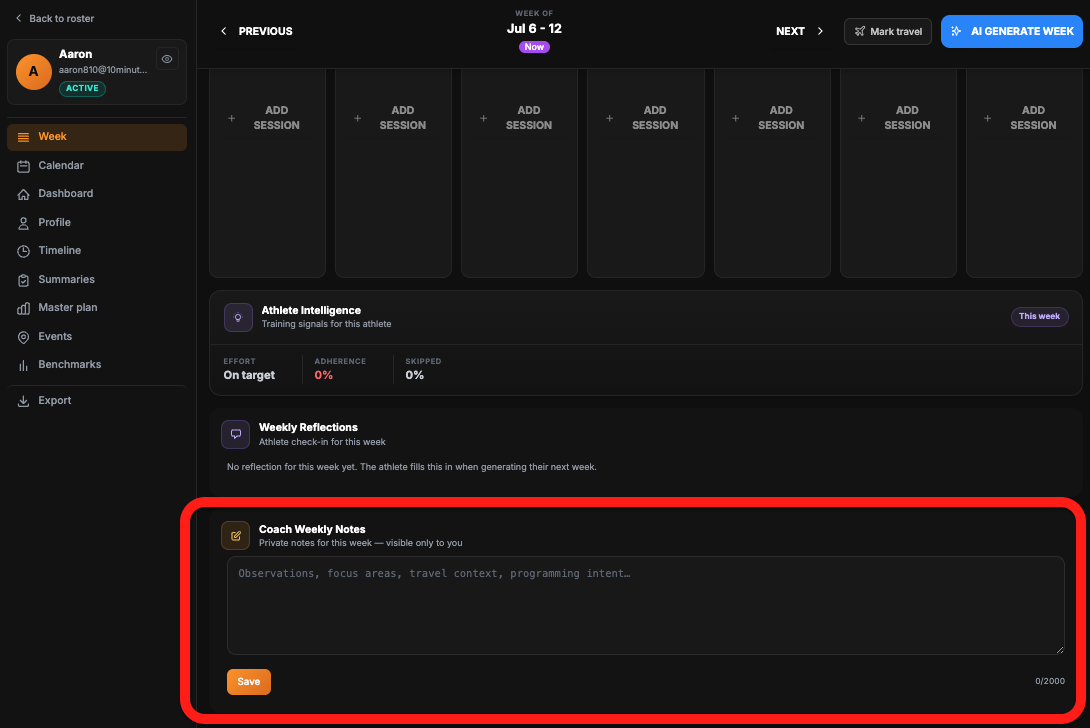
Jot down what you're seeing week to week without leaving the athlete view. A new Coach Weekly Notes card sits right under reflections — private to you, saved per week, and included when you copy the week for AI or print it.
Nouvelles Fonctionnalités
•Coach weekly notes — add private observations, focus areas, and programming intent for any week directly on the athlete workspace.
•Notes save automatically as you type, with a clear last-updated timestamp so you always know what you last wrote.
•Your notes flow into Copy for AI and print exports, separate from the athlete's own weekly notes.
Améliorations
•Copy for AI now labels athlete and coach notes separately, so pasted briefs are easier to read.
v2.12.0
Get your training on your phone. Subscribe once and every workout lands in Google or Apple Calendar with a reminder — updated automatically as your plan changes. Heading away? Tap "I'm away" for your travel dates and your coach sees it instantly, with your plan easing off for those days. No more back-and-forth about holidays.
Nouvelles Fonctionnalités
•Add your training to your calendar — subscribe once and your workouts appear in Google or Apple Calendar, with a reminder before each session.
•Your calendar stays in sync — when your plan changes, your calendar updates on its own. No re-adding sessions.
•One-tap "I'm away" — set your travel or holiday dates and your coach sees them on your week straight away.
•Away days ease off automatically — your plan lightens up while you're travelling instead of piling up sessions you can't do.
Améliorations
•Your travel dates and workouts show up the same way for you and your coach, so nobody has to chase a schedule.
v2.11.0
See the change, not just the number. Track before & after physique photos as a benchmark, save your somatotype result to your progress, and attach a photo or a short video clip to any benchmark — a lift, a jump, whatever you want to look back on. Your coach can see them too.
Nouvelles Fonctionnalités
•Progress photos — log before & after physique photos as their own benchmark and watch them side by side over time.
•Save your somatotype — after a body-type scan, save the result straight to your benchmarks to track how it shifts.
•Attach a photo or video to any benchmark — add a form clip to a lift, a video of a jump, or a snapshot to any entry.
•Your coach can view your photos and clips right alongside your numbers.
Améliorations
•Progress photos and body-type results stay private to your training log — never posted to the social feed.
v2.10.0
Curious about your body type? The new somatotype scanner reads your build from a couple of photos and tells you where you sit on the endomorph–mesomorph–ectomorph scale — measured more accurately this time — and you can have the results emailed straight to you.
Nouvelles Fonctionnalités
•Somatotype scanner — get a read on your body type (endomorph / mesomorph / ectomorph) from a quick photo capture, with tighter, more accurate measurements this round.
•Email me my results — pop in your email and your somatotype breakdown lands in your inbox, with nothing stored on our side.
Améliorations
•Strength and core exercises now open the right logging screen, so what you did gets recorded against the correct movement.
•The "new version available" banner behaves properly now — it appears for genuine updates, stays dismissed once you close it, and no longer loops or nags after you log in.
Corrections
•Fixed a case where paying members could be shown a paywall by mistake — access now holds steady even through brief network hiccups or an unusual account setup.
•Fixed returning users occasionally landing on a blank or wrong profile; the app now quietly steers you back to your own account and plan.
•Repaired notification and session links that could open a "session not found" page instead of the workout you tapped.
v2.9.0
The coach weekly review just got a lot more powerful. Generate your review artifacts, save them as a draft to finish later without re-running anything, revise next week's plan by simply telling the assistant what to change — with undo/redo — and see each athlete's benchmark tests and travel days folded into the picture.
Nouvelles Fonctionnalités
•Save weekly reviews as drafts — generate your coach report, next-week instructions, timeline note and athlete message, then close the modal and come back later to finish. Nothing is regenerated (and nothing re-billed) when you return.
•Revise next week by chat — tell the assistant what to change about the upcoming plan and it returns the full revised week plus a summary of what moved, with undo/redo so you can experiment freely.
•Richer review context — each weekly review now surfaces the athlete's benchmark tests from that week and any travel / environment days, so you're planning with the full picture.
Améliorations
•Coach-facing date pickers and inputs share a cleaner, more consistent look across the coaching tools.
v2.8.0
Coaches can now plan around travel. Mark the days an athlete is away from their usual setup — a hotel gym, training outdoors, or on the road — and the plan adapts: workouts use only the equipment that's actually available, stay inside the time you have, and respect how hard you want those days to be.
Nouvelles Fonctionnalités
•Mark travel days — paint a date range on an athlete's calendar (hotel gym, outdoors, traveling, or anywhere off their usual setup) in one go, and it shows as a clear chip across every day it covers.
•Equipment that fits the day — each environment comes with a sensible kit prefilled (hotel gym = dumbbells and bodyweight, outdoors = bodyweight and bands, and so on), which you can fine-tune per trip.
•Plans that respect the constraint — when a week is generated, sessions on those days use only the available equipment, stay within the time budget you set, and follow your intensity guidance.
•Safety net on the equipment — even if a generated workout reaches for something that isn't there on a travel day, it's automatically swapped for a movement that works with what the athlete actually has.
Améliorations
•Set a time budget for travel days (e.g. 45 minutes) and sessions on those days won't run over it.
•Add a short note or a location label (like the hotel name) that travels with the block.
•Mark a trip after a week is already built and you'll be prompted to regenerate the affected days so the plan catches up.
v2.7.0
Your weekly load now has a single headline number — weekly AU — shown against what was planned, plus a clean side-by-side chart of this week versus last. And logging a session got sharper: see your actual reps, weight and effort next to the prescription for every block, log each exercise as you go, and share a finished session in a tap.
Nouvelles Fonctionnalités
•Weekly AU — your whole week's training load distilled into one number, shown next to the planned target with an over/under percentage so you can see at a glance whether the week landed where it should.
•This-week-vs-last-week chart — a grouped bar view puts your key weekly numbers side by side with the previous week, so trends jump out without doing the math.
•Actual vs. prescribed, per block — while logging, each block now shows what you actually did (reps, weight, effort) right next to what was planned, so you can see how the session really went.
•Log as you go — a quick log button on each exercise lets you record performance set by set during the session instead of all at the end.
•One-tap session sharing — share a completed session straight from the post-session screen.
Améliorations
•Sessions now carry an index badge so you can tell multiple sessions on the same day apart at a glance.
•Warm-ups, mobility and other non-tracked segments are now handled cleanly so they no longer skew your logging.
•Exercise videos and images now display correctly inside workout segments, not just standalone exercises.
•Smoother readiness drift chart — the selected-day panel reads more clearly.
Corrections
•Fixed a few session load and completion calculations so the numbers add up correctly.
v2.6.0
Coaches can now review an athlete's whole week with AI — right inside the app. One tap reads the logged sessions, actuals and feedback, then drafts a coach report, a complete day-by-day plan for next week, a timeline note, and a message for your athlete. Edit anything, then commit each piece on your terms.
Nouvelles Fonctionnalités
•AI Weekly Review — open any athlete's logged week and let the AI read it: completion, logged effort vs target, weights and feedback. It comes back with four things you can use straight away.
•A coach report that assesses the week — load, progression, adherence, effort drift and anything worth watching — grounded in what the athlete actually logged.
•A full day-by-day plan for next week, written from the same data, that you can edit and send to plan generation to build real sessions.
•A ready-to-post timeline note and a warm, plain-language message for your athlete — each editable before you send.
Améliorations
•Nothing is saved or sent until you approve it — review and edit every section, then commit each one independently.
•Long generations now show a live progress indicator with an elapsed timer instead of a silent spinner, so you can see it's working.
•The Finish Week and review screens are roomier, and the next-week plan shows as a clean, readable preview you can flip to edit.
Corrections
•Fixed an issue where generating next week's plan could fail at the very end even though the plan was created.
•Restored athlete predictions and progression suggestions that had stopped generating.
v2.5.0
Log everything you actually did — a run, a ride, a swim, a match, or a benchmark test — and watch it count toward your week just like your training. Footballers and rugby players can now record match days, athletes can drop in any run or session, and every one feeds your weekly load, distance and effort.
Nouvelles Fonctionnalités
•Log any activity — tap Add, pick Run, Ride, Swim, Match or Benchmark, and record what you did. It lands on your week as a completed session, no plan required.
•Match days for team-sport athletes — add a match, then after the final whistle log the minutes you actually played and how hard it felt. Your match load is worked out from minutes played, so a sub and a starter are scored fairly.
•Benchmarks now count as training — record a test like a 5K and it saves to your benchmark history with personal-record tracking AND counts toward your weekly load, because an all-out test is one of your hardest sessions.
•Weekly distance — your runs, rides and swims now add up to a weekly distance total, split by sport, shown right alongside your load and tonnage.
Améliorations
•Runs, rides and swims are scored by the time you spent in each effort zone — using heart rate when you log it, or your effort rating otherwise.
•Activities show a clear tag (Run, Match, Benchmark…) on your plan and your coach's calendar, with the numbers that matter for each — distance and load for a run, load for a match — instead of irrelevant lifting totals.
•After any activity without a set exercise list, you can now rate your overall effort, so even a match or a free run produces an accurate load score.
•Your coach sees match and activity load fold straight into your weekly totals, making a heavy fixture week impossible to miss.
v2.4.0
Your weekly summary just got a lot deeper. Scroll through every angle of your week — total tonnage, reps and sets, top exercises, your day-by-day readiness, and a full breakdown of muscles, movements, equipment, force types, difficulty and joint load — plus a clear side-by-side comparison against last week.
Nouvelles Fonctionnalités
•A richer weekly summary — scroll through your whole week in one place: week totals, top exercises, and detailed breakdowns of muscle groups, movement patterns, modalities, body regions, equipment, force types, difficulty mix, compound vs isolation, single- vs two-sided work, and how much load each joint took.
•Daily readiness at a glance — a Monday-to-Sunday strip shows each day's readiness check-in, color-coded from fresh to drained, with your weekly average and how many days you logged.
•Week-over-week comparison — every key number (tonnage, reps, sets, effort, sessions and average readiness) now shows how it moved versus last week, and each breakdown highlights how your biggest focus shifted.
•Cardio breakdowns — weeks with logged cardio now show time spent in each intensity zone and across your energy systems.
Améliorations
•Distribution charts now list every category so nothing gets hidden, instead of stopping at a top handful.
•Sections only appear when there's data behind them, so the summary stays clean for simpler weeks.
v2.3.0
Measure your vertical with your phone camera. Tap the camera on a CMJ or Vertical Jump benchmark, stand back, jump, and your jump height is logged to your benchmark history automatically — no tape measure, no manual entry.
Nouvelles Fonctionnalités
•Camera jump measurement — measure a Counter Movement Jump or Vertical Jump straight from your phone camera. Prop up your phone, stand back, and the on-screen cues walk you through it: stand still, jump, and your height appears instantly.
•One-tap logging — confirm the result and it saves to your benchmark history with personal-record detection, trend sparkline, and progress charts, exactly like a manually entered jump.
Améliorations
•A camera button now appears on your CMJ and Vertical Jump benchmark cards, and inside the add-benchmark and add-to-session screens, so you can measure a jump from wherever you track it.
•Your camera video is never recorded or uploaded — the measurement happens entirely on your device and only the final number is saved.
v2.2.0
Nudges to your clients now land as the full, personal message — in their chat and their inbox — and the triage list only shows clients who are still active.
Améliorations
•Coach nudges now send the complete message — no more cut-off previews in email or chat.
•The "Nudge clients" list now hides clients who have gone quiet, so you only nudge people who are still training.
•Every nudge lands directly in the client's chat, so the whole conversation stays in one place.
•Nudge drafts are now tuned with proven behavioural-science techniques — they ask for a specific time, keep skipping completely guilt-free, and never use streak guilt or pressure, which research shows actually drives people away.
•The "Nudge clients" button now shows a count badge, so you can see at a glance how many active clients need a nudge.
v2.1.0
Behind-the-scenes groundwork to help us understand how weather affects your sleep and recovery over time.
v2.0.1
The exercise-quality audit now tracks progress over time — quality metrics are charted across every audit you run, and you can reopen any past audit to see exactly where things stood on that date.
Améliorations
•Exercise audit history — the admin exercise-quality audit now keeps a running history of every audit you generate, so you can watch match rate, library use, specificity, diversity, generic fallbacks, and injury-risk flags trend up or down over time.
•Quality trend charts — the audit Trends tab now plots each quality metric as a line chart across your audit history, alongside the existing snapshot-by-snapshot table.
•Browse past audits — click any row in the audit history to reopen that audit in full, with a clear banner showing you're viewing an older snapshot and a one-click way back to the latest.
v2.0.0
AFitPilot 2.0 — the coach platform is officially live. Coaches can now sign up, brand their portal, invite clients, and run a full programming practice from one screen: a multi-client calendar, a format-tile session builder, per-block load tracking, saved favourites across exercises and sessions, and a public coach page at /c/your-name. Athletes get richer sessions to match — per-block sRPE, WOD scoring, demo carousels, and a session prep view that shows your last logged loads next to today's targets.
Nouvelles Fonctionnalités
•Coach platform launch — sign up at /coach, brand your portal, invite your first client, and land on a populated dashboard. Seven-item nav (Dashboard, Clients, Calendar, Templates, Library, Favourites, Settings) tuned for solo and small-roster coaches.
•Multi-client calendar — one month grid showing every client's sessions, color-coded per athlete. Filter by client in the sidebar, click any day to add a session or paste a favourite, click a session to jump straight into that athlete's week.
•Coach Mobile MVP — a focused mobile experience for coaches on the go: bottom tab bar, mobile-tuned week view, athlete dashboard, and notifications. Cards that only make sense on desktop show a clear "open on desktop" message instead of broken layouts.
•Public coach profile at /c/your-slug — every coach gets an optional public page with bio, social links, qualifications, and a QR code, perfect for sharing on Instagram, business cards, or a website.
•Format-tile session builder — instead of picking opaque block types, coaches pick familiar named formats: Strength, EMOM, AMRAP, Tabata, 21-15-9, Skill, Circuit, Warm-up, Cool-down. Each format renders a dedicated editor and a matching athlete view.
•Saved favourites in three buckets — star exercises, save full session blueprints (as detached snapshots, not references), and bookmark templates. Apply any of them to any client in one tap.
•Per-block load tracking — every block in a session can carry its own sRPE rating and (for WODs) a score. Session load (AU), tonnage, and volume now roll up from real per-block actuals instead of one flat number for the whole workout.
•WOD score modal — finish an AMRAP, EMOM, or 21-15-9 and log the score in the format the workout expects: rounds + reps for AMRAPs, completion time for chippers, total reps for time-capped pieces. Scores roll into your weekly volume and load.
•Demo video carousels on athlete sessions — swipe through demos for every exercise in a circuit, EMOM, or warm-up block without leaving the workout screen.
•Session prep view shows last logged loads — when you open today's session, every weighted exercise displays your most recent logged weight × reps right next to the prescribed targets, so you know what to load before you touch the bar.
•Coach signup polish — cleaner two-column layout with a side panel summarising what coaches get, mobile-first responsive design, and a guided first-run flow that walks new coaches through branding and inviting their first client.
•Onboarding draft persistence — start the athlete onboarding on your phone, finish it on your laptop. Drafts now save as you go and pick up exactly where you left off.
Améliorations
•Per-athlete colors on the multi-client calendar are deterministic — the same athlete keeps the same color across every screen and session. If a client has a brand color on their profile, that takes precedence.
•Session favourites are detached snapshots — editing or deleting the source athlete's session never changes a saved blueprint, so a favourite made six months ago still applies cleanly today.
•Multi-week calendar in the coach portal now shows the right rolling window for each athlete and handles week navigation by Monday date instead of week-index math.
•Week intelligence insights — when you open an athlete's week, you see at-a-glance signals (compliance, load trend, recent reflections) so you know whether to nudge or let them cook.
•Athlete week regeneration now factors in compliance and the athlete's latest reflection, so coach-triggered regenerations adapt to what actually happened, not just what was planned.
•Switched the planning model to Claude Sonnet 4.5 across generation services — sharper exercise selection, better respect for coach notes, and faster turnaround on weekly generation.
•New training lexicon entries — fartlek, DOMS, HRV, NEAT, running economy, one-rep-max — all available in English and French with FAQ entries and proper breadcrumbs for SEO.
•Per-route OG/Twitter meta tags — links to specific pages (coach profiles, lexicon entries, public sessions) now unfurl with proper preview cards on social platforms and chat apps.
•Coach notifications get a responsive mobile layout that fits a phone screen instead of overflowing.
•Block exercise editing has its own dedicated form — coaches can fine-tune reps, weight, rest, and notes on any block exercise without leaving the session detail drawer.
•Athlete sessions get a consistent day-of-week assignment regardless of how the week was generated, so calendars line up.
•Coach billing model revised for self-serve onboarding — the 14-day calendar trial gate at €19/€190 is live, with coach pricing routed through a manual onboarding flow for now.
•Textarea inputs across the app now have consistent styling, accessibility touches (44px touch targets), and behaviour on iOS and Android.
Corrections
•Athlete week retrieval no longer relies on week-index math when a Monday date is provided — fewer off-by-one errors near year boundaries and DST shifts.
•Session move logic consolidates duplicate helpers and respects coach-edited dates instead of silently snapping back.
•Weekly summary responses now correctly serialise auto-generated timestamps instead of returning an opaque sentinel.
•Profile completeness checks during plan regeneration no longer block on transient validation states.
•Latest week index retrieval now consistently returns the most recent week even when intermediate weeks are missing.
•Workout block and drill sanitization tightened so internal-only fields never leak into shared or public session views.
v1.73.0
The week print-out for coaches just got a lot deeper — every printed week now bundles daily readiness, the athlete's end-of-week reflection, weekly AU and tonnage, plus an 8-dimension training profile so you can see exactly what the body did, not just what was planned.
Nouvelles Fonctionnalités
•Coach print-out now includes a Daily Readiness table for the week — sleep, soreness, fatigue, mood, stress, total Hooper score and the matching tier label for every day the athlete logged.
•The athlete's end-of-week reflection (how it went, wins, what to improve, what was learned, plus the 1–5 quality sliders) prints inline so coaches can review it offline alongside the plan.
•A new Weekly Load Summary block prints weekly AU split by modality (strength / endurance / mixed), tonnage with delta vs plan, total volume, sessions completed, and top exercises by tonnage.
•Per-session lines in the logged print mode now show session AU, actual duration, and modality bucket — not just target vs actual effort.
•Weekly Training Profile expands from three dimensions to eight — movement patterns, primary and secondary muscles, body region balance, training modality, equipment usage, compound vs isolation, force type, and a joint stress load heatmap with weighted points.
Améliorations
•Joint stress is now sorted by weighted total (low×1 + med×2 + high×3) so accumulated low-level wear surfaces alongside the obvious high-stress joints.
•Block exercises (warm-up, circuits, cool-down) are now included in the print library lookup, so their patterns, muscles, and equipment count toward the weekly profile.
v1.72.0
Your weekly reflection now captures quality, not just words — rate how nutrition, sleep, and training went on a 1–5 slider, and your coach sees the score next to your notes. Fixes also land for the actual-performance modal so weighted exercises log cleanly again.
Nouvelles Fonctionnalités
•Weekly reflections add three quick 1–5 quality sliders for nutrition, sleep, and training — the score colors from red to green as you drag so the rating reads at a glance.
•Your reflection text fields (how it went, wins, areas to improve, what you learned) now accept voice-to-text, matching the dictation surface used elsewhere in the app.
•Coaches see your quality ratings inline with the reflection notes in your athlete drawer, and the planner uses them when shaping next week.
Améliorations
•The athlete overview now shows the same readiness chart your athlete sees, with a window selector (7 / 14 / 30 / 90 days) that remembers your choice per athlete.
Corrections
•Saving actual performance on an exercise no longer flips the completion checkbox back to unchecked — the in-flight commit is no longer cancelled by the modal closing.
•Weighted exercises with a timed rest (for example "45s" rest on dumbbell external rotations) now correctly show a reps + weight stepper in the actual-performance modal instead of switching to duration-only mode.
v1.71.0
Skipped your morning readiness check-in? You can log or update how you feel anytime from your profile — including changing today's score if your day shifted.
Nouvelles Fonctionnalités
•Your profile readiness section always shows Log today's check-in or Update today's check-in so you are never stuck after skipping the morning prompt.
•Tapping update reopens the same daily check-in with your current answers pre-filled — save again to replace today's score.
•The readiness calendar lets you log or update past days from the heatmap tooltip when a day has no check-in or you want to correct one.
Améliorations
•Skipping the morning prompt no longer blocks you from logging later the same day — a dismiss is not treated as a completed check-in.
•A short banner on the chart reminds you when today still needs a score.
Corrections
•The log button on profile now appears correctly after you skip the daily readiness prompt.
v1.70.0
Logging heart rate on a run or ride segment is clearer now — drag sliders for average and max BPM and see which training zone you are in as you adjust, with zones sized to your age when your profile has it.
Nouvelles Fonctionnalités
•Cardio segment logging uses heart-rate sliders (30–220 BPM) for average and max instead of typing numbers.
•A color-coded Z1–Z5 zone bar shows recovery through max effort so you can see where your BPM sits before you save.
•While you drag, the label updates with your zone name and percent of max heart rate — e.g. Z3 · Tempo (75% max).
•Zone boundaries follow your profile age when available; otherwise a sensible default is used until you add your date of birth.
Améliorations
•The slider track and thumb tint to match the zone you are in, so intensity feedback stays visible as you move.
v1.69.0
Try AFitPilot without signing up. A new Free Workout Generator at /free writes you a personalized session in seconds, with demo videos for every exercise, live load and tonnage tracking as you record, and a print-or-save-as-PDF copy to take to the gym.
Nouvelles Fonctionnalités
•New Free Workout Generator at /free — no account needed. Describe what you want and get a full session in seconds, complete with warm-up, main work, and cool-down.
•Every exercise in your free session shows the demo video pulled from our enriched exercise library, so you always know exactly how the movement should look.
•Record your sets, reps, load, and RPE as you go — the same logging surface used in the full app, with per-set logging and reps-in-reserve when you want it.
•Session load (AU), tonnage, volume, and average RPE update live as you log, so you can see your effort building in real time.
•Print your session or save it as a PDF straight from the browser — workout fits one page with a clean header and footer.
•When you decide to sign up, your goal, experience level, session length, and equipment carry over automatically into the full onboarding — no re-entering anything.
Améliorations
•Available in English and French.
•3 free sessions per day are included; sign up free to keep going.
v1.68.0
Cardio sessions now contribute proper, intensity-aware load — your warm-ups, threshold intervals, and cool-downs count for what they are, not just one flat number. The weekly summary shows where your minutes went across heart-rate zones and energy systems.
Nouvelles Fonctionnalités
•Cardio session load reflects what you actually did per segment — heart rate when you logged it, perceived effort otherwise, with a flat fallback when you skipped segment-level logging.
•Weekly summary adds a Cardio Zones breakdown showing how many minutes you spent in Z1 through Z5.
•Weekly summary adds an Energy Systems breakdown — aerobic, glycolytic, and phosphocreatine minutes derived from your zone time.
Améliorations
•A 60-minute interval session and a 60-minute easy steady run no longer get scored the same — intensity structure now drives the load number.
v1.67.0
Your timeline state card now has a Shorten button — tap it and the AI rewrites your goals, injuries, and current phase into quick, scannable one-liners. Tap Undo to bring back the full text.
Nouvelles Fonctionnalités
•New Shorten button on the timeline Current State card — uses AI to condense your active goals, injuries, and current training phase into short labels you can scan at a glance.
•Undo button restores the previous labels in one tap, so you can flip between the full-text view and the shortened view.
•Shortened labels stick around until your timeline changes — if you log a new event, the button surfaces a "Refresh labels" prompt so the summary stays current.
Améliorations
•The Current State card is cleaner — the old fallback hint banner is gone, replaced by inline labels that respond to your real data.
v1.66.0
Your profile Trends chart now leads with Load (AU) — weekly session RPE × duration, the same Foster load number you see after every workout.
Nouvelles Fonctionnalités
•Profile Trends includes Load (AU) — sum of session arbitrary units per week, alongside tonnage, volume, and average RPE.
•Load (AU) is the default chart when you open your profile (and when viewing another athlete's profile).
v1.65.0
Weekly summary drafts now actually wait for you. Coach finish-week and any automatic generation lands as a draft — you review and confirm via the feed banner, no surprise pop-ups.
Améliorations
•Auto-generated weekly summaries now consistently land as drafts — the feed banner is the only place to review and confirm them.
•When a coach finishes your week, the recap waits for your review instead of being marked confirmed automatically.
Corrections
•The Plan view no longer auto-opens the weekly summary modal for unconfirmed drafts.
•Auto-generation no longer slips past the banner — the gating bug that fired the draft trigger every day is fixed.
v1.64.0
Finish a session and see your load in Arbitrary Units right on the overview — duration × RPE, with your target beside it.
Nouvelles Fonctionnalités
•Session overview now shows Session Load in AU — your post-workout screen displays Arbitrary Units (Foster method: session RPE × how long you trained) alongside effort, volume, and tonnage.
•The breakdown is visible at a glance — e.g. "50 min × RPE 5.6" under the AU number so you know exactly how the score was calculated.
•Target AU appears when your plan had a planned duration and target effort, with the same over/under comparison bars you already use for volume.
Améliorations
•Estimated load is flagged with an asterisk when duration came from your planned session length instead of what you reported.
v1.63.0
Spot a bug or have an idea? Tap the bug icon in the header — report issues, request features, or share feedback with screenshots and videos, right from whatever screen you're on.
Nouvelles Fonctionnalités
•Bug reporter in the navbar — a bug icon next to chat and notifications opens a quick feedback form without leaving your workout or plan.
•Report bugs, feature requests, questions, or general feedback — pick a category, describe what's on your mind, and submit in one flow.
•Attach photos and videos — add up to four screenshots or short clips so the team can see exactly what you mean.
Améliorations
•Your report includes automatic context (app version, screen, device) so support can reproduce issues faster.
•You still get a confirmation email with a reference ID, same as the Account Settings feedback page.
v1.62.0
End-of-week reflections — when your week wraps, take a minute to journal how it went. Your answers shape next week and give your coach real context.
Nouvelles Fonctionnalités
•Structured weekly reflection on the Generate Next Week screen — four short prompts: how the week went, what went well, what to improve, and what you learned. All fields optional.
•Your reflection feeds directly into next week's plan generation, so the AI factors in your own words alongside the metrics.
•Coaches now see a "Weekly Reflections" panel on the athlete profile — collapsible per-week cards, most recent first.
Améliorations
•The AI now also considers your past weekly reflections (up to the last 8 weeks) when generating each new plan, so longer-running themes — recurring sleep issues, mindset shifts, repeated wins — actually carry forward.
•Reflections are saved per week so you can revisit and edit before generating.
v1.61.0
Your weekly summary now writes itself. On Monday, AFitPilot drafts a recap of your last week — review it, tweak the wording, and confirm in one tap.
Nouvelles Fonctionnalités
•Auto-drafted weekly summary — on Monday a draft of last week's recap is ready when you open the feed. A banner at the top nudges you to review.
•Tap the banner to edit the analysis, conclusion, and next-week focus before confirming. Your coach only sees confirmed summaries.
•Coach view falls back to live trend data for weeks you haven't confirmed yet, so no one is left looking at an empty card.
Améliorations
•Drafts sit forever until you confirm — no auto-confirm, no expiry. You stay in control of when a week is "done".
v1.60.0
Reorder your plan and workouts — collapse busy session cards, drag or tap ↑↓ to reshuffle exercises, and completed sessions drop to the bottom automatically.
Nouvelles Fonctionnalités
•Collapsible cards on Session View — exercise, segment, and warm-up/cool-down items start collapsed; expand to see stats, embedded videos, feedback, and details. Demo videos load only when expanded.
•Session reordering — ↑↓ arrows and drag-and-drop on main exercises, session segments, and exercises inside warm-up/cool-down blocks. Your order is saved to your plan.
•Plan session cards — same collapse + reorder controls; completed and skipped sessions automatically move to the bottom so what you still need to do stays on top.
•Dismiss Suggested athletes — close button on the widget; preference is remembered per account.
Améliorations
•Shared session-card chevron and reorder UI across Plan, Session View, and warm-up/cool-down blocks for a consistent feel.
•Plan refreshes and re-sorts when you navigate back, so a just-finished session moves down without a manual refresh.
v1.59.0
Share feed posts anywhere — one tap opens copy, native share, X, Facebook, LinkedIn, WhatsApp, and more. Standalone photo/video posts finally get a real public link.
Nouvelles Fonctionnalités
•Share modal on every feed card — copy link, system share sheet, and direct buttons for X, Facebook, LinkedIn, WhatsApp, Telegram, Reddit, and email.
•Standalone photo and video posts now get a public share link of their own, so you can share them outside the app the same way you already share sessions.
•Shared posts get a branded preview card — when a link is pasted into a chat or social platform, the unfurled image now uses an AFitPilot-styled 1200×630 layout instead of a raw thumbnail.
Améliorations
•Tapping the view-session icon on a standalone shared post now opens the post itself instead of trying to route to a session that does not exist.
•French locale: complete translations for the feed, shared-post page, and share modal.
Corrections
•Standalone photo and video posts previously had no share button at all because they lacked a share id. Resolved — the share icon now appears on every post.
v1.58.0
Post directly to the feed — text, photos, videos, or all three. Up to 4 items per post.
Nouvelles Fonctionnalités
•Feed composer at the top of the feed — tap "Share something with the community..." to expand, type a message, and attach up to 4 photos or videos in a single post.
•Mixed media in one post — images and videos can appear together, up to 4 items total. Each preview shows a remove button, and videos get a clear badge so you know what will publish.
•Size and length checks before upload — images up to 10 MB, videos up to 100 MB and 60 seconds. Over-length clips never start uploading.
•Everything that already works on feed posts works here too: likes, comments, edit and delete from the three-dots menu, "Liked by" previews, and your weekly upload budget.
Améliorations
•After posting, the feed reloads cleanly so your new post arrives with the share link and "Liked by" rows already populated — behaves identically to existing posts on first render.
v1.57.1
Viewing someone else's profile? Tapping into their achievements now opens their list — not yours.
Corrections
•AchievementsPreview "view all" from UserProfileView now navigates to /achievements?id=<targetAthleteId> so the full achievements page matches the profile you were looking at.
•ProfileView passes the current athlete id into the same prop so own-profile deep links stay aligned with route/localStorage resolution on AchievementsView.
v1.57.0
Trends line charts now show the current week clearly — solid history through last week, dashed segment into this week, hollow dot for the in-progress point.
Nouvelles Fonctionnalités
•Shared chart styling on your profile and on other athletes' profiles — for each weekly line trend, the stroke into the in-progress week uses a dashed segment, and the current-week point is a hollow ring (dark fill, colored border). Prior weeks remain solid line + filled dots.
•Zero guard for the open week — when the current week's aggregate is null or zero, the last point is dropped so athletes do not see a misleading cliff before real data lands.
Améliorations
•Aligns the chart story with how athletes actually train — week 22 may only have a few logged sessions, so the line no longer implies a false "crash" compared to a full week 21.
v1.56.0
La readiness, repensée. Moins de chiffres, plus de couleurs. Le check-in quotidien utilise désormais une échelle colorée à 5 niveaux par question, "Fresh" / "Good" / "OK" / "Tired" / "Drained", avec un libellé adapté à chaque axe pour que "Mild" se lise naturellement pour les courbatures et "Low" pour l'humeur. Le résumé du modal, votre graphique 14 jours et le tiroir de votre coach partagent maintenant une nouvelle jauge en demi-cercle qui affiche votre readiness du jour de 0 à 100 % (plus c'est haut, mieux c'est), avec un mot-clé coloré. Le graphique de tendance se pose sur des bandes douces du vert au rouge, et chaque point quotidien prend la couleur de son niveau. Coach et athlète voient désormais exactement le même langage visuel.
Nouvelles Fonctionnalités
•Check-in quotidien, échelle de sévérité colorée à 5 niveaux par question (sommeil, courbatures, fatigue, humeur, stress). Chaque niveau est une pastille libellée qui va du vert ("Fresh" / "None" / "Great") au jaune ("OK" / "Moderate") puis au rouge ("Drained" / "Severe" / "Very high"). Les libellés s'adaptent à chaque axe pour que "Mild" ait du sens pour les courbatures et "Low" pour l'humeur, plus besoin de décoder une échelle générique de 1 à 7.
•Jauge du jour, cadran en demi-cercle dans le résumé du modal, dans l'en-tête du graphique athlète et dans le tiroir coach. Affiche votre readiness en 0-100 % (plus c'est haut, mieux c'est, l'inverse de l'index Hooper pour que le nombre se lise dans le bon sens), un mot-clé de sévérité ("Fresh" / "OK" / "Tired"…) dans la couleur correspondante, et "Today · Hooper 10/35" en dessous pour ceux qui veulent le chiffre brut.
•Bandes de sévérité sur le graphique 14 jours, des zones horizontales douces (vert, vert-jaune, jaune, orange, rouge) derrière la ligne couvrent toute la plage Hooper, donc un même point se lit instantanément comme "Good" ou "Tired" au lieu d'avoir à interpréter une légende Worst/Best.
•Points colorés par jour, chaque saisie prend la couleur de son niveau, donc un seul jour de stress élevé ressort en orange ou en rouge sur une rangée de jours verts, sans qu'il faille calculer l'écart.
•Parité coach et athlète, le mini-graphique 14 jours du tiroir athlète côté coach reprend votre vue profil à l'identique : jauge du jour, bandes de sévérité, points colorés. Quand un coach parcourt votre fiche, il voit exactement ce que vous voyez sur votre propre profil.
•Langage de sévérité partagé, les cinq mêmes niveaux ("Fresh" / "Good" / "OK" / "Tired" / "Drained") alimentent désormais toutes les surfaces de readiness dans l'app, donc les prochains écrans (télémétrie admin, résumés hebdo, notifications) reprendront automatiquement les mêmes couleurs et libellés.
Améliorations
•La nouvelle saisie à 5 niveaux est mappée sur la même échelle 1-7 côté serveur, donc vos saisies passées restent comparables à l'identique avec les nouvelles. Rien dans votre historique n'a été perdu ni recalculé.
•La ligne de tendance du graphique drift est passée en gris neutre pour laisser les bandes de sévérité et les points colorés porter le sens. La ligne montre toujours la continuité jour après jour, sans rivaliser avec les couleurs.
•L'infobulle du graphique met maintenant en avant une pastille de sévérité colorée ("Tired · Hooper 22/35") au lieu de "(5 best, 35 worst)". L'index Hooper est conservé pour les utilisateurs avancés ; la pastille répond d'abord à la question "est-ce que ça doit m'alerter ?".
•Le texte de l'état vide simplifié, le graphique n'a plus besoin d'expliquer le sens de l'échelle Hooper. L'UI colorée porte désormais cette sémantique.
•La légende "Worst / Best" sur l'axe Y est conservée sur le grand graphique athlète mais discrétisée visuellement ; pour les nouveaux athlètes, la jauge et les bandes enseignent le sens plus vite que la légende.
Corrections
•"Hooper index 17 / 35" gave athletes no intuition for whether 17 was a good day or a bad day — the number sat in a neutral blue summary box with no semantic framing. The number is preserved for power users, but the headline is now the severity word + colored gauge.
•Old 1–7 numeric chips required users to mentally decode "is 4 closer to fresh or to exhausted?" every time. Replaced with five labeled, color-ramped options that read in under a second.
•Coach drawer mini-chart and athlete chart used different visual treatments — the coach version was a plain blue line with a 3-metric strip, the athlete version had hover tooltips and the same blue line. Both now share the severity-band visual language so context is identical across surfaces.
v1.55.4
Your training plan is now date-native — sessions live on calendar dates instead of "Week 1, Week 2, Week N". Coaches drop a session on any day, athletes see a real calendar, and daily emails reference the actual date.
Nouvelles Fonctionnalités
•Date-native calendar — both athlete and coach views now show plain calendar dates instead of "Week N / Day M" labels. The week-grid spine is gone.
•Coaches can place a session on any specific date directly, instead of choosing a week-and-day slot.
•Plan generation accepts arbitrary date ranges — "generate the next 14 days" works, not just "next week N+1".
•Daily workout emails and workout links now key off the actual date (e.g. today's date in the subject line) rather than a week number that grew increasingly meaningless for long-running athletes.
Améliorations
•Workout links from older daily emails still resolve correctly through the transition — both date-based and week-based links work, so nothing in your inbox 404s.
•Streaks were rebuilt against calendar weeks. The chosen rule is documented; the rebuild ran cleanly against your completed-session history.
Corrections
•Removed a long-standing source of confusion: a session no longer "belongs to Week N", it belongs to a date. Edge cases like "what happens at Week 13 of a 12-week plan?" no longer exist because there is no Week 13.
•Long-running athletes (8+ months in) no longer see daily email subject lines like "Week 32 - Day 5", which had stopped meaning anything actionable.
v1.55.2
Profile benchmarks now match what you actually train — plank, push-ups, 5K times, ranked against your age and sex cohort.
Nouvelles Fonctionnalités
•Profile fitness cards now reflect what you actually train — instead of a hardcoded bench / squat / deadlift / OHP set, you see your most-logged benchmarks ranked by activity and recency, capped at six cards. A 60+ athlete who logs plank holds and push-ups now sees plank holds and push-ups; a powerlifter still sees the lifts.
•Percentile rankings now cover reps (push-ups, pull-ups, dips), isometric holds (plank), and time-based cardio (5K, 10K, half marathon, marathon) — on top of the existing 1RM tables. All ranked against your age and sex cohort.
•A "vs M, 60–69" caption now appears beneath each percentile bar, so an "Intermediate" plank for a 65-year-old reads as intermediate-for-cohort, not intermediate-for-everyone.
•Plank holds and 5K times now display as mm:ss (e.g. 1:25) instead of raw seconds.
Améliorations
•Body composition (bodyweight, body fat %) and readiness logs are no longer surfaced on public profile cards — those aren't achievements people choose to publish, and surfacing them drowned out actual lifts.
•The "+ Log your bench 1RM" style prompts on your profile are now first-time-only — once you've logged a benchmark in any category, you stop seeing CTAs for lifts you'll never do.
Corrections
•Profile benchmarks were unreachable for athletes who train plank, push-ups, pull-ups, or 5K times — the cards hardcoded four 1RMs and ignored everything else. Those logs now surface on the profile.
•The 5K time standard was set up but never matched any logged data because of a key mismatch on the backend. Existing 5K logs now resolve to a percentile.
•Card values previously displayed as "85 seconds" for a plank instead of formatted time. Now formatted consistently with the benchmark detail view.
v1.55.1
Pick your readiness window — 7, 14, 30, or 90 days. Your skips count as engagement now too.
Nouvelles Fonctionnalités
•Pick your own readiness chart window — segmented 7d / 14d / 30d / 90d control on your profile and on the Insights Summaries tab. Your choice is remembered per account; the default stays at 14 days.
•When you dismiss the daily readiness prompt, that choice is now saved instead of staying device-local. Submitting later always wins — a dismiss never overwrites a real entry.
•Athlete history list, daily readiness chart, and per-day axis values all follow the same window selection, so the chart and the list always agree.
Améliorations
•Shared readiness window selector component across Profile and Insights for a consistent feel.
•Active-athlete framing — engagement is measured against athletes who actually used the app in the last 30 days, so abandoned accounts don't drown the signal.
Corrections
•Skipping the readiness prompt was previously device-local only — there was no record of it. Every dismiss is now saved, so you and your coach can see actual engagement.
•The athlete history view was hardcoded to 14 days even though longer windows were already supported. The view now follows your window choice.
v1.55.3
Coach portal, redesigned. New coaches land on a streamlined seven-item dashboard with a guided first-run flow, a multi-client calendar that color-codes every athlete's sessions on one month grid, and a per-coach Favorites surface for exercises, session blueprints, and templates.
Nouvelles Fonctionnalités
•Lite coach portal — new coaches sign in to a focused seven-item nav (Dashboard, Clients, Calendar, Templates, Library, Favorites, Settings) instead of the full 12-view layout.
•Guided onboarding — sign-up now chains into a one-time first-run flow: brand your portal, invite your first client, land on a populated dashboard with a welcome toast.
•Multi-client calendar — a single month grid showing every client's sessions, color-coded per athlete. Sidebar filters by client; click an empty cell to add a session or paste from favorites; click a session dot to jump to that athlete's week.
•Coach Favorites in three buckets — star exercises, save session blueprints (detached snapshots, not references), and bookmark templates. All per-coach. Drop any of them into any client's plan from the calendar.
•YouTube playlist import for coaches — import a full playlist into your exercise library with a URL plus content-type / language / programming / sport selectors; results panel shows created / merged / flagged / skipped counts.
Améliorations
•Per-athlete colors on the calendar are deterministic — they stay the same session-to-session. If a client has an explicit brand color set on their profile, that takes precedence.
•Session favorites are detached snapshots — editing or deleting the source athlete's session never changes a saved blueprint. A favorite made six months ago still applies cleanly today.
•Full English + French translations for the favorites surface and multi-client calendar action menus.
Corrections
•A coach managing a small roster no longer has to navigate a layout designed for power users. The streamlined nav surfaces the essentials; advanced features remain available where it makes sense.
•New-coach dashboards used to land empty after sign-up; the first-run flow now ensures the first dashboard view has something on it.
v1.55.0
Load monitoring rebuilt from scratch — sRPE × duration, daily Hooper readiness, and EWMA trend charts. No more tonnage tunnel vision.
Nouvelles Fonctionnalités
•Session load now uses Arbitrary Units (AU) — your RPE multiplied by how long the session actually took. After every session you confirm the duration; AU becomes the primary load number on the session card with tonnage demoted to a secondary row.
•Optional per-set RIR (reps in reserve) on strength sets — log how close you were to failure on each set, on a 0–4 scale. Estimated 1RM uses that per-set RIR when present.
•Weekly load now splits across Strength / Endurance / Mixed modalities — see how the week distributed instead of one undifferentiated number. Surfaces on your Insights and on the coach view.
•Daily readiness prompt — sleep, soreness, fatigue, mood, stress on a 1–7 scale. Fires on the first authenticated screen of the day, skippable, never blocking. One submission per day.
•Readiness chart on your profile and on the Insights summary — 14-day Hooper drift with day-by-day history. Missing days show as gaps, not zeros, so a flat line never means a missed entry.
•Acute vs chronic load trend (EWMA) — a 12-week chart that compares your recent 7-day load against the rolling 28-day load. Descriptive only — it does not predict injury risk.
Améliorations
•Modality classification is mirrored on the client and the server so your week always shows the same split across Insights and the coach view.
•Sessions where actual duration was missing get an estimated-AU flag (with a tooltip explaining the substitution) so the load number is never silently approximate.
•EWMA chart and the underlying trend are deliberately neutral-styled per the load-monitoring literature (Impellizzeri 2020/2023) — no severity colors, no injury-risk framing.
Corrections
•Daily readiness modal originally only fired on the Dashboard so most athletes never saw it. It now surfaces from any authenticated screen, once per day.
•Readiness chart no longer zero-fills missing days — gaps render as breaks in the line so a coach can't mistake "athlete didn't submit" for "readiness is fine".
•Tonnage now sums correctly across per-set logging; flat sessions still aggregate to the same total.
v1.54.0
Plan generation gets sharper — structured constraints, post-generation safety checks, persistent session templates, and a load-plausibility filter so corrupt log entries never drive progression.
Nouvelles Fonctionnalités
•Banned exercises, banned movement patterns, banned equipment, and preferred training days are now enforced as structured filters before the plan is generated — so what the AI sees never includes anything you've told it to avoid.
•Post-generation safety checks — every plan goes through deterministic checks (no empty sessions, primary-goal movement pattern present, progression cap, coach-note keyword respect) before reaching you. Blocking failures trigger one automatic retry.
•Submit a correction on a flagged exercise and you can promote it to a permanent constraint in one click. Your applied constraints show up as removable chips on your profile.
•Established session templates persist across regenerations — a 7-week posterior-chain session no longer gets replaced with mobility work on a recovery week. Volume modulates inside the template instead of rebuilding from scratch.
•Pre-generation context gates — travel substitutes a bodyweight template, competition withdrawal flags for coach review, race proximity applies a hard taper, and life-state distress signals cap weekly volume.
•Typed goals — your goals are now a structured array with a primary / maintenance / deferred tier, a movement pattern, and a minimum weekly frequency. Coaches can edit those directly.
•Load plausibility filter — every logged weight is now scored against a movement-pattern × equipment threshold. Implausible entries (e.g. a 1 kg barbell RDL) are skipped by progression logic instead of driving bogus targets.
Améliorations
•Coach-note working weights (e.g. "goblet squat working weight 10 kg") now override AI-prescribed loads deterministically after generation.
•Context signal classification on weekly notes feeds both the pre-generation gate and the main generation prompt, so the plan reflects what you actually wrote about your week.
•Every new behaviour shipped behind a feature flag with telemetry on by default — so accuracy and false-reject rates were measured before enforcing.
Corrections
•Banned exercises can no longer bypass exclusion via a near-name variant — pattern and equipment filters compose with the name-based ban list.
•Preferred training days are enforced programmatically at day-assignment time rather than being delivered as prose to the AI.
•Empty placeholder sessions (warmup / main / cooldown all blank) are rejected by the validator instead of reaching you.
•Travel coach-notes logged hours before a regeneration now route to a bodyweight travel template instead of generating a full gym plan.
•Corrupt log entries no longer drive bogus progression targets — the plausibility gate skips them and falls back to your last plausible log or to coach-note baselines.
v1.53.0
Exercise Library programming types expanded from two (strength/rehab) to five: strength, weightlifting, conditioning, mobility, and rehab. Each type now has its own dedicated LLM enrichment prompt tailored to that modality, and conditioning playlists carry a sport tag (running, sprinting, swimming, cycling, rowing, general) that further narrows the prompt.
•Conditioning prompt — classifies energy_system (aerobic/anaerobic_alactic/anaerobic_lactic/mixed), drill_type (technique/intervals/tempo/plyometric), typical_distance_m, typical_duration_sec, and work_rest_ratio. Prompt persona narrows to the selected sport
•Mobility prompt — classifies stretch_type (static/dynamic/PNF/flow/soft_tissue/joint_mobilization), target_area, hold_duration_sec, and includes Sanskrit aliases for yoga poses
•Sport selector on conditioning playlists — Import tab and Playlists tab expose a sport dropdown (running, sprinting, swimming, cycling, rowing, general) that appears only when conditioning is selected
Améliorations
•Enrichment batch loop now groups by (programming_type, sport) so each LLM call uses the tailored prompt for that bucket
•Multi-playlist exercises resolve programming_type by priority: rehab > weightlifting > conditioning > mobility > strength, so the most sensitive context wins
•Playlist type change through PATCH supports both programming_type and sport; either changing triggers soft re-enrichment flags on affected exercises
•Preview modal chips now show combined tags like "conditioning · running" so admins can see the sport context at a glance
v1.52.0
Exercise Library now distinguishes rehab exercises from strength & conditioning, with a dedicated clinical enrichment prompt and rehab-specific metadata (target joint, indications, contraindications, rehab phase). The "Enrich Unenriched" flow now shows a review modal so admins can see exactly what will be enriched — grouped by playlist — before committing to the LLM run.
Nouvelles Fonctionnalités
•Playlist programming type — Imported Playlists tab has a per-row Strength / Rehab dropdown, and the Import tab exposes the same selector on first import. The tag flows through to every exercise source on that playlist
•Split enrichment prompts — the LLM uses a clinical physiotherapy persona with rehab-specific fields (target_joint, rehab_phase, progression_axis, indications, contraindications) for rehab exercises, and the existing S&C persona for strength exercises
•Rehab metadata surfaced in the exercise detail modal — new "Rehab" section shows target joint, phase, progression axis, indications, and contraindications when present
•Enrichment review modal — "Enrich Unenriched" now opens a preview listing pending exercises grouped by playlist, with programming-type chip, count, and expandable sample names. Admin selects which playlists to enrich before anything hits the LLM
•Bulk "Suggest rehab playlists" — keyword scan (rehab, prehab, range of motion, impingement, rotator cuff, etc.) flags untagged rehab-flavoured playlists and batch-tags them after admin confirmation
•Detailed enrichment progress panel — replaces the old tiny toast; shows current batch names, running enriched/failed counts with playlist chips, and the exact failure reason per exercise
Améliorations
•Soft re-enrichment — changing a playlist's programming type flags already-enriched exercises from that playlist with review_status="needs_reenrichment" so they are picked up next time admin runs enrichment, under the correct prompt
•Untagged and orphan playlists are disabled in the preview with a clear nudge ("Tag this playlist as Strength or Rehab before enriching") — prevents mis-enrichment
•Enrichment batches dropped from 20 to 8 exercises and max_tokens raised to 16k — fixes the JSON truncation failures that were causing entire batches to fail
•Pending queue now includes needs_reenrichment docs, not just enriched=false, so re-tagged playlists are picked up automatically
Corrections
•Enrichment no longer wipes whole batches when the LLM response exceeds token limits — output now fits under max_tokens, and per-exercise failure reasons are surfaced instead of silent failures
v1.51.0
Foundation Summary now handles empty-state onboarding and French users get full translations. Fixed a 500 error on the training timeline endpoint caused by an internal timestamp value leaking into JSON responses.
Nouvelles Fonctionnalités
•Foundation Summary empty state — when an athlete has no foundation data yet, the strip now shows a dashed-accent prompt ("Set up your training foundation") with an "Add" CTA instead of hiding, turning the component into a capture surface rather than a silent summary
Améliorations
•French translations added for the foundation strip (review_button, add_button, empty_title, empty_description, snapshot_description, review_title)
Corrections
•Training timeline endpoint no longer 500s — internal timestamp values were leaking into JSON responses and breaking the response. Resolved.
v1.50.0
System adaptation events are now automatically written to the Context Timeline whenever a plan is generated or regenerated. The timeline shows what the system changed, why, and the volume/intensity deltas applied — closing the loop between athlete updates and system responses.
Nouvelles Fonctionnalités
•System adaptation events on master plan regeneration — when a master plan is regenerated, a purple "System" entry appears on the timeline showing the new version, reason, and which profile fields changed
•System adaptation events on weekly plan regeneration — coach-triggered week regenerations now log to the timeline with the reason and any coaching notes
•System adaptation events on automatic next-week generation — after a weekly summary, the auto-generated next week creates a timeline entry showing volume/intensity deltas, recalibration triggers, and deload decisions
Améliorations
•Timeline entries include volume delta (e.g. +5%), intensity delta, recalibration reasons (underwhelm detected), and deload status (applied/skipped) when applicable
•All system events are non-blocking — failures to write the context event never interrupt plan generation
v1.49.0
Athlete Foundation — onboarding context (training age, competing demands, failure modes, benchmarks, what a good week looks like) is now visible and editable from the Timeline, and flows into weekly plan and summary generation. Foundation data is treated as living training context, not buried settings.
Nouvelles Fonctionnalités
•Foundation Summary strip pinned at the top of the Context Timeline — a compact one-line display showing the most training-relevant foundation fields (e.g. "Training consistently · 5-10 yrs · Young kids · Burnout risk") with a Review button
•Foundation Review Sheet — tapping Review opens a modal (bottom sheet on mobile) split into read-only Starting Point (entry state, onboarding context) and editable Current Context (training age, competing demands, failure modes, good week description, structured benchmarks, activity level)
•athleteFoundation context block injected into weekly plan and summary LLM prompts — the system now knows WHO the athlete is (background, tendencies, constraints) alongside what happened recently
•Meaningful diff-based timeline events — when foundation data is updated, only significant changes (new competing demands, changed failure modes, benchmark updates) generate a readable timeline event. Typo fixes are filtered out
Améliorations
•Staleness nudge — foundation summary shows a subtle reminder when data hasn't been reviewed in 8+ weeks, helping athletes and coaches notice when assumptions may be stale
•Structured benchmarks consolidated — removed duplicate free-text benchmarks field from Profile Settings in favor of the structured model (squat/bench/deadlift/OHP weight×reps, 5K time) editable from the Foundation Review
•Coach foundation access — coaches can review and update editable foundation fields from CoachAthleteView timeline, with changes attributed to the coach
•Foundation metadata — foundationLastReviewedAt, foundationUpdatedAt, and foundationUpdatedBy tracked on the profile document for audit and staleness detection
Corrections
•Coach chat drawer no longer fires redundant log lines on metadata-only update emissions
v1.48.0
Your training plan is no longer a static document — it adapts week-by-week based on how you actually executed, with automatic deloads when fatigue piles up.
Nouvelles Fonctionnalités
•Live volume / intensity / progression-speed targets — after each weekly summary, an engine recomputes your next week's targets from the last four weeks of execution data instead of reading static numbers from the plan.
•Automatic deload detection — when average RPE stays above 8 for three or more consecutive weeks, or adherence drops below 60% for two or more weeks, a deload is inserted automatically. The coach view distinguishes scheduled from signal-triggered deloads.
•Coaches can revise just the active training phase based on recent performance, without rebuilding the entire plan. Weekly plan history is preserved.
•Live adaptation trigger evaluation — triggers are now structured rules evaluated after every weekly summary. Escalated triggers surface as coach notifications with a "Revise Phase" CTA.
Améliorations
•Every automated change to your training parameters is logged with a snapshot of the metrics that drove it, so the adaptation history is fully auditable.
•Coach trigger status shows live state (dormant / warning / escalated), consecutive weeks met, and last evaluated time instead of static text.
v1.47.0
Expanded the movement pattern taxonomy from 9 gym-centric categories to 13 patterns covering endurance, team sport, hybrid, and functional fitness athletes. All 2,108 exercises in the library have been reclassified with the new taxonomy.
Nouvelles Fonctionnalités
•Expanded movement pattern taxonomy — new patterns: rotation (woodchops, Pallof press), locomotion (running, cycling, crawling), isometric (wall sit, plank hold, dead hang), agility (ladder drills, cone drills), and single_leg replaces lunge to cover all unilateral lower-body work
•Full exercise library reclassification — all 2,108 production exercises re-evaluated by LLM with sport-aware classification rules. 94 exercises moved to more accurate patterns (e.g. assault bike from plyometric to locomotion, Russian twists from core to rotation, pistol squats from squat to single_leg)
Améliorations
•Radar charts, stacked bars, and training distribution views in TrainingDashboard, ProfileView, and UserProfileView now display all 13 movement patterns with distinct colors
•LLM prompts for exercise swap, master plan, and weekly plan now reference the full 13-pattern taxonomy for better exercise selection and balance
•OpenRouter provider now respects max_tokens parameter from calling code instead of hardcoding 16,000 — reduces cost and prevents insufficient-credits errors on smaller accounts
v1.46.0
New Context Timeline view — a vertical feed that shows the full history of athlete updates, coach notes, and system adaptations in one scrollable timeline. Athletes can post updates (voice or text) directly from the view, and coaches see the same timeline with their own input.
Nouvelles Fonctionnalités
•Context Timeline view — a new dedicated tab showing a vertical timeline with system adaptations on the left and human inputs (athlete updates, coach notes) on the right. Desktop uses a true left/right split; mobile uses a single-column layout with colored source indicators
•Quick-add input at the top of the timeline — athletes can speak or type updates about injuries, schedule changes, or new goals. Posts are auto-classified by event type and severity
•Coach timeline integration — coaches see the same timeline in CoachAthleteView as a new view mode toggle alongside Week, Calendar, and Dashboard. Coach posts are attributed with their name
Améliorations
•Timeline cards show event type badges, severity indicators, tags, plan impact scope, and resolved status at a glance
•Events grouped by month with separator headers, paginated with load-more
v1.45.1
Hotfix — follow/unfollow and around 60 other features that had been silently broken in production are now working again.
Améliorations
•Single source of truth for backend routing across every part of the app — touched roughly 60 modules so behaviour is consistent across services, views, and components.
Corrections
•Follow and unfollow appeared to do nothing on production — the click looked successful but reverted on the next page load. The underlying request was being sent to the wrong place in production builds. Fixed.
•A long list of features were silently broken in production alongside follow: notifications, nudges, week freeze / unfreeze, returning-user welcome-back, subscription checks, coach chat (messages and file uploads), session sharing, achievements, GDPR export, weekly plan and master plan regeneration, profile completeness, onboarding email checks, predictions, exercise progressions, benchmarks, and events. All restored.
•Several engagement surfaces (nudges and notifications, primarily) were also broken on local dev for some setups for the same family of reasons. Also fixed.
v1.45.0
Feed posts now have a "View session" button that opens a full public session page — complete with all exercises, blocks, drills, RPE, feedback, benchmarks, and the photos and videos the athlete attached during the workout. The page is auth-free and externally shareable, so you can drop the link in a chat or social post and anyone can see exactly what you did.
Nouvelles Fonctionnalités
•View-session button on feed posts — every workout completion and exercise-media post on the Feed now shows a document icon next to Like and Comment. Tapping it opens the full session page for that post, so you can see exactly what the athlete trained without leaving the feed
•Public shared-session page with media — the /shared/session/:shareId view now renders captured photos and videos under each exercise, circuit exercise, and skill drill, with a fullscreen lightbox (prev/next, image + video controls) on click. Previously the public view only showed the workout structure and stats
•Auto-minted share links on session completion — when you log a session, the app now mints a public share link in the background and stamps it onto the resulting feed post. The view-session button uses that link, so the page works for any viewer (no login needed) and can be shared externally — paste the URL into a chat, a tweet, anywhere
•Live media on shared sessions — the public share page now reads the live session on every view, so any photos or videos you add after sharing show up automatically. The original snapshot is kept as a fallback in case the source plan is ever deleted
Améliorations
•Feed view-session routing — the button prefers the public /shared/session/:shareId route over the in-app /session?id= route, so non-owners get a clean public viewer instead of an authenticated in-app page they may not have access to. Legacy posts without a share_id still fall back to the in-app route
•Shared session sanitizer — the backend whitelist that prepares sessions for public viewing now includes mediaItems on top-level exercises, circuit-block exercises, and skill-block drills, with a dedicated _sanitize_media_items helper that strips internal fields (activityId, etc.) so only {url, type} is exposed publicly
Corrections
•View-session button missing on photo/video posts — the button only appeared on workout completion posts because exercise_media posts were never given session_id / week_index in their metadata. SessionFeedback now plumbs both fields (plus the new share_id) through to the activity, and FeedActivityCard renders the button for both post types
v1.44.0
Other-user profile pages now use the same modern layout as your own profile — streak + fitness baseline overview, the full grouped Trends chart with 12 metrics (tonnage, volume, RPE, movement patterns, muscles, equipment, joint stress heatmap, and more), and a responsive two-column desktop layout. The old 4-stat row and last-7-days chart are gone.
Nouvelles Fonctionnalités
•UserProfileView layout overhaul — viewing another athlete's profile now renders the same overview-section, grouped Trends selector, and chart fullscreen overlay as your own ProfileView, instead of the legacy 4-stat OverviewMetrics row and basic last-7-days chart
•Fitness baseline on other-user profiles — Bench / Squat / Deadlift / OHP cards now appear with strength-percentile bars and level labels (computed from each athlete's gender, bodyweight, and age), powered by the existing benchmark stats endpoint
•Training timeline on other-user profiles — the full 12-week training timeline (tonnage, volume, RPE, movement patterns, muscle groups, body regions, modalities, equipment, force types, difficulty, compound/isolation, joint stress) is now available on other athletes' profiles, with the same fullscreen chart overlay
Améliorations
•Other-user profile desktop layout — UserProfileView now uses the same sticky two-column layout as ProfileView (360px identity column on ≥1024px, widening to 380px on ≥1400px), with the overview grid scaling from 2 → 3 → 4 columns across breakpoints
Corrections
•Other-user profile showed outdated layout and stats — UserProfileView was still rendering the pre-1.40 OverviewMetrics + basic 7-day chart while ProfileView had moved on to the streak + fitness baseline + grouped Trends layout. Both views are now in sync
v1.43.0
Achievements tab is back on the Insights page with a proper responsive desktop layout, and the Socialite achievement now shows up for existing athletes who were created before it was added to the default roster.
Nouvelles Fonctionnalités
•Achievements tab restored on Insights — the Insights page gains back a dedicated Achievements tab (sits between Summaries and Benchmarks on desktop, and in the mobile dropdown) with separate "In Progress" and "Unlocked" sections, Load More pagination on each, and lazy-loading so the API call only fires the first time you open the tab
Améliorations
•Achievements grid desktop layout — the achievements grid is now responsive instead of locked to a single column: 1 column on mobile (<769px), 2 columns on tablet (≥769px), 3 columns on desktop (≥1200px), and 4 columns on large desktops (≥1600px), with larger section titles and wider gaps at each breakpoint so achievement cards breathe on wide viewports
Corrections
•Socialite achievement missing for existing athletes — `get_achievements` now backfills the Socialite achievement onto any athlete doc that doesn't have it yet, the same way feedback_champion and benchmark_improver are already backfilled. Previously Socialite was only seeded into new athletes via create_default_achievements, so anyone created before Socialite was added to the roster never saw it in their list even though the increment handler was still firing on friend congratulations
v1.42.0
Feed desktop UX overhaul — the right rail is now a proper utility dashboard with a "Your week" summary, an "Up next" session preview, and the existing Suggested Athletes widget. Adds skeleton loading, an always-visible quick-comment composer on every post, and full keyboard navigation (j/k/l/c) for power users.
Nouvelles Fonctionnalités
•Your Week summary widget — new sidebar card on the desktop Feed showing sessions logged this week, current week streak with flame indicator, cheers received, and a weekly goal progress bar. The goal reads your weekly training frequency from your profile rather than a hardcoded value, so it matches whatever you set in onboarding
•Up Next session widget — new sidebar card that reads your current week's plan and surfaces the next non-complete, non-skipped session with day, focus, and exercise count. Clicking "Start session →" jumps straight into the SessionView for that session. Shows an "all caught up ✅" state when the week is done and auto-hides for athletes without a plan yet
•Inline comment composer — every post on desktop now has an always-visible "Write a comment..." stub below the action row. Clicking (or tabbing + Enter) expands the full comments section and focuses the input in one step, instead of the previous click-the-icon-then-click-the-field dance. Mobile behavior unchanged
•Keyboard navigation on the Feed — power users can now drive the feed without touching the mouse: j / ↓ next post, k / ↑ previous post, l to like the focused post, c to open its comment composer. Arrow keys only engage once j/k has been pressed so we don't steal normal page scrolling, and the handler respects input focus, modal state, and modifier keys
Améliorations
•Feed loading state — replaced the centered spinner with 3 skeleton cards that mirror real card dimensions (avatar, header lines, text, media block, action pills) so there's no layout shift when activities load and perceived performance jumps
•Feed desktop layout polish — widened the right rail to 320px (340px at ≥1280px), tightened column gap to 32px, bumped the feed title to 2rem with tighter letter-spacing, and gave the sticky header cleaner borders so it reads as an app header rather than a flat row. Header now aligns with card content instead of floating on its own padding
•Feed focus ring — the keyboard-focused post gets a subtle purple glow (box-shadow with rgba(142, 94, 255, 0.6)) on desktop only, so sighted keyboard users can always tell which card will react to l/c
v1.41.0
Suggested Athletes widget on Feed and Plan, plus a desktop layout overhaul so the app finally takes advantage of wide screens.
Nouvelles Fonctionnalités
•Suggested Athletes widget on Feed and Plan — surfaces athletes you don't follow yet, with inline Follow buttons. Cards slide out on a successful follow, with a "Requested" state for private accounts.
•Responsive layout — vertical list in the desktop sidebar, horizontally scrollable card strip on mobile and tablet with scroll snapping. Single widget instance, single fetch per page load.
•Refresh button rotates through the fetched batch locally before re-fetching, and the widget hides itself when there are no suggestions so pages never render an empty card.
Améliorations
•Feed desktop layout — 2-column layout on wide screens with a sticky right rail for Suggested Athletes; sticky header picks up a backdrop blur so it reads as a proper app header.
•Feed loading state — full skeleton cards matching real dimensions instead of a single spinner, so there's no layout shift when activities arrive.
•Plan desktop layout — sticky left sidebar with the Progress card, Plan Info card, and Suggested Athletes widget; sessions list goes 2-up on wide desktop. Mobile and tablet behaviour unchanged.
•Session View desktop layout — exercise stats on the left, capped demo video column on the right, so huge 16:9 iframes no longer balloon on wide screens.
•Master Plan desktop layout — tabs moved into a sticky 320px left sidebar as a vertical nav instead of horizontal pills.
•Insights desktop layout — Summaries tab is now a responsive grid so weekly summary cards no longer stretch the full page width. Cards align so the "View details" button pins to the bottom of each row.
•Training Dashboard desktop layout — capped page width, sticky header, KPI row locked to 4 columns, chart grid jumps to 3 columns on very wide screens, benchmark grid widened so percentile bars breathe.
Corrections
•Demo videos and attached video clips no longer balloon to nearly full-screen width on the desktop Session View.
•Training Dashboard chart cells no longer block grid columns from shrinking.
v1.40.0
Decision Memory — the AI now sees your recent swaps, session regenerations, and coach corrections, and coaches get a panel to inspect and flag anything it's misreading.
Nouvelles Fonctionnalités
•Decision Memory context — your recent exercise swaps, session regenerations, and coach overrides now feed into every plan generation. The AI sees what was changed, by whom, and why, on top of your existing tendency profile.
•AI Memory coach panel — new section on the coach athlete view with structured cards for recent swaps, regenerations, coach plan corrections, and exercise preferences (liked / disliked) so coaches can verify what the AI is being told about each athlete.
•Flag button on every AI Memory card — coaches can report sections that misrepresent the athlete. Reports are logged for review without mutating the underlying data.
•Data-quality warnings on the Exercise Preferences card — exercises that appear in both liked and disliked lists are now flagged, surfacing feedback conflicts that aggregated views previously buried.
Améliorations
•Decision Memory is now injected into the primary weekly generation path and the session regeneration path, not just the week-regeneration path — every generation surface sees accumulated tendencies and recent modifications.
•Exercise swap deduping — the memory reader now collapses equipment qualifiers (e.g. "Barbell Bench Press" vs "Bench Press") so renames don't register as fake swaps, and ignores system-tagged swaps that carry no signal.
•Coach AI Memory panel and the underlying prompt context now share the same source data, so the two views can never disagree.
Corrections
•Swap direction in the decision memory was being rendered reversed — "original" and "replacement" were swapped on display. Now correct in both the AI prompt context and the coach panel.
v1.39.0
Profile Joint Stress trend — the heatmap scrolls sideways on small screens and opens centered on your current training week so the right column is visible without swiping through older weeks first.
Améliorations
•Joint Stress heatmap (Profile) — horizontal scroll inside the chart card keeps multi-week grids contained on narrow viewports
•Joint Stress heatmap — when you select the trend, the scroller aligns to your current week from app context (saved week or URL) and centers that column when possible, with fallbacks when that week is outside the weeks shown
Corrections
•Fixed Joint Stress heatmap overflowing the profile chart container on mobile
v1.38.0
Insights consistency map now opens on the current part of the year — the heatmap scrolls to center today on first load instead of leaving you at January.
Améliorations
•Training consistency heatmap — horizontal scroll initializes to the week that contains today so you see where you are in the year without swiping across months first
v1.37.0
Weekly Summary V5 rollout — the reskinned summary modal now opens correctly after every completed week and from the insights history, with a dedicated empty state for fully-skipped weeks.
Nouvelles Fonctionnalités
•Rest-week empty state — fully-skipped weeks now show a dedicated "Rest week" card instead of an empty chart, with an encouraging message and a skipped-session count
•Insights history routing — tapping a summary in the insights tab now opens the V5 modal when the doc has chart-ready metrics, and falls back to the original V4 modal for older summaries so past history stays untouched
Corrections
•Fixed weekly summary auto-open: completed weeks were incorrectly routing v4.0.0 summaries to the old V4SummaryModal instead of the new V5 layout — all completion flows now open V5 consistently
v1.36.0
Athlete Intelligence Layer — the system now accumulates prescribed-vs-actual patterns across weeks into a durable tendency profile, and injects threshold-based insights into every plan generation prompt so the AI adapts to each athlete's real behaviour over time.
Nouvelles Fonctionnalités
•Tendency Profile Service — rolling 12-week aggregation of effort deltas (RPE gap), volume completion, load progression rate, exercise preferences, coach override patterns, and adherence shape, persisted at training_meta/tendency_profile after each weekly summary
•Athlete Intelligence Context — threshold-based insight engine that reads the tendency profile and recent context events, firing actionable insights (e.g. "athlete consistently undershoots RPE by 1.8 — prescribe higher intensity") only when patterns cross significance thresholds
•Event Pattern Detection — scans context events for recurring signals: repeated injury sites, frequent schedule disruption, goal instability, and heavy coach steering, surfacing systemic patterns the AI should account for
Améliorations
•Intelligence context injected into all three generation paths: two-stage Stage 1 decisions, two-stage regen Stage 1, and week regeneration prompts — ensuring accumulated knowledge informs every plan
•Exercise preference tracking extended from 4-week window to full 12-week rolling history for more durable signal accumulation
•Adherence shape analysis identifies best and worst training days per athlete, enabling smarter session scheduling recommendations
v1.35.0
Weekly Summary Redesign — rebuilt the weekly summary modal as a decision dashboard instead of a data dump. Redundant stat cards removed, terminology clarified, units normalized, and insights rewritten to deliver interpretation rather than restating visible numbers.
Nouvelles Fonctionnalités
•Performance Snapshot block — new interpretation-first section directly below the top strip, surfacing adherence, load adherence, effort control, and top performer with honest labeling ("Slightly above target" instead of over-smoothed "On target")
•Interpretive insights engine — replaces factual stat restatements with coach-like interpretations that combine signals (e.g. "Reduced workload with stable effort suggests good fatigue management rather than underperformance")
•Collapsible secondary distribution — Muscle Groups promoted to primary distribution; Movement Patterns and Modalities moved behind an expandable toggle so tertiary analytics no longer compete with core performance blocks
Améliorations
•Top strip reduced from four stat cards + adherence ring to three focused KPIs: Sessions (with adherence label), Total Load, Effort (with target comparison inline)
•Workload vs Plan section is now the single source of truth for planned vs actual — "Volume" relabeled as "Reps Volume" to disambiguate from tonnage
•Consistent unit formatting across the entire modal — unified formatLoad() helper renders load as "12.4 t" or "850 kg" everywhere (no more mixing t/k/kg)
•Effort dial lifted out of the comparison grid into its own section, shown only when effort data exists
•Tightened Top Exercises rows with compact sets/reps formatting and reduced vertical spacing
Corrections
•Fixed triple-display of the same RPE metric across top strip, target-vs-actual, and effort block
•LLM analysis bullets are now filtered to skip lines that merely restate chart numbers ("Volume was 5% below target")
v1.34.0
Modal Queue System — centralized coordinator that prevents system-triggered modals from stacking on top of each other. All auto-triggered modals (achievements, summaries, welcome, feedback, install prompts, etc.) now go through a priority queue that shows one at a time.
Nouvelles Fonctionnalités
•Modal Queue Service — new centralized priority queue that enforces one system-triggered modal at a time, with five priority levels from critical to lowest
•Priority-based sequencing — policy updates show first (critical), then achievements and summaries (high), welcome-back and life stress (medium), nutrition and feedback (low), install prompts (lowest)
•Achievement sub-queue integration — global achievement celebrations register a single slot in the modal queue; individual achievements still cycle internally, then release the slot for the next modal
Améliorations
•Removed scattered ad-hoc modal-overlap guards on the Plan view — sequencing is now handled by the queue service instead of one-off checks
•Layout-level modals (nutrition preferences, feedback) and view-level modals (summary, welcome, life stress) now share the same global queue, eliminating cross-layer collisions
•Install prompts (PWA and iOS) deferred to lowest priority so they never interrupt onboarding or celebration flows
Corrections
•Fixed overlapping modals when multiple system events fire simultaneously (e.g. nutrition prompt + feedback modal on route change)
•Fixed achievement celebrations overlaying on top of summary or welcome modals with both visible simultaneously
•Fixed install prompts appearing over policy update or achievement modals on first page load
v1.33.0
Exercise Review Flow — coaches now review unmatched exercises before weekly plans are saved. LLM-generated exercises that fail to match the canonical library are flagged with suggested alternatives, and confirmed replacements auto-merge as aliases to prevent recurrence.
Nouvelles Fonctionnalités
•Exercise Review Panel — new step between plan generation and save, showing each unmatched exercise with top-5 fuzzy library suggestions including match score, movement pattern, equipment tags, and video status
•Coach Resolution Actions — three options per flagged exercise: pick a library alternative, keep the original name, or create a custom exercise with video URL and immediate LLM enrichment
•Alias Auto-Merge — when a coach picks a library alternative, the original LLM name is automatically added as an alias so the same mismatch never happens again
•Custom Exercise Creation with Video — coaches can create new library exercises inline during review, attaching a video URL that is immediately stored as the preferred demo source
•Pending Plan Storage — unreviewed plans are held in a draft state until the coach commits, preventing unenriched exercises from reaching athletes
Améliorations
•Stricter parenthetical matching — noise modifiers like (Beginner), (Intermediate), (Advanced), (Modified), (Tempo) are now stripped before matching, fixing false mismatches like "Childs Pose (Intermediate)"
•Parenthetical variant matching — equipment parentheticals like "Face Pulls (resistance band)" now try both stripped ("Face Pulls") and prepended ("Resistance Band Face Pulls") forms through the full matching cascade
•Enhanced validation report — new validate_and_report_exercises() returns detailed location info and top-N fuzzy suggestions for every unmatched exercise across the entire weekly plan
•Library index now carries movement_pattern, equipment, and enriched status for better suggestion quality and filtering
Corrections
•Exercises with difficulty-level parentheticals no longer slip through as unenriched (e.g. "Cobra Pose (Beginner)" now matches "Cobra Pose")
•[CUSTOM]-prefixed exercises with equipment parentheticals now match correctly through variant expansion
v1.32.0
Living Context System — replaced the freeform primaryGoal text blob with a structured context events timeline. Athletes and coaches now post typed updates (schedule changes, injuries, travel, goal shifts) that the system classifies and feeds into plan generation as structured context, not unstructured text.
Nouvelles Fonctionnalités
•Context Events Timeline — new chronological feed of athlete updates, coach notes, coach overrides, and system adaptation events stored as typed events
•Current Context Snapshot — top-of-page summary showing what is effectively true right now: active injuries, coach overrides, schedule changes, travel context, goal modifiers
•Auto-Classification — keyword-based classifier turns natural language updates into typed events (injury_update, schedule_change, travel_context, goal_change, etc.) with severity and plan impact scope
•Resolved Context Builder — on-read computation merges base profile + active context events into a single effective state for the planning engine
•Plan Impact Routing — each event gets classified by scope (none/session/week/masterplan) so posting "session felt rough" no longer triggers master plan regeneration
•Coach Override Events — coaches can post overrides (e.g. "No sprinting this week") that are treated as high-priority constraints in plan generation
•Context Event Cards — color-coded timeline entries with type badges, severity indicators, plan impact labels, and resolve/delete actions
Améliorations
•Planning engine now reads structured liveContextSummary instead of parsing the primaryGoal text blob for schedule/injury/equipment context
•MasterPlanTriggerEngine extended with evaluate_context_event() — classifies events by type and severity instead of raw string comparison on primaryGoal
•Dual-write backwards compatibility — new events still append to primaryGoal and coachNotesTimeline so existing code paths continue working during migration
•Training Profile page restructured: Current Context Snapshot at top, Context Timeline as primary interaction surface, Base Profile collapsible below
Corrections
•Fixed false-positive master plan regeneration triggered by every athlete update (previously any primaryGoal text change was treated as a major goal change)
•Coach notes no longer stored in three disconnected places — unified into context events timeline with legacy dual-write for backwards compatibility
v1.31.0
Weekly Summary Revamp — replaced the text-heavy LLM summary with a data-driven, chart-rich dashboard. Tonnage, volume, RPE with target-vs-actual deltas, muscle group distribution, movement pattern radar, and energy system donut — all computed server-side from exercise library metadata.
Nouvelles Fonctionnalités
•Weekly Metrics Engine — new backend service resolves exercise names to library metadata and aggregates tonnage by muscle group, sets by movement pattern, and sets by modality/energy system
•Session Tonnage Bar Chart — vertical bars per session with RPE target vs actual line overlay
•Target vs Actual Gauges — three semicircular dials for volume (reps), effort (RPE), and load (tonnage) with delta badges
•Movement Pattern Radar Chart — spider chart showing push/pull/squat/hinge/carry/core/lunge/plyometric distribution
•Muscle Group Distribution — horizontal bar chart showing top 8 muscles by tonnage percentage (primary 100%, secondary 50% weighting)
•Energy System Donut — ring chart showing strength/endurance/mobility/sport drill split by sets
•KPI Row — sessions completed, total tonnage, total reps with volume delta, avg RPE with effort delta
•DeltaBadge component — reusable +/- badge with color coding for KPI cards
Améliorations
•Exercise name resolution — exact, alias, normalized, and fuzzy matching (0.80 threshold) against the exercise library for accurate classification
•Weekly metrics now saved to a summary record — no recomputation needed on subsequent reads
•All chart components are hand-rolled SVG — zero new dependencies, native Tailwind dark theme integration
Corrections
•Removed redundant RPE data displayed three times (KPI row, RPE planning hierarchy, session table)
•Removed verbose LLM text sections (key insights paragraphs, performance benchmarks, next week focus cards, training adjustment pills)
v1.30.0
Training Analytics Dashboard for coaches — load timelines, exercise spider charts, joint stress heatmaps, and population-percentile baseline comparison.
Nouvelles Fonctionnalités
•Training Dashboard — new view toggle in the coach athlete view with a selectable time range from 4 weeks up to 1 year.
•Training Load Timeline — weekly tonnage, volume (reps), average RPE, and session count plotted over time.
•Exercise Profile Radar Charts — current week vs period-average radar for movement patterns and primary / secondary muscle coverage.
•Week-by-week stacked bars — movement patterns, muscle groups, body regions, training modality (strength / endurance / mobility / sport drill / warmup / cooldown), equipment usage, force type (push / pull / isometric / dynamic), compound vs isolation, and difficulty per week.
•Joint Stress Heatmap — color-coded table showing per-joint stress load per week, with normalized joint names.
•Fitness Baseline Comparison — athlete benchmarks (squat, bench, deadlift, OHP 1RM) ranked against population percentiles by gender, bodyweight, and age using established strength standards.
•Enhanced print sheet — exercise metadata tags (movement pattern, body region, target muscles) shown per exercise in both plan and logged print views.
•Weekly Training Profile in the print sheet — movement pattern distribution bars, top muscles targeted, and body region balance percentages.
Améliorations
•Muscle name normalization — obliques, deltoids, and 30+ variants collapsed to canonical names across the dashboard, radar charts, and print sheets.
•Joint name normalization — variants like "lower back" and "shoulders" unified in the stress heatmap.
•Exercise metadata available everywhere it's needed — targetMuscles, secondaryMuscles, modality, equipment, difficulty, compound, force type, and joint stress.
•New training timeline aggregation surface with multi-week session logs and full exercise metadata.
v1.29.0
Training Metrics Glossary — a new public lexicon explaining how Afitpilot calculates tonnage, volume, RPE, e1RM, and session quality. Every formula, every limitation, every planned improvement — disclosed openly.
Nouvelles Fonctionnalités
•Training Metrics Glossary — public multi-page lexicon at /training-lexicon with 14 defined terms across 5 categories (Strength & Load, Volume & Work, Intensity & Effort, Progress Tracking, Quality & Trends)
•Individual term pages — each metric has its own dedicated page with formula, example, fun-facts comparison table, known limitations, related improvements, and science context
•Room for Improvement page — dedicated methodology roadmap showing planned, in-progress, and future improvements with links to related terms
•Fun-facts comparison tables — scannable tables showing typical values for powerlifters, hybrid athletes, regular gym-goers, runners, and active aging (60+) users
•SEO & social sharing — schema.org DefinedTermSet + FAQPage structured data, Open Graph + Twitter Card meta tags with auto-generated OG image (1200x630 JPG), optimized for WhatsApp, Messenger, LinkedIn, Telegram, and iMessage previews
•Image optimization script — reusable scripts/optimize-og-image.sh generates OG (1200x630 JPG <150KB) and hero (1920px WebP) variants from any source image
Améliorations
•Training Lexicon accessible from Account Settings under Support section
•Connected users see Back button (no CTA); public visitors see CTA (no Back button) — context-aware UI based on auth state
•useMetaTags composable now supports og:image:width, og:image:height, and og:image:type for reliable social previews
v1.28.0
Coach view stability — drag-and-drop session moves, exercise swaps, segment swaps, and deletions no longer trigger a full page reload. The session drawer stays open during edits, and sessions keep their assigned days instead of being displaced sequentially.
Nouvelles Fonctionnalités
•Optimistic drag-and-drop — moving a session to another day updates the calendar instantly without a server round-trip or page flash
•Drawer persistence — swapping exercises, segments, blocks, or drills no longer closes the session detail drawer; it stays open with refreshed data
Améliorations
•All post-mutation refreshes (swap, reorder, delete, add, regen) now update data in-place without skeleton loaders, keeping the coach workflow uninterrupted
•Session day assignment for legacy plans now uses strategic intent metadata and avoids collisions with already-assigned days
•Week plan reads no longer write back to the database on every load, preventing accidental day reassignment from the sequential fallback
Corrections
•Fixed sessions being displaced to sequential days (Mon, Tue, Wed...) after dragging one session to a new day
•Fixed session detail drawer closing on every exercise swap, segment swap, or inline edit
•Fixed full-page skeleton flash when reordering exercises within the drawer
v1.27.0
Universal feedback — like, dislike, and comment on every item in a session: warm-up and cool-down exercises, circuit exercises, skill drills, endurance segments, strength and WOD block exercises, cardio segments, and free-text workouts. Coaches see all feedback in the session drawer and printed PDFs, and the AI adaptation engine uses it to shape future plans.
Nouvelles Fonctionnalités
•Feedback on warm-up & cool-down exercises — like/dislike/comment on individual exercises inside warm-up and cool-down blocks
•Feedback on circuit block exercises — like/dislike/comment on each exercise within circuit/HIIT/conditioning blocks
•Feedback on skill drills — like/dislike/comment on individual drills inside skill blocks
•Feedback on endurance block segments — like/dislike/comment on interval, steady, warm-up, and cool-down segments within endurance blocks
•Feedback on strength & WOD block exercises — like/dislike/comment on exercises inside inline strength and WOD blocks
•Feedback on free-text workouts — like/dislike/comment on the overall workout when it is a free-text plan
•Feedback on cardio segments — like/dislike/comment on top-level cardio/endurance segments
•Coach feedback for all item types — coaches can like/dislike and reply to drills, block exercises, and segments from the session detail drawer
•Reusable BlockItemFeedback component — shared feedback UI used by all block types for consistency
Améliorations
•Performance summary now includes feedback from all block types, drills, and segments — not just top-level exercises
•Printed logged PDFs now show feedback for drills and segments alongside exercise feedback
•AI adaptation engine scans drills, endurance block segments, and workout-text feedback when building athlete preference context
•Week grid feedback counters now include all item types
v1.26.0
Exercise details revamp — the "Show Details" dropdown now displays rich metadata from the exercise library inline: overview, classification, muscles, step-by-step instructions, equipment, tips, coaching cues, and variations. Exercises not yet in the library can be generated on demand and are flagged for admin review.
Nouvelles Fonctionnalités
•Inline exercise library details — expanding "Show Details" fetches and displays the full exercise metadata (overview, instructions, muscles, equipment, tips, coaching cues, variations) directly in the session view
•Classification badges — movement pattern, body region, difficulty, and modality shown as color-coded badges in the details dropdown
•On-demand exercise enrichment — exercises not found in the library can be created and enriched via LLM with a single button press
•Pending review flag — exercises generated on demand are flagged as pending_review in the admin Exercise Library for verification and video linking
•Single-exercise enrichment for admin tooling — creates a new exercise in the canonical library with full AI enrichment in one call
Améliorations
•Exercise lookup endpoint now returns movement_pattern, body_region, difficulty, and modality fields
•Generate Instructions button only appears when the exercise is not yet in the library, instead of always showing
•Exercise details are fetched once per expand and cached for the session duration
v1.25.0
Exercise feedback becomes a two-way conversation — athletes and coaches can both like/dislike exercises and exchange threaded comments. Feedback is visible everywhere: session view, coach drawer, performance summaries, week grid, and PDF exports. The AI uses both athlete and coach sentiment to shape future plans.
Nouvelles Fonctionnalités
•Per-exercise feedback — thumbs up/down and threaded comments on any exercise, available as soon as the session is opened (no completion required)
•Threaded comments — timestamped conversation thread per exercise between athlete and coach, replacing the old single-comment field
•Coach exercise sentiment — coaches can independently like/dislike exercises from the session detail drawer, labelled separately from athlete sentiment
•Coach reply to exercise threads — coaches can add comments to any exercise thread directly from the session detail drawer
•AI exercise preference loop — disliked exercises from the last 4 weeks (both athlete and coach) are collected and injected into plan generation, session regeneration, and exercise swap prompts
•Coach dislikes prioritised in AI context — coach-flagged exercises appear as high-priority avoids in generation prompts, above athlete dislikes
•Exercise feedback in PDF exports — Print Logged PDF now includes per-exercise sentiment badges (labelled Athlete/Coach) and full comment threads for both regular and block exercises
•Exercise feedback analytics — new exercise_feedback_submitted event tracks exercise name, sentiment, and session for engagement and swap correlation analysis
•Feedback Champion counts exercise feedback — each exercise with feedback (sentiment or comment) increments Feedback Champion progress on session completion
Améliorations
•Coach session drawer always shows feedback section on every exercise — not gated behind athlete feedback existing
•Sentiment badges labelled by author — "Athlete" (blue) and "Coach" (amber) labels distinguish who liked/disliked each exercise
•Coach session drawer shows aggregated exercise feedback summary (liked/disliked/comment counts) between athlete feedback and session totals
•Session performance summary Exercise Feedback card shows last comment and thread count per exercise
•Backward compatible with old single comment field — legacy data rendered as one-entry thread, migrated to array on next write
•Neutral comment placeholder ("Add a note...") replaces sentiment-specific placeholder text
•Fixed active state colors on like/dislike buttons using valid CSS rgba() syntax
v1.24.0
Celebration system overhaul — achievements now reliably appear without being blocked by the weekly summary modal. New celebrations for session completion and first exercise of the week, with full i18n support and analytics tracking.
Nouvelles Fonctionnalités
•Weekly notes — athletes can now write free-text reflections about their whole week (energy, stress, life events) from the Plan view via a floating notes button
•Weekly notes auto-save — debounced save (500ms locally, 1.5s to the server) with voice dictation support, mirroring the session notes flow
•Weekly notes in AI summaries — athlete weekly reflections are fed into the V4 weekly summary generation pipeline for smarter adaptation
•Weekly notes coach visibility — coaches see athlete weekly notes in the athlete dashboard and in both Plan and Logged PDF exports
•Session completion celebration — full-screen celebration with SessionAchievementIcon after every session is logged
•First exercise of the week celebration — ExerciseAchievementIcon celebration when the first exercise across all sessions in a week is completed
•Streak celebrations after next week plan generation — streak achievements are checked and celebrated after the coach or user generates the next week plan
•Celebration continue button analytics — new celebration_continue_clicked event tracks celebration type, achievement ID, name, and time-to-dismiss
•Exercise completion timestamps — each exercise now records a completedAt ISO timestamp for moment-by-moment tracking
Améliorations
•Streak celebrations no longer blocked by the weekly summary modal — celebrations always show first, summary modal defers until all celebrations are dismissed
•Global celebration state check — Plan view now checks both local and global celebration queues before showing the summary modal
•Deferred summary modal — handleAllAchievementsComplete now shows the summary modal after all celebrations finish
•SessionAchievementIcon replaces inline SVG render function in AchievementCelebration component
•Weekly notes context displayed in post-session feedback view so athletes see their own weekly reflection when logging feedback
Corrections
•Fixed weekly streak celebration being overridden by the WeeklySummary modal on page load
•Fixed fromSummaryGeneration path not checking global celebration state before showing summary modal
v1.23.0
Exercise display intelligence — context-aware rendering for mobility, bodyweight, and cardio equipment exercises. Exercises now display with appropriate fields based on their type instead of treating everything like a weightlifting set. Improved exercise swap quality with category preservation rules.
Nouvelles Fonctionnalités
•Exercise type classification system — shared utilities detect mobility, bodyweight, and cardio equipment exercises by name pattern for consistent display across the app
•Cardio equipment exercise display — stationary bike, rower, ski erg, treadmill, etc. now render with duration and effort instead of sets/reps/weight
•Exercise feedback tracking — liked/disliked sentiment and comments collected per exercise for training adaptation
Améliorations
•Mobility exercises (CARs, scapular work, thoracic rotations, planks, stretches, foam rolling, yoga) no longer show RPE, tempo, or weight — only duration/reps and notes
•Bodyweight exercises (hollow hold, barbell rollout, knee tucks, ab wheel, dragon flag, pallof press, etc.) no longer prompt for target weight in performance logging
•Performance logging modal skipped entirely for mobility and cardio equipment exercises — just mark complete
•Mobility exercises excluded from session-level RPE calculation so they don't skew effort metrics
•LLM exercise generation now requires non-empty notes/instructions for all exercises, with specific formatting rules for mobility (duration-based reps, no weight/RPE) and cardio (duration-based, intensity guidance)
•Training consistency map UI improvements and load-based scoring
•Session feedback improvements with exercise-level sentiment tracking
Corrections
•Fixed Stationary Bike and similar cardio exercises rendering as weightlifting blocks with sets/reps/rest instead of duration/effort
•Fixed Scapular CARs, Planks, Side Planks, Thoracic Rotations showing sets/reps/weight/RPE when their prescription is time or reps per side
•Fixed exercise swaps replacing stretches with resistance exercises (e.g. pancake stretch → waiter's bow with weight and RPE 7)
•Fixed LLM generating exercises like Standing Forward Fold with no video, no cues, and no instructions
v1.22.0
Vert-Measure booth night architecture — multi-screen booth setup with dedicated capture station, public leaderboard display, and product conversion screen. Improved jump detection reliability, skeleton overlay, tracking feedback, and stillness-based auto-calibration for live event use.
Nouvelles Fonctionnalités
•Booth capture screen (/vert-measure/capture) — fullscreen camera view for vertical monitor with skeleton overlay, stillness-based auto-calibration, countdown, and auto-reset for continuous walk-up use
•Public display screen (/vert-measure/display) — leaderboard spectacle monitor that polls backend every 3s, shows latest jump result, today's best, top 5, tier ladder, and "Beat The Founder" challenge
•Product conversion screen (/vert-measure/product) — static product pitch monitor with "Why Vertical Jump?" cards, 3-step Afitpilot explanation, and large QR code for signup
•Station mode (/vert-measure?station=1) — streamlined iPhone capture flow with auto-submit, 6s result display, and auto-reset for fast booth throughput
•Latest-result endpoint for the vert measure leaderboard — returns the most recent entry, used by cross-device display polling
•HTTPS dev server support — Vite basic-ssl plugin for iPhone camera access over local network
Améliorations
•Stillness-based jump calibration — baseline reference line sets only when the user has been in frame 2+ seconds AND standing still for ~1 second, preventing passerby false triggers
•Skeleton bone overlay — 12 joint connections drawn between keypoints for visible body tracking feedback
•Jump detection reliability guards — minimum 80ms flight time and 5cm height thresholds reject noise readings
•Tracking status badges on camera feed — "Stand in frame", "Step back", "Raise both hands", "Hold steady" contextual cues
•Leaderboard header shows "TOP 5 TODAY" with today's best score highlighted in amber
•Larger hero metric typography for distance readability (countdown up to 10rem, result up to 8rem)
•Challenge framing with "Today's best: XX cm — Can you beat it?" header callout
•Tighter booth reset (8s auto-reset) and single-attempt flow for queue throughput
•Dashed cyan baseline reference line replacing solid white for better visibility
Corrections
•Fixed sub-80ms flight time noise registering as valid jumps in noisy booth environments
v1.21.0
Exercise audit overhaul & exercise quality improvements — full-database athlete scanning, LIVE/SANDBOX mode toggle, French exercise translation fallback, smarter fuzzy matching, tighter LLM naming constraints, and anti-generic-bias prompting to improve exercise variety and video link rates.
Nouvelles Fonctionnalités
•Exercise audit now discovers all athletes via collection group query — previously missed "phantom" athlete documents that only had subcollections, going from 1 to 53 athletes scanned
•LIVE/SANDBOX mode toggle on Exercise Audit page — matches the analytics admin pattern, defaults to Live production data
•French/Spanish/German exercise translation fallback — 80+ non-English exercise terms automatically translated to English for library matching (e.g. "Développé couché avec haltères" → Dumbbell Bench Press)
•Exercise name pre-cleaning — strips "(or Banded Rows)" alternatives, "Circuit:" prefixes, and compound "X to Y" names before matching
Améliorations
•Plural→singular normalization in fuzzy matching — "Dead Bugs" now matches "Dead Bug", "Face Pulls" matches "Face Pull"
•Stripped "max reps" suffixes and [CUSTOM] prefix during normalization for better match rates
•Stronger bilingual prompt instructions with concrete wrong/right examples to prevent French exercise names in generated plans
•New "VARIETY & SPECIFICITY" and "AVOID GENERIC FALLBACK" prompt sections — explicitly discourages over-use of Front Plank, Bird-Dog, Goblet Squat, RDL across all athletes
•Sport type now passed through to exercise library pre-filtering for more relevant exercise selection
•Exercise naming rules added to prompts — name field must be exercise name only, no coaching notes, alternatives, or form cues
Corrections
•Fixed *Focus parsing artifact — session focus metadata was being extracted as exercise names (28 fake prescriptions)
•Fixed non-dict session entries causing "str has no attribute get" crash during audit generation
•Fixed audit scanning only sandbox database — frontend now passes mode parameter to generate and latest endpoints
v1.20.0
Smarter onboarding baseline tests & UX fixes — baseline fitness tests now match your actual fitness level regardless of training role (removed supplement archetype), complementary athletes get gym-purpose-specific programming, and multiple UI bugs fixed including progress counter, toast validation, phone label, and referral follow-ups.
Nouvelles Fonctionnalités
•Fitness-level-driven baseline tests — removed the supplement archetype so complementary athletes (BJJ, rugby, swimming, etc.) now receive baseline tests matching their fitness level (beginner, intermediate, advanced) instead of irrelevant generic tests
•Gym work purpose field — complementary athletes now specify their gym training goal (performance transfer, durability, aesthetics, general fitness) via gymWorkPurpose, giving the AI precise context for program design
•Poster/flyer referral follow-up — selecting "Poster or Flyer" as referral source now prompts a follow-up question asking where they saw it, matching the pattern of other referral channels
•Baseline fitness & lifestyle activity restore from dummy profiles — dummy athlete loader now correctly pre-fills baselineFitness test values and currentActivity.lifestyleActivity fields
Améliorations
•Updated 25 dummy athlete profiles with all new onboarding fields: dateOfBirth, gender, trainingRole, gymWorkPurpose, baselineFitness, currentActivity, nutrition, phoneNumber, referralSource
•Toast validation on all stages — Stage 8 (and all other stages) now shows error toasts when required fields are missing, instead of silently blocking submission
Corrections
•Fixed "Step 8 of 7" progress counter — introduced displayStage computed that adjusts step numbers when nutrition stage is skipped (nutritionEnabled=false)
•Fixed phone label showing "Phone Number (optional)" with a required asterisk — removed misleading "(optional)" text from EN and FR translations
•Fixed supplement archetype showing irrelevant tests (e.g. "Squat 60×8" with no unit) to complementary athletes like rugby players and swimmers
v1.19.0
iOS Home Screen install tip — iOS users now get a browser-aware guided modal showing how to add Afitpilot to their Home Screen, with video demos, confetti celebration on completion, escalating retrigger cooldowns, and full device analytics tracking.
Nouvelles Fonctionnalités
•iOS install tip modal — auto-detects iOS devices (iPhone, iPad) on any browser and shows a guided "Add to Home Screen" walkthrough with video demo
•Browser-aware instructions — Safari users see Share → Add to Home Screen steps, Chrome users see Menu → Add to Home Screen, with matching demo videos and poster images
•Confetti celebration — tapping "Added" triggers a confetti animation with a success message before auto-closing
•Escalating retrigger schedule — "Skip" cooldowns escalate from 3 days → 7 days → 30 days; "Added" permanently dismisses the tip
•Device analytics — all PWA install events (iOS tip shown/skipped/installed, Android/Desktop browser prompt) now track device type (iPhone, iPad, Android phone/tablet, Desktop)
•Bilingual support — full French translations for all modal text, steps, and celebration messages
Améliorations
•Install prompt now records pwa_installed analytics events with device info alongside the existing tracking
v1.18.0
Smarter week-to-week intelligence — the AI now detects when your prior week was a testing week, extracts your actual competition lift numbers, and receives sport-specific coaching guidance so post-testing weeks are programmed correctly instead of defaulting to generic recovery.
Nouvelles Fonctionnalités
•Week intent detection — the system now auto-detects whether your prior week was a testing, deload, or normal training week based on session names, benchmark flags, volume data, and masterplan test windows
•Key lifts extraction — your heaviest working sets on competition movements (squat, bench, deadlift) are extracted from the prior week and fed to the AI so it can program accurate percentages
•Sport-specific context injection — powerlifting athletes now receive tailored coaching rules (competition movement requirements, proper deload protocols, post-testing guidance) injected into the generation prompt
•Specific sport resolution — sport context files are matched against your specific sport (e.g., "Powerlifting") before falling back to the broad category (e.g., "Strength")
Améliorations
•Testing week underwhelm suppression — below-target RPE on testing weeks is no longer misinterpreted as chronic underwhelm, preventing false recalibration triggers
•Prompt template updated with prior week intent section — the AI now receives explicit guidance on how to handle post-testing, post-deload, and normal training transitions
•Key lifts data includes session focus inheritance — generic exercise names like "3RM Attempt" are correctly mapped to their competition movement based on session context
Training Consistency Map — a GitHub-style heatmap showing your full year of training at a glance, with daily intensity scoring, streak tracking, and session tooltips with effort/volume/load breakdowns.
Nouvelles Fonctionnalités
•Training Consistency Map — 52-week heatmap grid with 5-level teal intensity scale driven by session RPE, showing completed, skipped, and rest days at a glance
•Daily contribution scoring — each day scored 0–4 based on session completion status, RPE intensity, multiple sessions, and tonnage
•Streak & stats bar — current streak, longest streak, active days, consistency %, and total sessions computed from real training data
•Session tooltips — hover any day to see session name, RPE, tonnage, and effort/volume/load domain deltas with color-coded variant indicators
•Recent activity feed — last 4 logged sessions with color-coded intensity dots, dates, and RPE
•Privacy toggle — switch between private (full tooltips) and public (grid + stats only) view modes
Améliorations
•New "Consistency" tab in Insights view, set as the default landing tab when athletes navigate to Insights
•Data aggregation service queries all weekly plans client-side with zero new backend endpoints — follows existing exerciseStatsService pattern
v1.16.0
Coach-generated future weeks, structured coach notes timeline, and masterplan attribution — coaches can now generate upcoming weeks for athletes with email notifications and in-app previews, coach notes are stored as timestamped entries for smarter AI context, and masterplan regenerations are attributed to coach or athlete.
Nouvelles Fonctionnalités
•Coach generate week — coaches can now generate future weeks for athletes from the coaching dashboard, triggering the full two-stage LLM pipeline with coach instructions
•Coach-generated week email — athletes receive a bilingual email notification when their coach generates their next week, with optional coach notes preview (EN + FR)
•Athlete "View Next Week" preview — a locked preview card appears on the athlete's plan page showing upcoming coach-generated sessions, with navigation gated behind current week completion
•Structured coach notes timeline — coach notes are now stored as timestamped entries (coachNotesTimeline) with coach name, type, and ISO date, replacing the raw text approach
•Masterplan regen attribution — master plan regenerations now carry a generatedBy field (coach or user) stored in plan metadata for audit and display
•Masterplan regen cross-notifications — coaches receive batched email digests when athletes regenerate their masterplan, and athletes receive in-app + email notifications when coaches do
Améliorations
•Coach notes included in all LLM generation paths — coachNotes and coachNotesTimeline (last 5 entries) are now injected into both regen and next-week context builders
•Week regen modal adapts for new week generation — header and placeholder text change based on whether generating a new week vs regenerating an existing one
•Coach week preview shows locked state — when the athlete hasn't finished their current week, the preview shows a "complete your current week" message instead of a navigation button
•Profile timeline in coach drawer now prefers structured coachNotesTimeline data with coach name badges, falling back to legacy primaryGoal parsing
Corrections
•Fixed new week generation failing with 404 — build_current_plan_context now returns empty dict instead of raising ValueError when plan doesn't exist
•Fixed current week hiding when coach preview appeared — removed conflicting v-if condition that was hiding progress card and sessions
v1.15.0
Coach-generated week emails, masterplan regeneration notifications, and smarter plan regeneration — coaches and athletes are now notified when masterplans are regenerated, coaches can send week previews via email, and masterplan regeneration no longer overwrites the current week.
Nouvelles Fonctionnalités
•Coach-generated week email — when a coach writes sessions for an athlete's week, the athlete receives an email with a preview of what's in store (EN + FR templates)
•Masterplan regen notifications — athletes receive in-app and email notifications when their coach regenerates their master plan, and coaches are notified when athletes regenerate their own
Améliorations
•Masterplan regeneration no longer regenerates the current week — the current week is preserved as-is, keeping the athlete's in-progress training intact
•Coach week preview component enhanced with additional session metadata
•Week regen modal improvements for smoother interaction
v1.14.0
Coach notes and enhanced exercise validation — coaches can now add notes to athlete profiles that flow to the AI and appear in a shared profile timeline, with email and in-app notifications. Exercise names are validated against the canonical library during session regeneration and workout text structuring.
Nouvelles Fonctionnalités
•Coach notes — coaches can add observations and instructions to an athlete's profile from the coaching dashboard, appended to the profile timeline as [Coach Note] entries
•Profile timeline — new section in the coach's athlete info drawer showing an interleaved chronological view of athlete updates and coach notes with color-coded pills
•Coach note notifications (email) — athletes receive an amber-themed email when their coach adds a note, with note preview and CTA to their training profile (EN + FR templates)
•Coach note notifications (in-app) — coach notes appear in the notifications modal with a dedicated icon and amber styling, clicking navigates to the training profile
•Exercise validation on regeneration — exercise names are now checked against the canonical exercise library during session regeneration and workout text structuring
Améliorations
•Coach notes flow to AI prompts — the coachNotes field is included in essential_fields so all AI generation paths see the coach's latest observations
•Athlete profile updates thread now recognizes [Coach Note — timestamp] entries alongside [Update — timestamp], displaying them with an amber "Coach note" pill and left-border accent
•Notification click routing — coach_note_added notifications navigate to the training profile instead of the plan page
v1.13.0
Multilingual exercise library support — coaching text now generates in the athlete's language while exercise names stay in English for tracking, exercise library documents support translated names, and the frontend resolves translated exercise names at display time.
Nouvelles Fonctionnalités
•Bilingual session generation — coaching text (titles, cues, notes) is now written in the athlete's language while exercise names remain in English for validator and library linking
•Exercise name translations — exercise library documents now carry a translations map with per-language display names (e.g., translations.fr.name = "Développé couché")
•Batch translation script — new CLI tool to translate exercise library names to any supported language via LLM, with dry-run, force, and multi-language support
•Display-time translation — SessionView, block components, and ExerciseDemoModal resolve translated exercise names from the library cache based on the app locale
Améliorations
•Generalized French-only language hack in two-stage generation to support all 13 languages with English exercise name constraint
•Language threaded through all generation paths — session generation, two-stage pipeline, and week regeneration all respect the athlete's language setting
•New public bulk-translations API endpoint for lightweight exercise name resolution without auth
•[CUSTOM] prefix exercises now run through the full matching pipeline instead of being skipped — exercises like "Glute Bridge" that exist in the library are correctly linked
•Exercise prompt budget increased from 60 to 200 — more exercises reach the LLM prompt, reducing unnecessary [CUSTOM] escapes
Corrections
•Fixed enrichment batch crash (404) when trying to update an exercise document that was merged/deleted mid-batch
v1.12.0
Exercise library architecture overhaul — unified name normalization and matching into shared modules, added modality dimension for smarter exercise filtering, typed video sources for future multi-format support, and slug collision protection on import.
Nouvelles Fonctionnalités
•Modality dimension — exercises are now classified as strength, mobility, endurance, sport_drill, warmup, or cooldown for smarter filtering in session generation
•Typed video sources — each video source now carries content_type (demo, explanation, follow_along), language, and duration metadata, preparing the library for coach explanations and multi-language content
•Slug collision guard — importing exercises with similar names no longer silently overwrites existing entries; collisions get unique suffixes automatically
•Modality filter on admin list endpoint — filter the exercise library by modality in the admin dashboard
•Modality breakdown in library stats — see how exercises are distributed across training modalities
Améliorations
•Unified exercise name normalization — three previously-duplicated normalization paths consolidated into a single shared implementation with tiered normalization levels
•Unified exercise matching engine — hybrid scoring (character-level + token-level + Jaccard) now shared between library import deduplication and post-generation validation
•Improved import dedup — playlist import now uses hybrid scoring instead of SequenceMatcher-only, catching more true duplicates
•Backfill migration script — single script handles both modality inference and video source type tagging for existing exercises, with dry-run support
v1.11.9
Coach-written week awareness — when your coach has already prepared your next week's sessions, you now see a real preview of what's in store (session titles, durations, target RPE, key exercises) instead of generic volume/intensity metrics, with a direct "Go to Week" button that skips AI generation.
Nouvelles Fonctionnalités
•Coach week preview — when your coach has written sessions for your next week, see a detailed preview with session titles, durations, target RPE, exercise counts, and key exercise names
•Direct navigation — "Go to Week X" button replaces "Build Week X" when coach-written sessions exist, navigating directly without AI generation
Améliorations
•Next week detection now checks whether sessions were coach-authored and shows the appropriate preview variant
v1.11.8
Training role intelligence — AFitPilot now asks whether you want it to be your training program or support your existing sport coaching. Complementary users (yoga, running, tennis club, etc.) get strength and conditioning gaps filled instead of sport drills they already do elsewhere. Also fixes fitness level being ignored in plan calibration, adds sport-specific prompt guidance, and detects equipment underutilization.
Nouvelles Fonctionnalités
•Training role question — new onboarding question after sport selection: "Do you already train this with a coach or program?" Routes to complementary (gym support only) or primary (full sport programming)
•Complementary training mode — athletes who train their sport externally now get plans focused on strength gaps, injury prevention, mobility, and general conditioning instead of sport-specific drills
•Primary training mode — athletes who want AFitPilot to be their training program get full sport-specific movement patterns, energy system development, and sport-relevant benchmarks
•Fitness level cross-reference — intermediate/advanced athletes starting fresh are no longer treated as sedentary beginners. An experienced tennis player returning to training gets moderate calibration, not knee push-ups
Améliorations
•Sport-specific prompt guidance — racquet and hybrid sport athletes now get rotational power, lateral movement, and interval conditioning guidance injected into all generation prompts
•Sport-aware benchmarks — calibration tests now match the athlete's sport. Racquet sport athletes get agility and power tests instead of 5K time trials
•Training role context injected across all generation entry points — onboarding, recurring weeks, regeneration, and two-stage pipeline
•Equipment underutilization detection — the validator now flags when available equipment (barbell, kettlebell, bench, bands) is consistently ignored in generated plans
Corrections
•Fixed _compute_onboarding_adaptation_guidance() ignoring fitnessLevel entirely — intermediate athletes with starting_fresh entry state no longer fall to sedentary_beginner calibration
•Fixed a duplicate adaptation-guidance code path that wasn't cross-referencing fitness level
v1.11.7
Benchmark system overhaul — fixed custom benchmark creation crash, expanded the global catalog from 45 to 134 benchmarks (cycling, swimming, Olympic weightlifting, powerlifting RM ranges), improved mobile modal UX, and added the ability to delete custom benchmarks.
Nouvelles Fonctionnalités
•Expanded benchmark catalog — 134 benchmarks across 9 categories including Olympic weightlifting (snatch, clean, jerk variants), powerlifting RM ranges (1RM/3RM/5RM), swimming (50m–1500m + CSS pace), cycling (TT times, FTP, power curve), mobility, and more
•Delete custom benchmarks — remove custom benchmark types you no longer need, with two-step confirmation and safeguards preventing deletion when logs exist
•Auto-open log dialog — after creating a custom benchmark, the log dialog opens automatically so you can record your first score immediately
Améliorations
•Success toast after creating a custom benchmark — clear confirmation instead of silent redirect
•Benchmark detail modal now renders above navigation bars on mobile via Teleport — no more content hidden behind top/bottom navbars
•Body scroll locking when benchmark modals are open on mobile
Corrections
•Fixed a crash when creating custom benchmarks caused by an internal timestamp value leaking into the response
•Fixed a duplicate-ID bug where custom benchmarks with conflicting slugs could write to the wrong record
v1.11.6
Feedback collection is now a three-tier system — quick micro check-ins after early value moments, PMF surveys after meaningful engagement, and deep diagnostics after extended use — replacing the old first-visit wizard with value-based triggers.
Nouvelles Fonctionnalités
•Tier 1 Micro Feedback — 2-slider check-in (week usefulness + confidence direction) with optional comment, designed for 60-second completion
•Tier 2 PMF Survey — 5-step wizard with satisfaction, Sean Ellis PMF question ("If AFitPilot disappeared tomorrow..."), split AI trust (correctness + clarity), willingness to pay, and one-thing-to-improve
•Tier 3 Deep Diagnostic — 9-10 step wizard with core ratings (UX, Adaptation, Sessions, Progress), optional extended ratings (Speed, Exercises, Predictions), frustrations, frequency, and open-ended feedback
•Value-based triggers — feedback is prompted after engagement milestones (sessions logged, weeks completed, plan regenerations) instead of on first visit
•Behavioral snapshot — every submission captures engagement metrics (sessions logged, weeks completed, streak, days since signup) for segmented analysis
Améliorations
•Split AI trust into two dimensions: "Did the adjustments feel correct?" and "Did you understand why?" — replacing the single AI trust score
•PMF deduplication — Tier 3 skips the PMF question if already answered via Tier 2 in the last 90 days
•Manual access via Account Settings — three entries (Quick Feedback, PMF Survey, Detailed Feedback) under the Support section
•Admin dashboard updated with tier selector tabs, PMF distribution chart, AI correctness/clarity distributions, completion rates per tier, and behavior segmentation by sessions-logged bucket
v1.11.5
Performance logging modal now shows the weight field for all resistance exercises — not just those with a pre-filled weight — and pre-fills prescribed loads when available.
Améliorations
•Weight input now shown for all resistance exercises (e.g. Hip Thrust, Incline DB Press, Overhead Press) even when the plan uses RPE-based or no prescribed weight
•Prescribed weights pre-fill the modal when available (e.g. "180–187.5kg / ~80%" pre-fills 180 kg) — percentage-only and RPE-only values start empty so you enter what you actually lifted
Corrections
•Fixed weight field hidden for exercises with null, "RPE-based", or percentage-only weight prescriptions — the modal now defaults to showing weight and only hides it for true bodyweight exercises
v1.9.9
Smarter onboarding for active athletes — the system now asks about your current activity level, estimates your training load, and calibrates Week 1 to match your actual fitness instead of defaulting to a sedentary baseline.
Nouvelles Fonctionnalités
•Current activity capture — new onboarding section asks weekly hours, activity description, and typical intensity so the system knows what you already do
•Enhanced sport context — other sport input now captures frequency and session volume (e.g., "3x/week, 5-10K per run") for precise load estimation
•Load estimation engine — converts your self-reported activity into concrete internal load numbers (sRPE), sport-specific volumes, and a per-session load floor
•Mandatory calibration tests — Week 1 now includes required benchmark tests (5K time trial, max push-ups, plank hold, etc.) when the system lacks data about your capacity
•Active beginner detection — athletes who are physically active but new to structured training get plans that match their fitness level, not a beginner walkthrough
Améliorations
•Week 1 plans are now load-calibrated — prescribed volume and intensity match your estimated capacity instead of using a one-size-fits-all baseline
•Post-generation validation detects gross mismatches between your activity level and the prescribed plan (e.g., run-walk intervals for a 5-10K runner)
•Simplified Stage 5 benchmarks for active beginners — see endurance-relevant benchmarks instead of the full strength testing battery
•Adaptation guidance is now dynamic — starting calibration level (active_beginner, moderate_beginner, sedentary_beginner) flows into all LLM prompts
v1.9.8
Endurance progression tracking is here — log swim, run, bike, and row performance with sport-specific metrics, and see your pace and fitness trends over time.
Nouvelles Fonctionnalités
•Endurance progression tracking — view pace, duration, and heart rate trends for running, swimming, cycling, rowing, and more
•Sport-aware performance logging — completing a segment now opens a modal with fields tailored to your sport (swim: distance in meters, pace per 100m, stroke count; bike: speed, power; row: split per 500m)
•Endurance progression cards — new cards on the Progression tab showing per-modality trends, pace charts, and 4-week projections
•Endurance data in predictions — endurance trends are now included in AI-generated performance predictions alongside strength data
Améliorations
•Segment cards now display the full workout description from your plan instead of showing only name and duration
•Segment category badges visible on each segment card for quick identification
•Endurance block segments in workout blocks now show pace, effort, description, and notes inline
•Endurance progression targets are injected into weekly plan generation for smarter programming
v1.9.7
Coaches can now add sessions to athlete weekly plans and view athlete benchmarks with full logging — no more placeholder modals.
Nouvelles Fonctionnalités
•Coach Add Session — coaches can add new sessions to an athlete's week via AI generation (describe what you want) or custom creation (title, duration, effort, details)
•Coach Benchmarks tab — new "Benchmarks" tab in the athlete info drawer showing all tracked benchmarks with latest values, personal records, trend arrows, and sparkline charts
•Coach benchmark logging — coaches can log benchmark values on behalf of athletes directly from the benchmarks tab
•Benchmark detail view — click any benchmark card to see the full progress chart, log history, and stats
Améliorations
•Add Session modal now uses authenticated API requests with proper auth headers
•Benchmark data lazy-loads only when the tab is first opened for fast drawer performance
v1.9.6
Next week preview now shows hard metrics instead of vague teasers — volume and intensity deltas, next-week progression targets, and predictions with real numbers.
Nouvelles Fonctionnalités
•Next week at a glance — load block with Volume % and Intensity % (or "No change")
•Progression targets for next week — 2–4 concrete targets (e.g. "DB Bench: 3x10 @ 12kg → 3x10 @ 14kg") generated from your exercise history
•Predictions preview — performance predictions (current → predicted in N weeks) or goal timelines from stored predictions
Améliorations
•Next week preview no longer uses LLM-generated teaser copy; all data is from summary, progression service, and predictions
•Preview response is cached per athlete and week so progression targets are computed once
•Optional 4-week regression-based progression preview and a short focus line when available
•Minimal next-week plan loading screen — short headline ("Building your plan.") and concise step labels (Review, Context, Generating, Saving) in EN/FR instead of long typewriter text
v1.11.4
Custom session generation now uses a two-stage architecture with a stronger AI model and rich athlete context — sessions are written by Claude Sonnet as natural coaching text, then parsed into structured data by Gemini Flash.
Nouvelles Fonctionnalités
•Two-stage session generation — Stage 1 writes the session as natural coaching markdown (no JSON pressure), Stage 2 extracts structured exercises/segments for tracking
•Claude Sonnet for coaching quality — custom sessions now use a stronger model for writing the workout, producing richer coaching cues and smarter exercise selection
•Training history in prompts — the AI now sees your recent exercises with progression trends, endurance paces, and overall training status when writing sessions
Améliorations
•Fixed athlete profile field mapping — fitness level, equipment, injuries, goals, and availability now correctly reach the AI instead of silently returning empty
•Text mode for OpenRouter — the LLM provider now supports raw text responses (json_mode=false) so coaching prompts are not forced into JSON output
•Endurance baselines — if you have run/swim/bike history, the AI uses your actual current pace as the starting point for interval targets
Corrections
•Fixed empty session bug — sessions no longer return valid metadata with empty exercise/segment arrays; worst case, the markdown coaching text is always preserved
•Fixed generic coaching cues — prompt now includes good/bad cue examples and rejects filler like "Focus on good form"
v1.11.3
Self-service changes are now properly attributed — athletes no longer receive "your coach made changes" notifications when they modify their own program, and coaches get a batched email digest when athletes add exercises, swap items, create sessions, or regenerate plans.
Nouvelles Fonctionnalités
•Actor attribution — every change is now tagged with who made it (coach or athlete) so notifications route to the right person
•Coach email digest — when an athlete adds exercises, swaps items, creates sessions, or regenerates plans, their coach receives a batched email summary after a 15-minute quiet period
•Self-added badges — coach WeekGrid now shows green "(Self)" badges on items the athlete added or modified, and a "Self-added" badge on athlete-created sessions
Améliorations
•Benchmark exercises now include addedBy and itemOrigin metadata for proper attribution
•New sessions include a createdBy field tracking whether the coach or athlete created them
•Swap endpoint now sends notifications (previously had none) with correct actor routing
Corrections
•Fixed athlete self-service changes (add exercise, add benchmark, create session, swap item) incorrectly sending "Your coach made changes" notifications and emails to the athlete
•Fixed regeneration endpoints (week and session) not notifying the coach when an athlete regenerates their own plan
v1.11.2
Impersonation banner is now a small draggable box you can open and close so it stays out of the way while navigating.
Améliorations
•Impersonation banner is collapsed by default into a small "Impersonating" pill — click to expand and see athlete ID, collapse (−) to minimize, or Exit to stop impersonation
•Banner remains draggable in both states so you can move it anywhere on screen; viewport clamping keeps it visible
v1.11.1
Fixed 228 masterplan validation errors caused by schema drift — stored masterplans now validate cleanly against the Pydantic model.
Corrections
•Masterplan schema no longer rejects stored metadata fields (athleteId, llmLogs, createdAt, updatedAt, regeneration flags) — extra fields are now silently ignored instead of causing validation errors
•Mesocycle fields cycleIndex, why, binarySuccessMetric, and fallbackPath are now optional with defaults for backward compatibility with legacy masterplans
•Increased max_length on targetRPE, fallbackPath, why, binarySuccessMetric, pass_criteria, and fail_action to accommodate longer LLM-generated descriptions
•Progression template rpe field now accepts string ranges like "6-7" instead of requiring an integer
•Progression template progression field now accepts string descriptions alongside structured week lists
•Expanded sport_type pattern to include powerlifting, crossfit, running, cycling, and swimming
v1.11.0
Weekly summary now puts hard metrics first — prescribed vs actual load, internal and external load with real numbers, and added load (extra sessions or exercises) so the system can recalibrate what you can actually manage.
Nouvelles Fonctionnalités
•Prescribed vs actual load — new section in the week summary modal showing duration, volume, tonnage, effort load, and average intensity with prescribed → actual (and adherence %)
•Added load for recalibration — extra sessions you add or custom exercises are counted separately so the system knows what you did on top of the plan and can adjust future prescriptions
•Coach summary and next week focus are collapsible — both blocks are collapsed by default so you see metrics and load data first; expand to read the narrative when you want it
Améliorations
•Backend now splits load into prescribed (original plan only), actual-from-prescribed, added (unprescribed sessions + custom exercises), and total actual for capacity signals
•Summary modal shows "Added" and "Total actual" when you did more than the prescription (e.g. +45 min added, total actual 2h45)
•i18n for load labels in EN/FR (Prescribed vs actual, External/Internal load, Adherence, etc.)
Corrections
•Chat drawer on mobile no longer auto-focuses the message input when opened, so the keyboard does not open immediately and the input bar stays visible; tapping the field scrolls it into view above the keyboard
v1.10.0
Post-session celebration now shows real progression data — computed weight trends, pace improvements, and 4-week projections from your actual training history instead of AI-generated predictions.
Nouvelles Fonctionnalités
•Real progression celebration — after completing a session, see your actual weight gain per week, current prescription, and computed 4-week projections instead of generic motivational text
•Endurance progression celebration — endurance sessions show your real pace trend (e.g., "3.2s/week faster") and projected pace based on historical data
•Confidence-based display — projections only shown when backed by sufficient data (3+ data points, strong statistical fit); otherwise shows current trends only
•Building Your Baseline state — new athletes see an honest "we need more sessions" message instead of fabricated predictions
Améliorations
•Post-session flow no longer calls the LLM for predictions — faster response, zero AI cost per session completion
•Session-relevant exercise matching — celebration prioritizes exercises from the session you just completed
•Sport-aware segment logging — performance modal now shows sport-specific fields (swim: stroke count, pace per 100m; bike: speed, power; row: split per 500m)
v1.9.5
Fixed segment rendering for endurance and running sessions — workout instructions are now fully visible instead of showing empty cards.
Corrections
•Segment cards now display work instructions, rest periods, interval reps, and intensity zones instead of showing only a type label
•Notes are shown directly on segments with workout instructions instead of being hidden behind a toggle
v1.9.4
Major overhaul of the Vertical Jump feature — clearer tier system, all-time leaderboard, participant names, video links, redesigned results, and a new dedicated Booth mode for events and fun fairs.
Nouvelles Fonctionnalités
•Five-tier classification system — Beginner, Intermediate, Advanced, Elite, and Pro with color-coded badges and height ranges
•Jump Levels legend on the idle screen showing all tiers with colors and height thresholds
•Participant name input — enter your name before submitting to the leaderboard instead of showing as "Participant"
•Leaderboard video links — "Watch" link on leaderboard entries that have a recorded jump video
•Booth mode — full-screen arcade-style dashboard for events and fun fairs with dedicated route and components
•Typewriter headline animation on the idle screen
•Responsive desktop/tablet background video with separate mobile and desktop assets
Améliorations
•Leaderboard is now all-time "Top 5" instead of "Top 5 Today" — no more empty leaderboard when starting fresh
•Redesigned result page with large hero height display and colored tier badge instead of flat metric list
•Redesigned post-jump share overlay — result-first layout with big height, tier badge, video preview, and smaller QR code
•Leaderboard and Jump Levels displayed in a two-column grid on desktop
•Wider layout for Vertical Jump pages on tablet and desktop (max-w-5xl / max-w-6xl)
•Leaderboard entries now show tier color dots next to participant names
•Backend returns created_at timestamps for leaderboard entries
Corrections
•Fixed height validation to accept 0 cm and cap at 120 cm instead of rejecting zero values
•Fixed layout overflow issues caused by double containment in LiteLayout wrapper
v1.9.3
New achievement celebrations for benchmarks and feedback milestones, streak celebration fixes, improved email readability, and the Nutrition feature has been temporarily removed while we refine it.
Nouvelles Fonctionnalités
•Benchmark achievement celebration — unlock a dedicated celebration screen when you hit benchmark milestones
•Feedback achievement celebration — get recognized for consistently providing session feedback
Améliorations
•Email styling overhaul — fonts are now readable and consistent across all major email providers (Gmail, Outlook, Apple Mail, etc.)
•Cleaner achievement celebration UI with proper icon mapping for all achievement types
Corrections
•Fixed streak achievement celebrations not triggering correctly
•Removed Nutrition feature temporarily — it will return once the experience is precise, consistent, and fully polished
v1.9.2
Track your training progress and see where you're headed. New Progression and Predictions tabs give you a clear picture of your exercise history and future performance projections.
Nouvelles Fonctionnalités
•Progression tab — view exercises tracked, compound movements count, and overall trend at a glance
•Exercise history — see per-exercise session counts, latest prescriptions, target effort, and historical data
•Predictions tab — unlock personalized performance predictions and goal projections as you complete more sessions
•Time range filtering — analyze your progression over the last 6 weeks or other custom periods
Améliorations
•New tabbed navigation across Progression, Predictions, Analytics, and Summaries for a unified insights experience
v1.9.1
Your profile, your look. Upload a custom profile photo and background image to make your profile truly yours.
Nouvelles Fonctionnalités
•Custom profile photo — upload your own photo directly from your device to replace the default avatar
•Custom background image — personalize your profile header with your own background image
•Image cropping and preview — see exactly how your photo will look before saving
Améliorations
•Profile page now clearly shows upload buttons for both profile photo and background image
•Smoother image upload flow with progress feedback
v1.9.0
Personalized nutrition is here. Get daily calorie and macro targets tailored to your goals, with full meal plans you can customize — all synced to your training schedule.
Nouvelles Fonctionnalités
•Fuel Targets card — see your daily calories and protein/carbs/fat breakdown at a glance with a visual macro bar
•Fuel Plan — tap into a full meal-by-meal plan with concrete food portions color-coded by macro type
•Nutrition preferences setup — choose your dietary restrictions, preferred proteins, nutrition goal, and meals per day
•Training-aware nutrition — training days automatically get higher carbs and calories, rest days stay at baseline
•Pre and post-workout meals — training days include properly timed workout nutrition (carb-forward pre, protein-rich post)
•Customize and regenerate — tell the AI your available ingredients and regenerate any day's meal plan on the fly
Améliorations
•Macro targets are computed deterministically from your weight and goal — consistent numbers every time
•Dietary restrictions are enforced as hard constraints — vegetarian, vegan, gluten-free, nut allergy, halal, and kosher fully respected
•Nutrition auto-prompts on first visit if preferences aren't set — no passive banners, just a quick setup modal
v1.8.7
All 51 benchmark types are now available to every athlete — browse the full catalog freely by category without profile-based restrictions.
Nouvelles Fonctionnalités
•Full benchmark catalog: all 51 benchmarks across Strength, Endurance, Conditioning, Power, Skill, WOD, Body Comp, and Readiness are now visible to every athlete
•Free browsing: no more profile-based filtering — explore and log any benchmark regardless of sport type or goals
Améliorations
•Simplified benchmark loading — faster response times by removing the merge engine overhead
•Add Benchmark and Create Custom Benchmark modals now use a scrollable body with sticky footer on mobile so Save/Cancel are always reachable
v1.8.6
Fixed coach message email links — "View Conversation" now opens the app with the chat drawer visible instead of redirecting to a non-existent page.
Améliorations
•Coach message email "View Conversation" button now opens the app and auto-opens the chat drawer
Corrections
•Fixed "View Conversation" link in coach message emails leading to a "Page Not Found" error
v1.8.5
Coaches can now view full athlete profiles, training goals, equipment, and master plans directly from the coaching dashboard — and edit them on the fly.
Nouvelles Fonctionnalités
•Athlete profile drawer: slide-out panel showing complete athlete details including goals, sport type, training frequency, equipment, injuries, and physical stats
•Master plan viewer: browse the full periodization plan with expandable mesocycles, focus distribution charts, microcycle details, and deload schedules
•Coach profile editing: update athlete goals, sport type, training frequency, equipment, fitness level, and injury notes directly from the dashboard
•Coach master plan editing: adjust macrocycle goals with automatic versioning and audit logging
•Profile chips in athlete header: quick-glance badges showing sport type, primary goal, training frequency, and injury warnings
Améliorations
•Coaching dashboard now provides full athlete context without leaving the weekly plan view
•All coach edits are audit-logged for accountability and traceability
v1.8.4
Improved daily workout email experience with direct session links, login modal for unauthenticated users, and enhanced shared workout views.
Nouvelles Fonctionnalités
•Daily workout emails now link directly to the session view instead of the plan page
•Login modal overlay for unauthenticated users arriving via email - see your workout in the background while signing in
•Post-login redirect brings you back to the exact session you clicked on
•Shared workouts now display freetext workout format (workout text)
•Shared workouts now show benchmark results and personal records
•Shared workouts now include session feedback, effort ratings, and completion logs
Améliorations
•Smarter login modal with workout-specific messaging when arriving from email links
•Shared session links now handle malformed URLs from messaging apps that append extra text
Corrections
•Fixed shared workout links breaking when messaging apps append share text to the URL
v1.8.3
Enhanced privacy with Zero Data Retention (ZDR) for all AI requests and expanded model selection.
Nouvelles Fonctionnalités
•Zero Data Retention (ZDR) routing enabled for all AI requests - your data is never stored by AI providers
•Added new high-quality AI models: Kimi K2, MiniMax M2.1, Qwen3 235B, GLM 4.7, DeepSeek R1
•Added ZDR-specific model variants for Claude and GPT models via Google Vertex AI and Azure
Améliorations
•Default AI model changed to GPT-5 (ZDR) via Azure for enhanced privacy
•Updated privacy policy to reflect OpenRouter as data processor and ZDR routing
•Added Data Protection Impact Assessment (DPIA) documentation
v1.8.2
Fixed email workout links that were not redirecting properly.
Corrections
•Fixed "View Full Workout" links in daily workout emails not redirecting to the session view
•Fixed API routing configuration for improved email click tracking
v1.8.1
Improved coaching experience with better notifications and enhanced chat functionality.
Nouvelles Fonctionnalités
•Coaches now receive notifications when athlete programs are edited or updated
Améliorations
•Redesigned onboarding layout for a smoother signup experience
•Improved coaching chat interface with better mobile support
•Enhanced vertical jump measurement with new API and updated display components
•Better form accessibility throughout the app
•Smarter athlete profile retrieval for faster loading
•More reliable chat connections with improved rate limiting
v1.8.0
Major coaching update with real-time chat, workout text support, and enhanced exercise tracking.
Nouvelles Fonctionnalités
•Implement coaching dashboard and enhance workout text support
•Add workout text completion feature and update notifications
•Implement coach notification system for exercise updates
•Implement real-time coaching chat system and enhance user presence tracking
•Enhance chat functionality with file upload support and workout text regeneration
•Implement LLM privacy boundary and enhance exercise dashboard
•Add phone number and referral source fields to onboarding process
Améliorations
•Upgraded AI model from Gemini 2.5 Flash to GPT-5 as the main generator
•Update email template loading to support Jinja2 extends/macros
•Enhance authentication persistence and improve coaching service
•Enhance chat notification system with unread message detection
•Enhance exercise dashboard with multiple video link support and improve workout text handling
•Enhance session adaptation and week plan structure with workoutText format
•Enhance logging and implement new API route exclusions
•Update email API rate limiting and enhance logging
•Remove Psychological Adaptation Layer components for cleaner architecture
Corrections
•Include freetext workouts in exercise completion counts
•Fix coach name in chat component and adjust avatar logic
•Fix following/followers functionality
v1.7.4
Fixed equipment validation bug that caused plans to ignore gym access.
Corrections
•Fixed critical bug where athletes with full gym access were incorrectly treated as bodyweight-only, causing exercises to be flagged as violations
•Equipment validation now correctly reads the equipmentRaw field from athlete profiles
•Athletes with gym access will no longer see barbell/machine/cable exercises incorrectly replaced
v1.7.3
Critical stability fixes for session data integrity.
Corrections
•Fixed critical bug where exercise swaps could overwrite entire weekly plan sessions
•Fixed "Session not found" errors appearing after swap operations
•Fixed session data corruption when updating exercise completion status
•Removed debug logging that was causing console errors
v1.7.2
Improved benchmark tests and unit display for better tracking.
Améliorations
•Benchmark tests now display "time" instead of "seconds" for duration-based metrics (5K run, plank hold, etc.)
•AI-generated benchmark tests are now validated to ensure they produce measurable, repeatable results
•Vague assessments like "Run 20-30 minutes" are no longer marked as benchmarks - only true max-effort tests qualify
Corrections
•Fixed benchmark log dialog showing confusing "seconds" unit for time-based benchmarks
•Fixed error in swap modal when loading benchmarks
v1.7.1
Exercise video demos and streak tracking fixes.
Nouvelles Fonctionnalités
•Exercise video demos - watch proper form demonstrations for each exercise in your workout
Corrections
•Fixed weekly streaks count not updating correctly
v1.7.0
Completely redesigned onboarding to capture richer athlete context for smarter, more personalized training plans.
Nouvelles Fonctionnalités
•New 7-stage onboarding flow that captures entry state, training history, competing demands, and failure modes
•Entry state detection - tell us if you're training consistently, returning from a break, transitioning sports, or starting fresh
•Competing demands tracking - identify what competes for your time (other sports, physical job, kids, travel, stress)
•Failure mode awareness - help us understand when your training typically goes wrong so we can plan around it
•Structured benchmarks - log your current lifts (squat, bench, deadlift, OHP) and endurance markers (5K time, longest run)
•Training age tracking for experienced athletes to calibrate intensity appropriately
Améliorations
•Cleaner, more intuitive button selection styling throughout the onboarding
•Better visual feedback with solid blue backgrounds for selected options
•Equipment normalization to handle different naming conventions
•Support for custom equipment entries beyond the standard options
v1.6.0
Aperçus intelligents de la semaine prochaine, profils athlètes enrichis et outils d'analyse admin.
Nouvelles Fonctionnalités
•Aperçus de la semaine prochaine - découvrez des insights personnalisés sur votre semaine d'entraînement à venir avant de la générer
•Révélation animée style machine à écrire pour les cartes d'aperçu avec un retour visuel engageant
•Champs de profil enrichis - heure préférée, jours d'entraînement, type de sport, taille, poids, masse grasse et type de personnalité
•Tableau de bord analytics admin pour suivre l'activité des utilisateurs et les raisons de régénération des plans
Améliorations
•Les highlights du résumé hebdomadaire s'affichent maintenant à des seuils plus bas pour une meilleure visibilité
•Ajout de célébrations de jalons aux semaines 4, 8 et 12
•L'animation du bouton s'active après la révélation de tous les aperçus
•Les données d'aperçu sont mises en cache pour éviter la régénération à chaque chargement
v1.5.1
Share your workouts with anyone using a simple link.
Nouvelles Fonctionnalités
•Shareable workout sessions - share any session with friends, coaches, or on social media with a single tap
•Public workout view - recipients can see your workout details without needing an account
v1.5.0
Deeper athlete profiling, smarter weekly adaptations, and improved master plan logic.
Nouvelles Fonctionnalités
•Improved profile completion with deeper profiling questions - the system now understands athletes more precisely
•Two-way adaptation system - weekly sessions now adapt more intelligently instead of staying generic
•Better master plan regeneration logic - longer-term structure stays coherent when profiles evolve
Améliorations
•Multiple UI fixes and refinements by Kevin
v1.4.0
Major update with feature suggestions, live session notes, and profile customization.
Nouvelles Fonctionnalités
•Feature Suggestions - vote and comment on upcoming features
•Product Updates page - browse all updates with search and filtering
•Live feedback drawer - take notes during your workouts in real-time
•QR code sharing for user profiles
•Background animation options for profile customization
•Bio field for user profiles
Améliorations
•More Email Notifications
•Improved image lazy loading for better performance
•Session completion validation before finishing workouts
•Better profile customization with new save options
v1.3.0
Debug tools for testing and policy update notifications.
Nouvelles Fonctionnalités
•Admin debug panel for athlete impersonation in sandbox mode
•Policy update notification system - users are now notified when terms or privacy policy change
•Product updates page with search and filtering
Améliorations
•Refactored backend queries for improved readability
•Enhanced logging and event categorization for LLM generation and adaptation events
•Improved indexing for analytics events
v1.2.0
Major improvements to training plan generation and session management.
Nouvelles Fonctionnalités
•Session swap functionality - easily replace sessions with AI-generated alternatives
•Custom session creation - add your own workouts to your training plan
•Benchmark tracking integration in sessions
Améliorations
•Faster plan generation with optimized AI prompts
•Better mobile responsiveness across all views
•Enhanced weekly summary insights
Corrections
•Fixed session completion not being tracked correctly
•Resolved issue with effort slider on touch devices
•Fixed timezone issues in session scheduling
v1.1.0
Introducing insights and analytics to track your progress.
Nouvelles Fonctionnalités
•Insights dashboard with training analytics
•Weekly summaries with AI-powered coaching feedback
•Achievement system to celebrate your milestones
Améliorations
•Improved onboarding flow for new users
•Better exercise instructions and demonstrations
•Enhanced profile customization options
Corrections
•Fixed login issues on Safari browsers
•Resolved notification permission prompt timing
v1.0.0
Initial release of Afitpilot Lite - your AI-powered training companion.